- 20 - - 21 -
Parts Nomenclature and Functions Parts Nomenclature and Functions
AppendixBefore use
1
Setting Up
2
Printing
3
Basic Device Operations
4
Index
AppendixBefore use
1
Setting Up
2
Printing
3
Basic Device Operations
4
Index
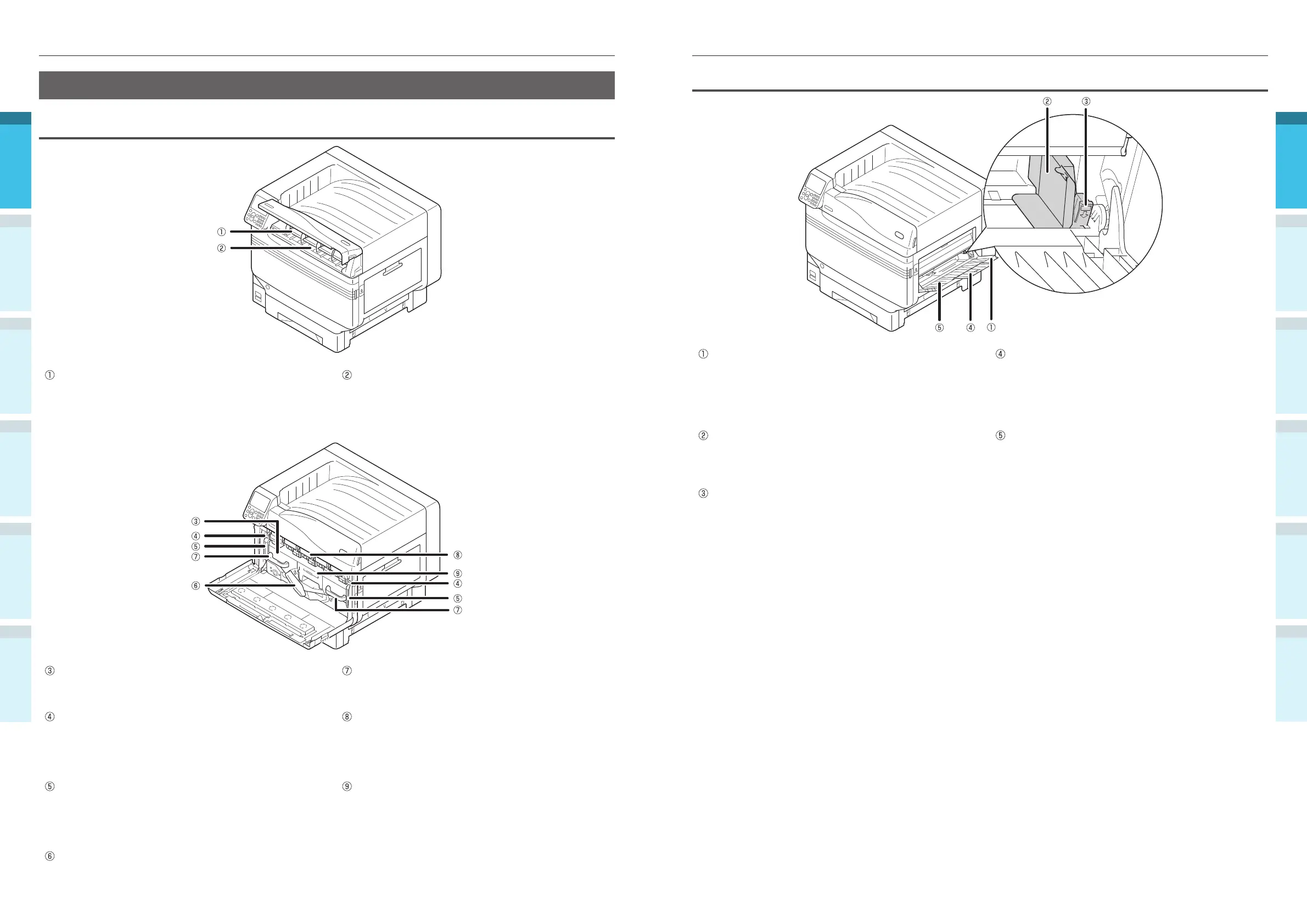
Right Side Interior
Multi-purpose Tray/ MP Tray
You can print on various papers, including postcards
and envelopes, etc.
Further, use when printing to the topside of the
paper that has been set. Set the paper size using the
control panel when using as a regular tray.
Auxiliary Supporter
Maintains the paper when paper has been set in the
multi-purpose tray.
Paper Guide
Stabilizes the paper by adjusting the paper guide to
the width of the paper to be printed.
Paper Supporter
Sets the paper to be printed in the multi-purpose
tray.
Sets the print surface face-up.
Set Lever
Move the paper guide left and right while pulling the
lever towards you when adjusting the paper guide to
the width of the paper. The paper guide is secured
when the set lever is returned to its original position.
Printer Interior
Front Interior
Toner Cartridge
The remaining toner quantity is normally displayed
when "Display remaining toner quantity" has been
set using the control panel standby screen.
The toner cartridge is a consumable.
Slot
Set the toner cartridge here.
“Mounting Consumables” (P.38)
Belt Unit
This device copies the toner to the paper.
The belt unit is a replaceable maintenance part.
Handle
Hold this handle when removing the belt unit.
Lock Lever Knob
Secures the belt unit.
Image Drum/ Slot
The image drum is set in the slot.
The image drum is set inside the printer main unit
before shipment from the factory.
The image drum is a consumable.
Belt Unit Lock Lever
Secures the belt unit.
Waste Toner Box
This box holds the waste toner.
When the waste toner box is full, a message is
displayed on the control panel. The waste toner box
is a replaceable maintenance part.
Belt Unit Lever
Secures the belt unit.



 To Next Page