- 76 - - 77 -
Connecting the PC Connecting the PC
AppendixPrinting
3
Setting Up
2
Before use
1
Basic Device Operations
4
Index
AppendixPrinting
3
Setting Up
2
Before use
1
Basic Device Operations
4
Index
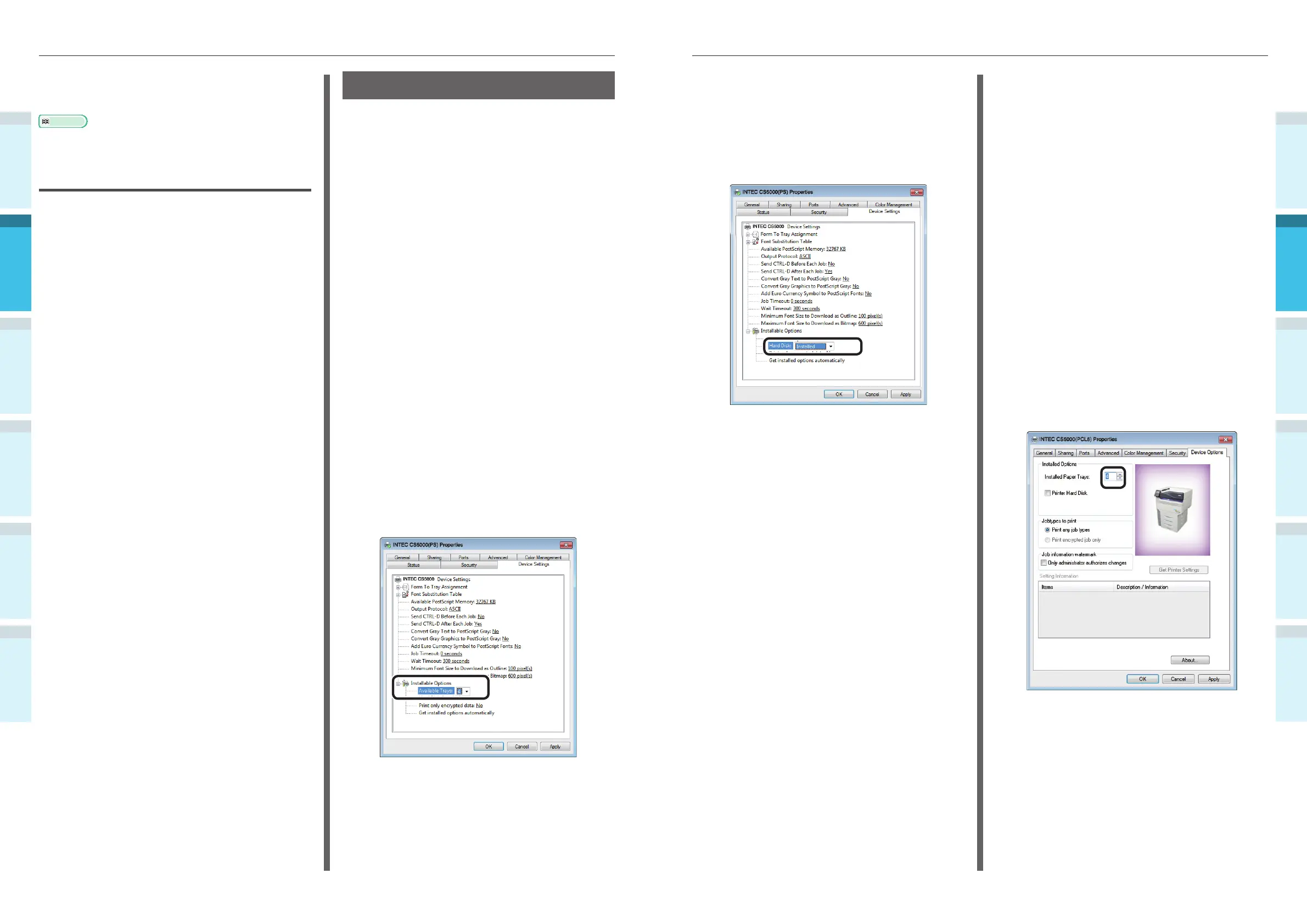
Adding the Built-in HDD
4
If using a network connection, click
[Get installed options automatically] in
[Installable Options].
If using a USB connection, select
[Installed] in [Hard Disk].
5
Click [OK].
Windows PCL Printer Drivers
1
Click [Start], and select [Devices and
Printers].
2
Right-click the Intec CS5000 icon,
and select [Printer properties]. ([Intec
CS5000(PCL6)] if installing multiple
printer drivers.)
3
Select the [Device Options] tab.
Adding an Expansion Tray Unit
4
If using a network connection, click [Get
Printer Settings].
If using a USB connection, enter the
number of trays minus the multi-
purpose tray in [Installed Paper Trays].
For example, if three expansion trays
are mounted, the usable trays are trays
1/2/3/4, so enter "4".
12
Remove the "Software DVD-ROM" from
the PC.
Reference
�
For how to print from the PC, see “Printing from Trays”
(P.89).
If Setup Fails
If setup fails using either a network or USB
connection, see the enclosed "Troubleshooting/
Daily Maintenance Manual".
This manual explains the possible causes of the
setup trouble and the countermeasures.
Adding Options
Use the following procedure to set the printer
drivers if an optional expansion unit or built-in
HDD have been mounted to the device.
Windows PS Printer Drivers
1
Click [Start], and select [Devices and
Printers].
2
Right-click the Intec CS5000 icon,
and select [Printer properties]. ([Intec
CS5000(PS)] if installing multiple
printer drivers.)
3
Select the [Device Settings] tab.
Adding an Expansion Tray Unit
4
If using a network connection, click
[Get installed options automatically] in
[Installable Options].
If using a USB connection, enter the
number of trays minus the multi-
purpose tray in [Available Trays].
For example, if three expansion trays
are mounted, the usable trays are trays
1/2/3/4, so enter "4".



 To Next Page