- 100 - - 101 -
Printing from the Multi-Purpose Tray Outputting Paper
AppendixSetting Up
2
Before Use
1
Printing
3
Basic Device Operations
4
Index
AppendixSetting Up
2
Before Use
1
Printing
3
Basic Device Operations
4
Index
Outputting Paper
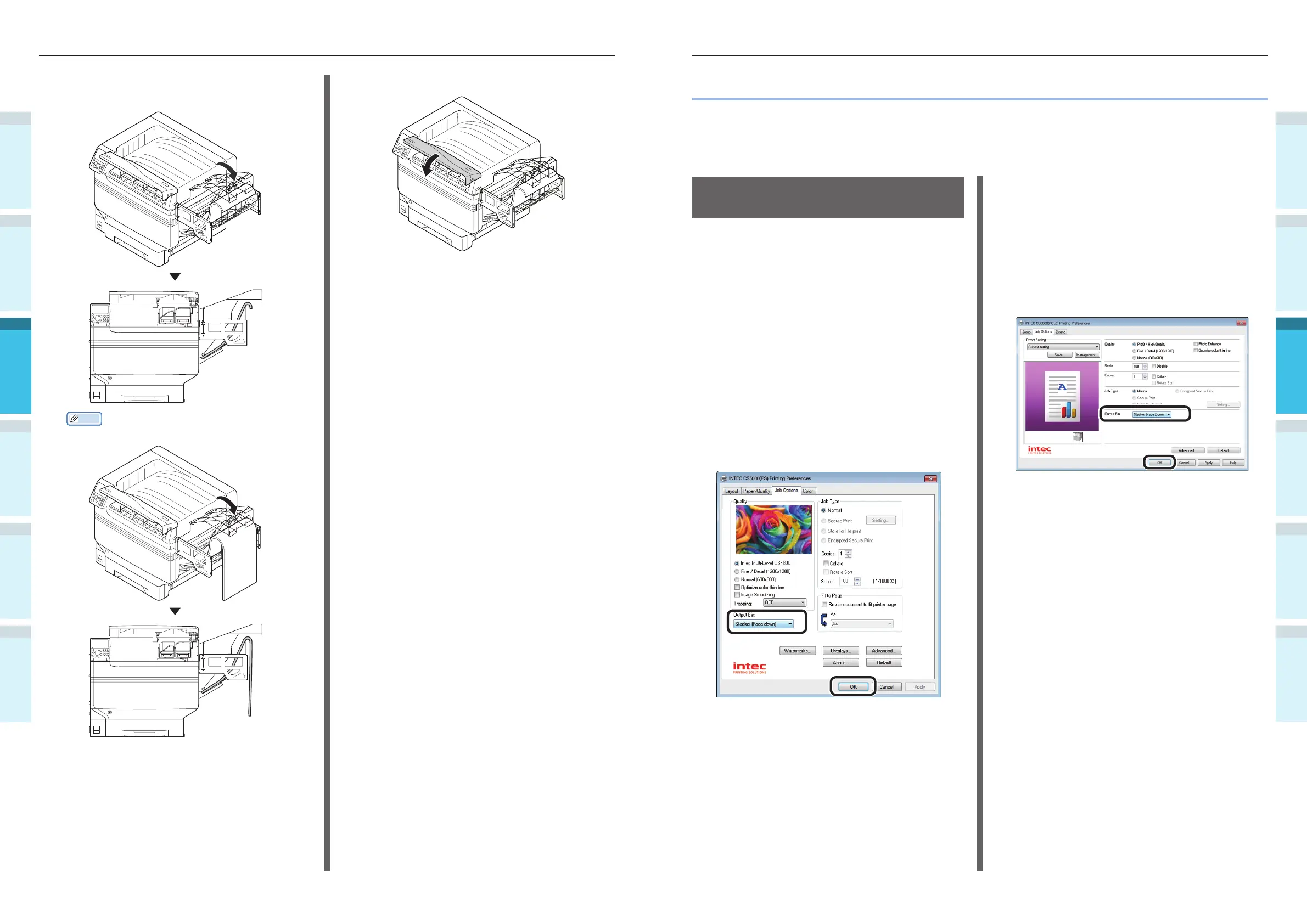
The printer outputs the paper either to the face-down stacker or the face-up stacker.
The face-down stacker can accumulate approx. 620 sheets of GMS 64g/m
2
paper.
The face-up stacker can accumulate approx. 300 sheets of GMS 64g/m
2
paper.
Using the Face-Down
Stacker (Print Face Is Down)
The paper is output with the print side face-
down. Papers are stacked in the order in which
they are printed.
To output from the face-down stacker, specify
the face-down stacker in "Output Bin" using the
printer drivers.
Using Windows PS Printer Drivers
1
Open the fi le to be printed.
2
Click [Preferences] in the "Print" screen.
3
Select [Stacker (Face-down)] in [Output
Bin] in the [Job Options] tab, and click
[OK].
4
Implement printing.
Using Windows PCL Printer Drivers
1
Open the fi le to be printed.
2
Click [Preferences] in the "Print" screen.
3
Select [Stacker (Face Down)] in [Output
Bin] in the [Job Options] tab, and click
[OK].
4
Implement printing.
6
Lower the stacker towards the custom-
sized tray side.
Memo
When using Long Paper
7
Close the toner replacement cover.



 To Next Page