- 34 - - 35 -
Installing the Device Installing the Device
AppendixPrinting
3
Setting Up
2
Before use
1
Basic Device Operations
4
Index
AppendixPrinting
3
Setting Up
2
Before use
1
Basic Device Operations
4
Index
CAUTION
�
Do not install directly on shaggy rugs or carpets.
�
Do not install in locations with poor air circulation
or ventilation such as sealed rooms, etc.
�
Make sure of ventilation if using continuously for
long hours in a small room.
�
Install away from strong magnetic fi elds and
sources of noise.
�
Install away from monitors and TVs.
�
When moving the device, hold the carrying lever
and carrying handles.
�
The main device weight is approx. 97kg* for
model CS4000 and approx. 110kg* for model
CS5000. When lifting or moving the device, make
sure to use at least 4 people.
�
Make sure of the ventilation if printing large
quantities or using the device continuously for
long hours.
*: Includes consumables such as image drums and toner
cartridges, etc.
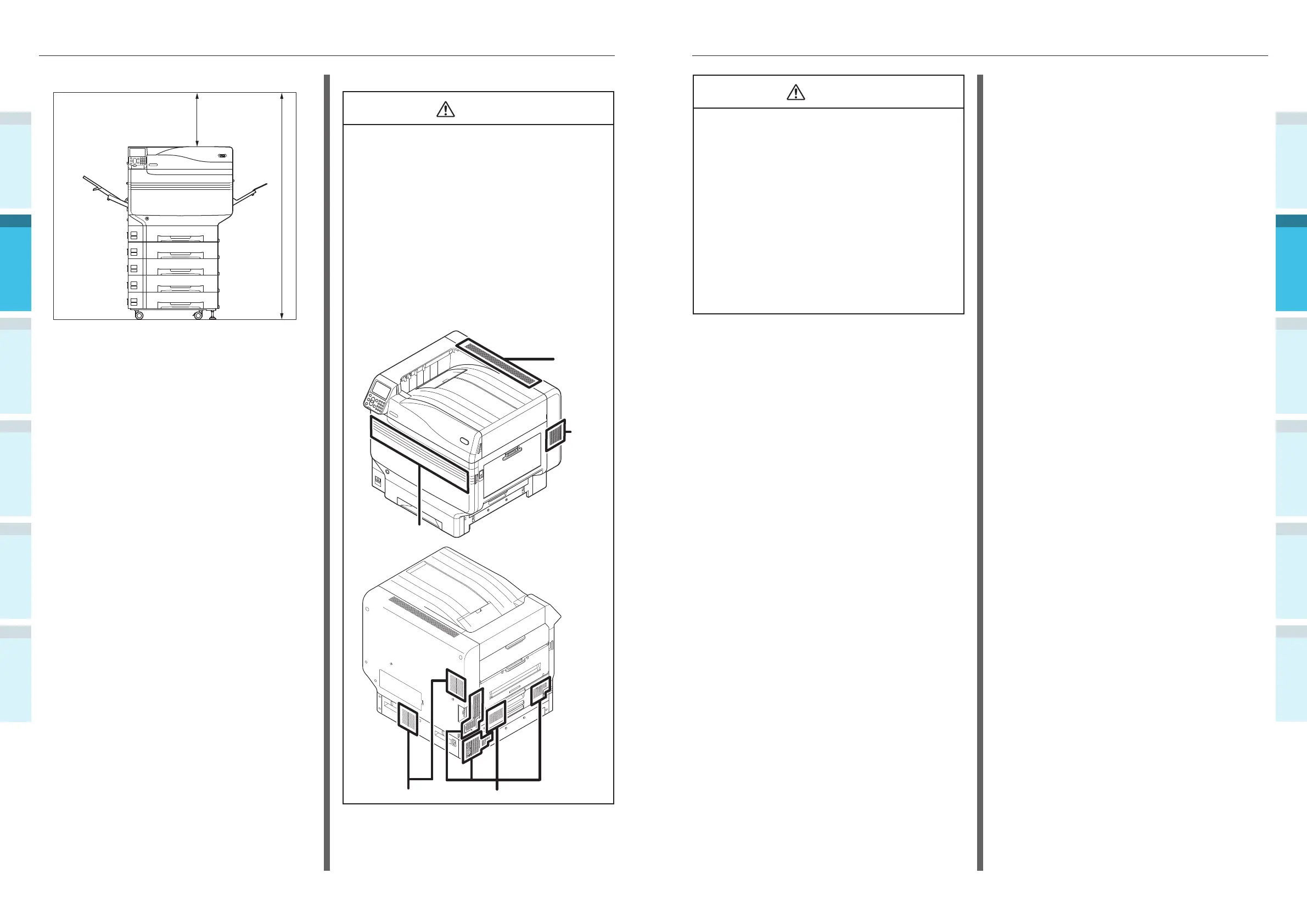
Front view (with expansion trays mounted)
400mm
1560mm
Installation Precautions
WARNING
�
Do not install close to high-temperature locations
or naked fl ames.
�
Do not install in locations where chemical
reactions occur (e.g., laboratories).
�
Do not install close to combustible solutions such
as alcohol or thinners, etc.
�
Do not install within reach of small children.
�
Do not install in an unstable location (e.g.,
unsteady tables or sloping locations, etc.)
�
Do not install in humid or dusty locations, or in
locations in direct sunlight.
�
Do not install in environments with salt air or
corrosive gas.
�
Do not install in locations with major vibration.
�
Do not install in locations where the device air
holes are blocked. Use the following illustrations
to check the air hole position.
Top
Right
side
Front
LeftBack



 To Next Page