43
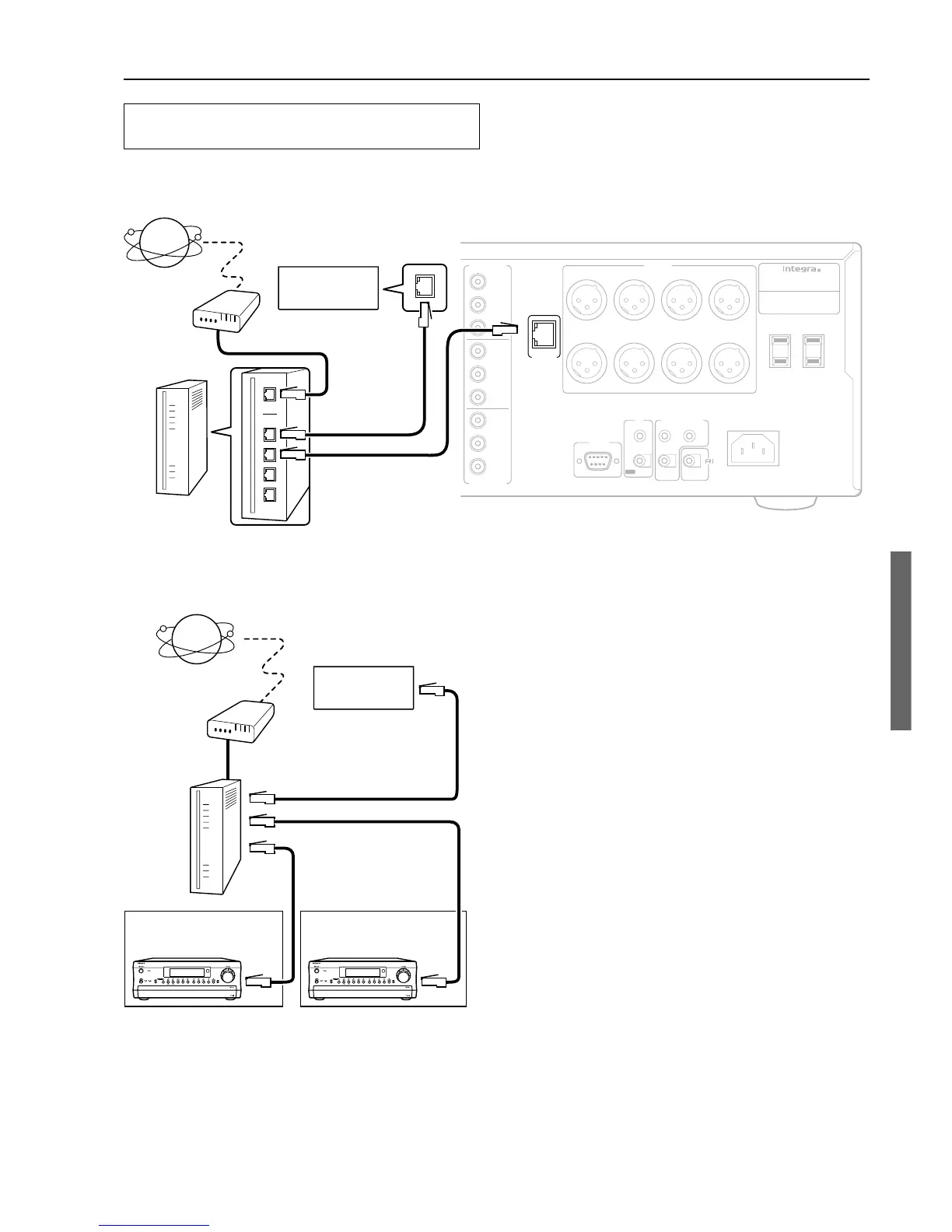
Connecting the DTC-9.4 to your Ethernet
Network
Plug one end of an Ethernet CAT-5 cable into the port on the backside of
the DTC-9.4 and the other end into the gateway.
Room 1 Room 2
Internet radio
Modem
Router
To the WAN side
To the LAN side port
To the LAN side port
To the LAN side port
Hint:
Connecting more than one unit of DTC-9.4 to a router enables several
users to listen to Internet radio at different stations or different music
pieces contained in the same library on the Audio Network Server.
COMPONENT
VIDEO
Y
P
B
P
R
OUTPUT
INPUT 1
Y
P
B
P
R
INPUT 2
Y
P
B
P
R
I
R
IN
ZONE 2
REMOTE
CONTROL
A
B
RS232
OUT
AC
120
V 60
Hz
SWITCHED
TOTAL 120W 1A MAX.
AC OUTLETS
AV CONTROLLER
MODEL NO.
DTC
-
9.4
AC
INLET
LEFTRIGHTCENTERSUBWOOFER
SURROUND
LEFT
SURROUND
RIGHT
SURR BACK
/
ZONE 2
LEFT
SURR BACK
/
ZONE 2
RIGHT
12
V
TRIGGER OUT
PRE OUT
CONTROL
LINK OUT
COMPONENT
VIDEO
ETHERNET
(
NET
-
TUNE
)
DTC-9.4
Internet
Modem
Router
To the LAN
side port
To the LAN side port
To the WAN side
LAN port/
Ethernet, etc
Audio Network
Server
Audio Network
Server
How to Enjoy Net Audio



 To Next Page