22 NX-595E User Manual
3.
1
st
star, moves back to system control menu.
2
nd
star, moves back to main menu.
# Disconnects session.
Disarm – Multi partition system – All Partitions
How to: Disarm all partitions in a multi partition system
Step Example: Stay Away – All partitions – Multi partition
1.
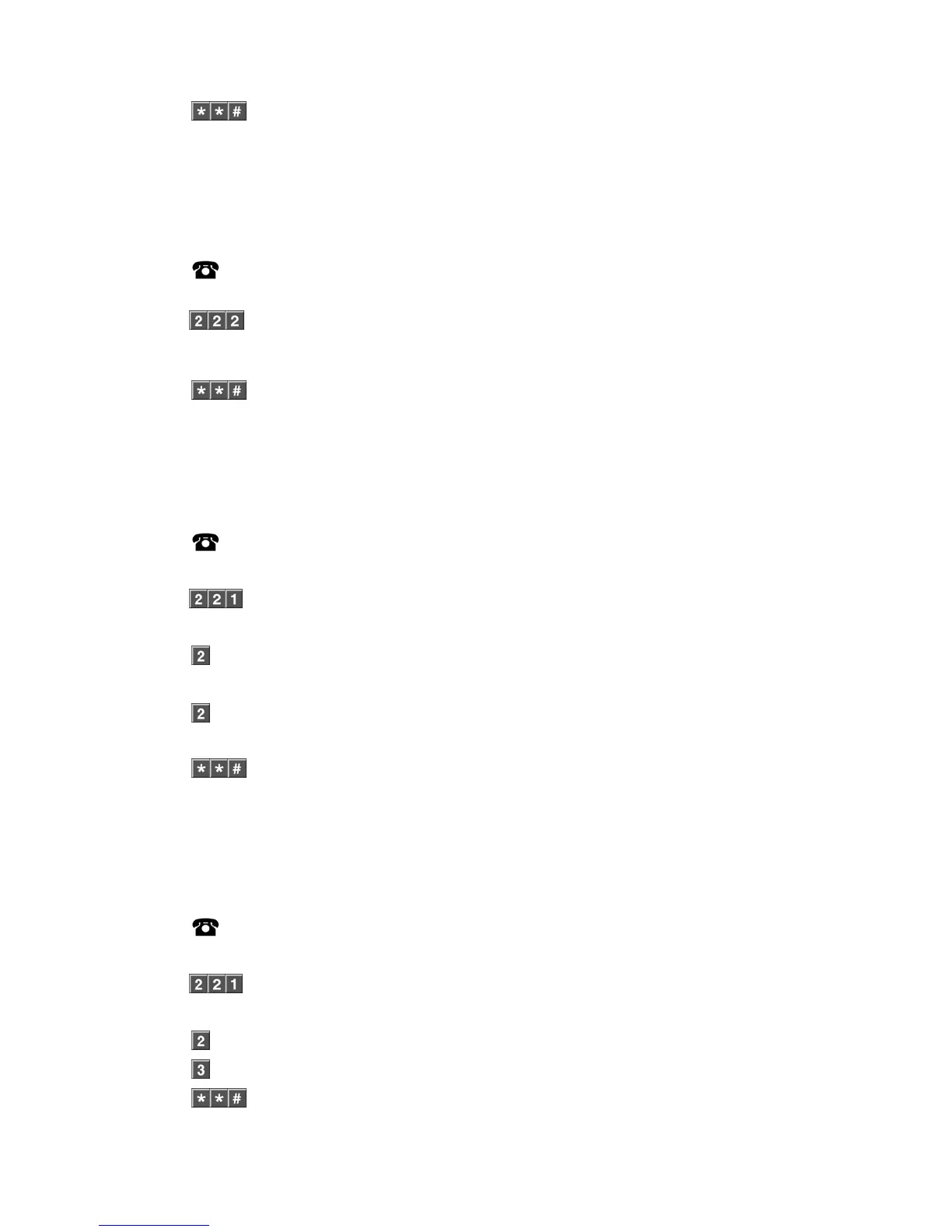
[PIN] Call the NX-595E via an offsite touch-tone phone to begin the session.
2.
Press [2] for system control menu.
Press [2] for partition control menu.
Press [2] to turn off all partitions.
3.
1
st
star, moves back to system control menu.
2
nd
star, moves back to main menu.
# Disconnects session.
Away Arm – Multi Partition System – Single Partition
How to: Away Arm a single partition in a multi partition system
Step Example: Away arm partition 2 in a Multi partition system
1.
[PIN] Call the NX-595E via an offsite touch-tone phone to begin the session.
2.
Press [2] for system control menu.
Press [2] for partition control menu.
Press [1] to control an individual partition.
3.
Select an Partition number from 1 ~ 8.
4. Press [2], To set in the away mode.
5.
1
st
star, moves back to system control menu.
2
nd
star, moves back to main menu.
# Disconnects session.
Stay Arm – Multi Partition System – Single Partition
How to: Stay Arm a single partition in a multi partition system
Step Example: Away arm partition 2 in a Multi partition system
1.
[PIN] Call the NX-595E via an offsite touch-tone phone to begin the session.
2.
Press [2] for system control menu.
Press [2] two for partition control menu.
Press [1] one to control an individual partition.
3.
Select an Partition number from 1 ~ 8.
4.
Press [3], To set in the stay mode.
5.
1
st
star, moves back to system control menu.



 To Next Page