31Intermec EasyCoder 501 – Service Manual Ed. 7
Chapter 5 Media Supply
5.2 External Supply,
cont.
Installation, Fan Fold Guides
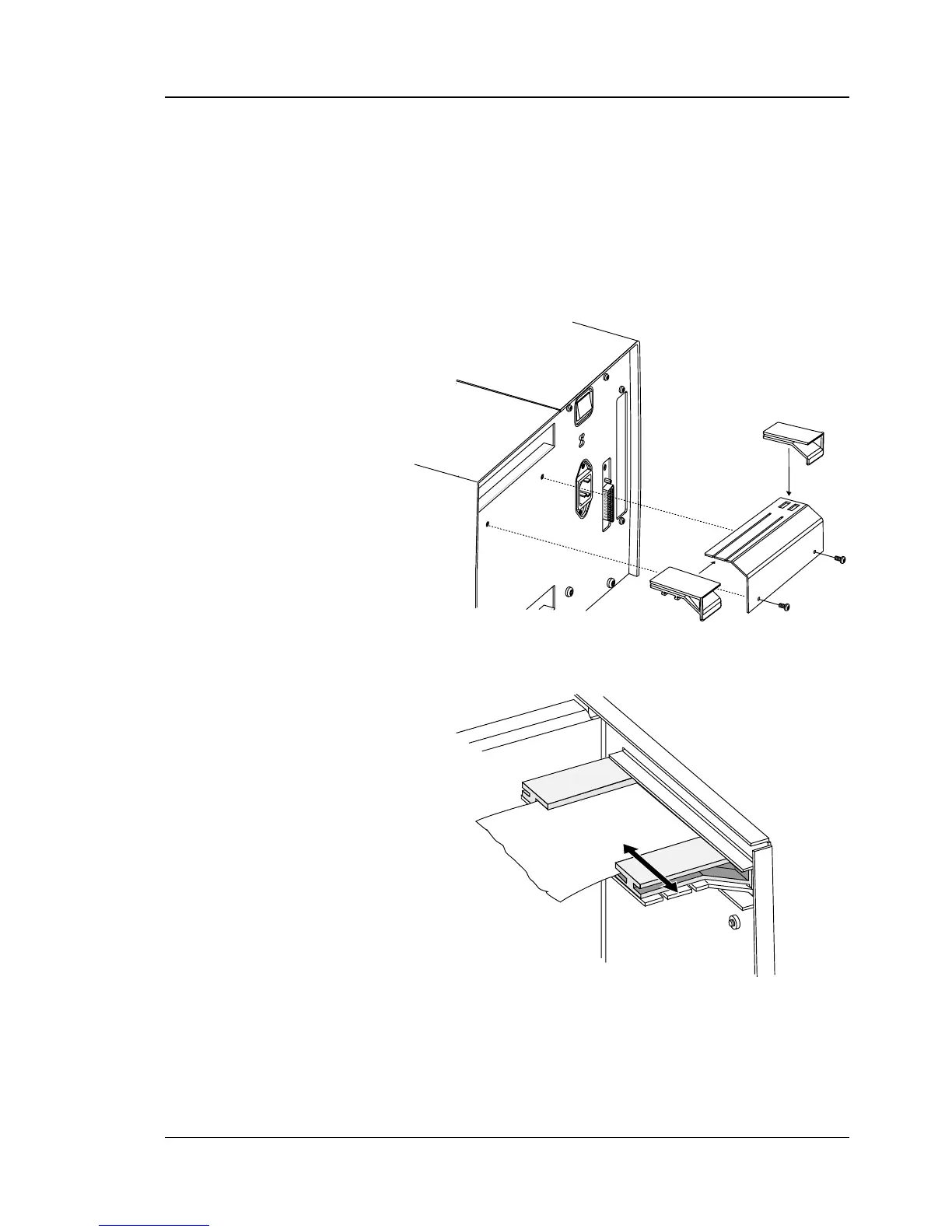
The bracket with the two guides can be fi tted either at the upper or
lower slot in the rear plate, depending on how the external media
supply is located in relation to the printer.
Insert the complete unit through the slot from the outside and
attach it to the rear plate by means of two #T20 Torx screws. In
case of the upper position, use the screws included in the kit, and
in case of the lower position, use the two existing screws that hold
the rear plate to the bottom plate.
Adjust the position of the outer guide to fi t the width of the media.
Minium media width is 40 mm (1.575 inches).



 To Next Page