Intermec EasyCoder 501 – Service Manual Ed. 7
32
Chapter 5 Media Supply
Installation, Rear Guide Shaft
The rear guide shaft is already fi tted on all printers equipped with
a liner/batch takeup kit, see Chapter 9. However, in this case there
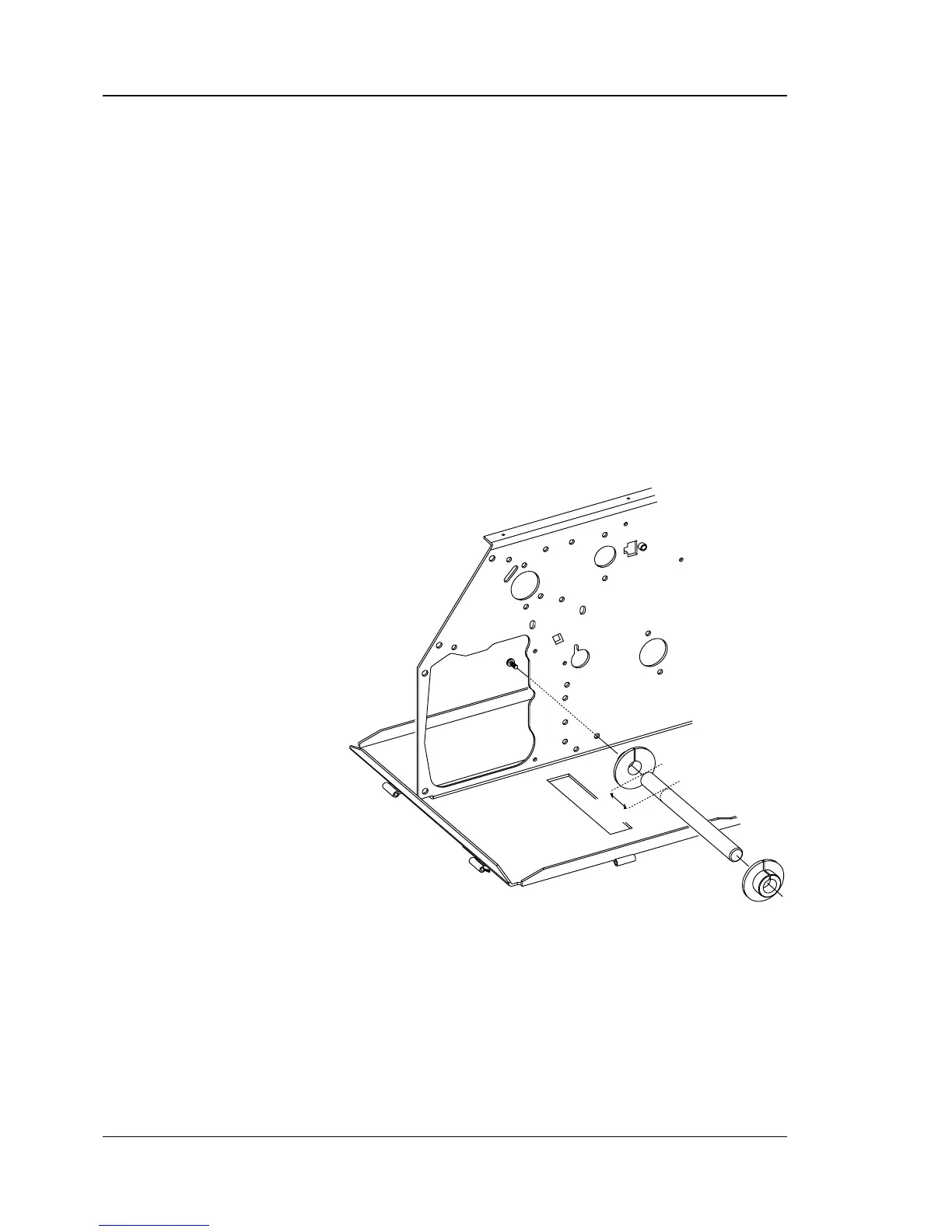
are no guide rolls on the shaft. Just press two guide rolls onto the
shaft, as illustrated below. You will need to bend the shaft slightly
away from the bottom plate before you can fi t the inner guide roll.
If there is no rear guide shaft already fi tted in the printer, use one
of the shafts included in the kit and attach it to the printer’s centre-
line wall using a #T20 Torx screw (included) inserted from the
electronics compartment as illustrated below.
Before removing the left-hand cover, read the instructions in Chap-
ter 1.1.
Adjust the inner guide roll so it guides the media exactly 20 mm
(.79 inches) from the printer’s center section. Then adjust the outer
guide roll according to the width of the media.
5.2 External Supply,
cont.
20 mm
(.79")



 To Next Page