Intermec EasyCoder 501 – Service Manual Ed. 7
56
Chapter 8 Print Unit
The quick-mount thermal printhead is designed to be easy to
replace. Proceed as follows:
• Switch off the printer.
• Open the front hatch and right-hand door.
• Lift the printhead.
• Remove the transfer ribbon, if any.
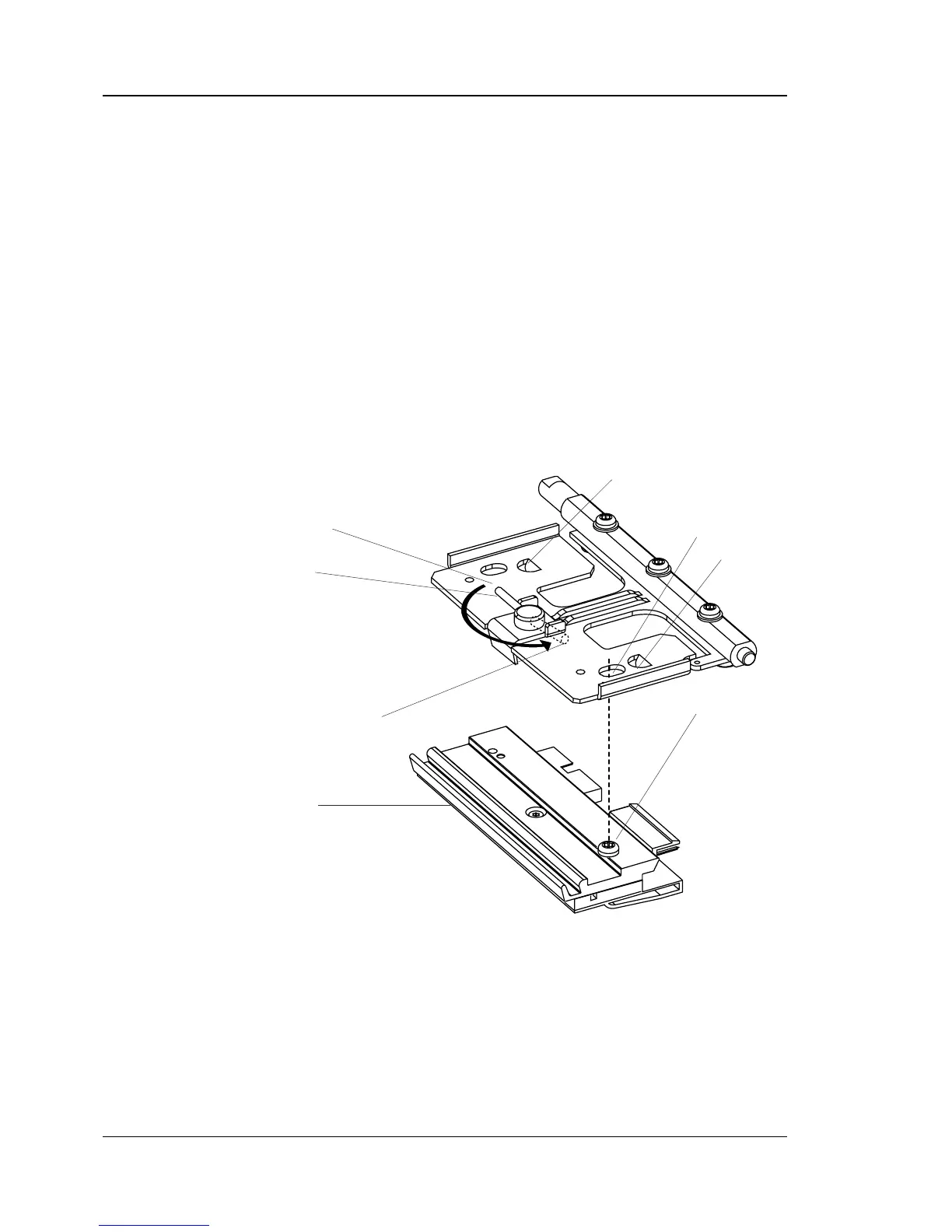
• Turn the lock handle counter-clockwise to open position, see
illustration.
• The printhead/adapter assembly will now be free and can be
carefully removed as far as the cables allow.
• Disconnect the two printhead cables. Pull at the connectors
rather than the cables!
Printhead fi tted in right-hand position. Note the position of the guide
screw.
8.7 Printhead, cont.
Guide Screw
Locked Position
Lug
Lug
Lock Handle
Replacement Printhead assy.
Open Position
Slot



 To Next Page