79Intermec EasyCoder 501 – Service Manual Ed. 7
Chapter 10 Ribbon Save Device
10.6 Print Unit Assy,
cont.
Label Stop/Black Mark Sensor Replacement, cont.
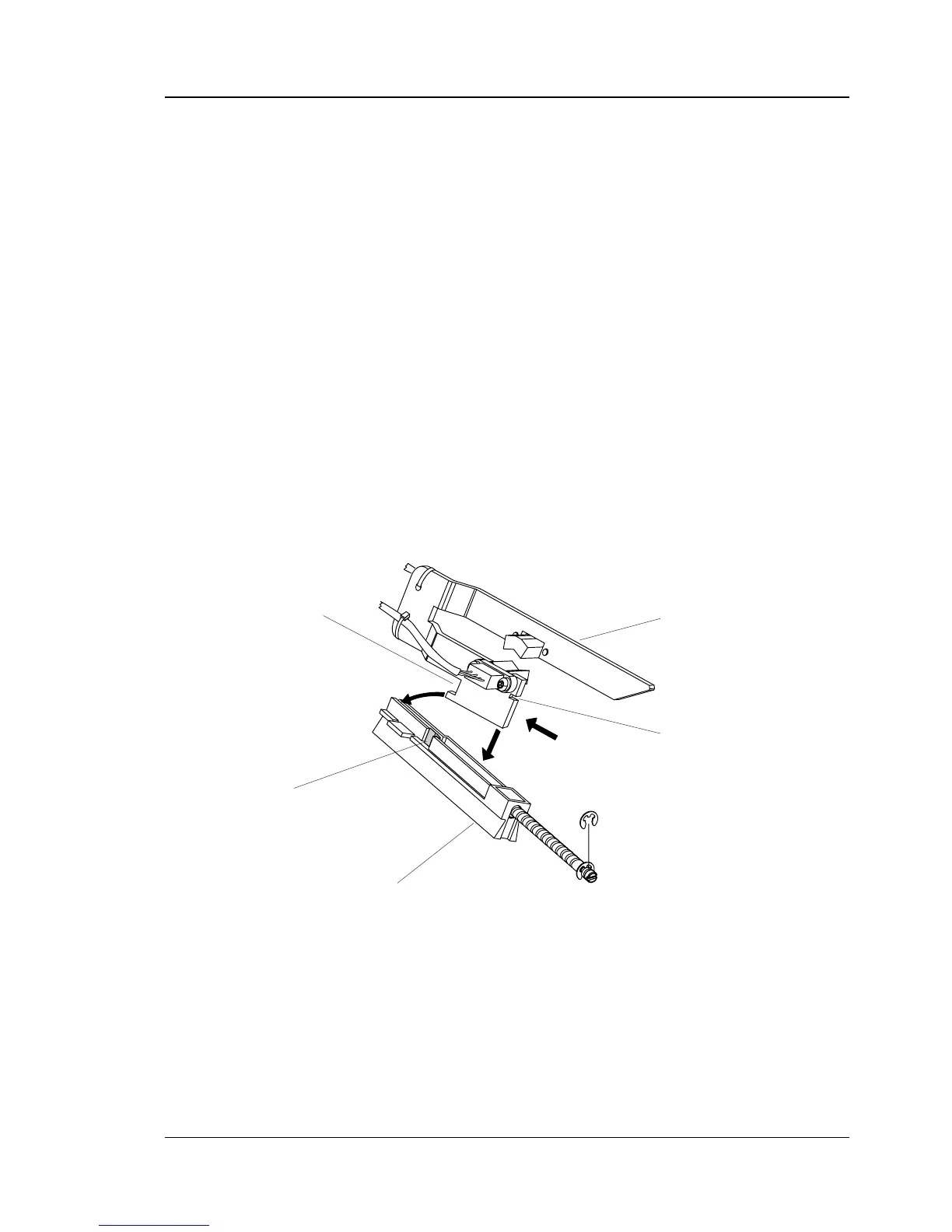
To reassemble the LSS, proceed as follows:
• Route the cables through the hole in the inner gable.
• Place the inner, lower corner of the bracket into the groove in
the carriage, almost at the innermost end.
• Tilt the bracket up at the outer end and push it inwards so the
inner notch in the bracket engages the carriage.
• Press down the outer end of the bracket, so the snap-lock
engages the outer notch.
• Press the bracket inwards as far as it goes and check that the
bracket is secured by the snap-lock.
• Connect the cable from the lower sensor to P-600 and the cable
from the upper sensor to P-601 on the CPU board.
• Put back the guide plates and printhead.
• Adjust the lateral position of the LSS.
For more information on the LSS, refer to Chapter 8.6.
1.
2.
3.
LSS Bracket
Snap-Lock
Carriage
Outer Notch
Inner Notch



 To Next Page