Intermec EasyCoder 501 – Service Manual Ed. 7
80
Chapter 10 Ribbon Save Device
10.6 Print Unit Assy,
cont.
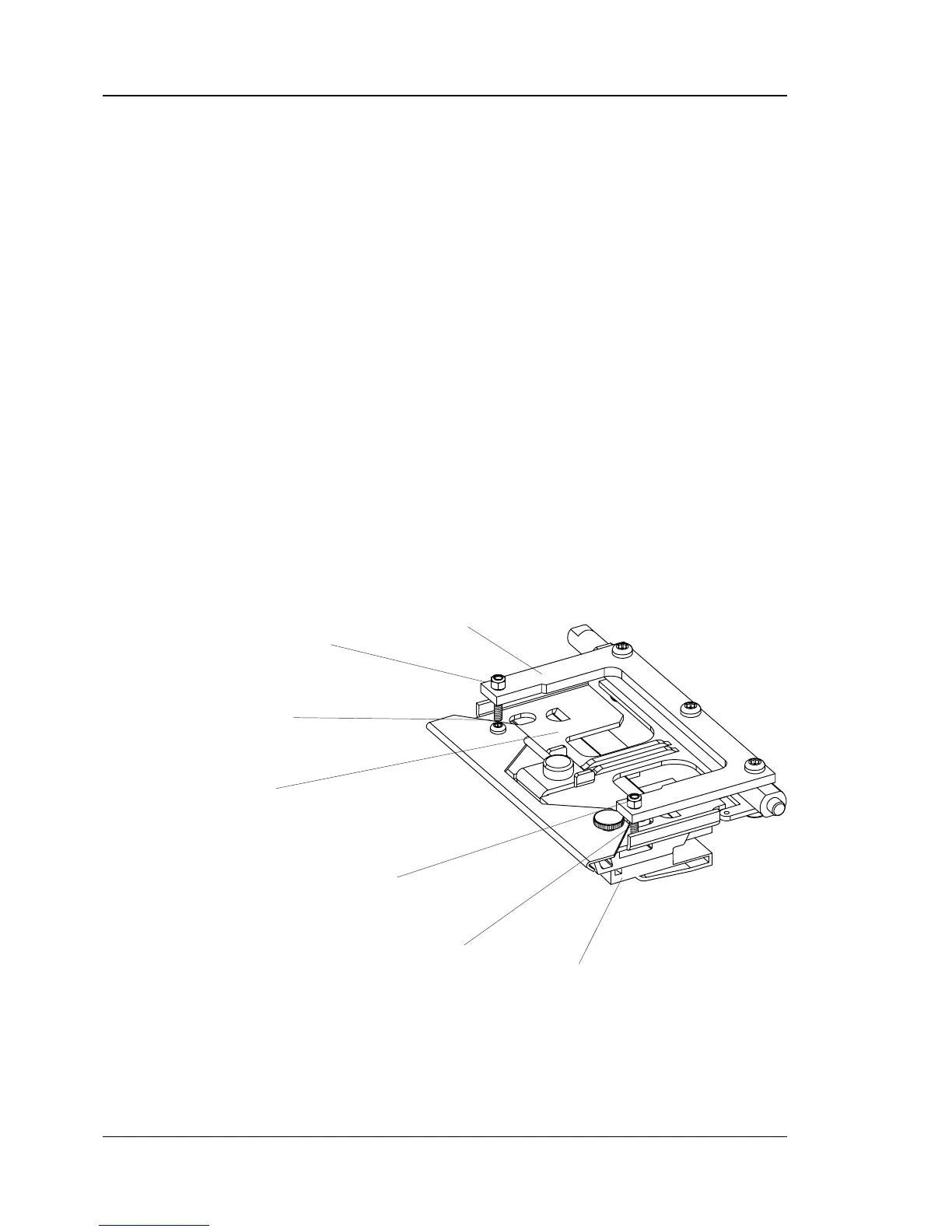
Printhead Bridge Description
The printhead bracket is provided with a U-shaped bridge that
helps lifting the printhead and overcoming the pressure from the
printhead pressure mechanism without undue strain to the print-
head bracket, which itself is designed as a torsion spring.
The bridge and the printhead bracket are connected using two
screws that can move in holes in the bridge. Adjustment is done by
means of two nuts.
Printhead Bridge Adjustment
To adjust the relation between the bridge and the printhead bracket,
proceed as follows:
• Turn the headlift knob as to release the spring pressure from the
printhead bracket.
• Measure the distance between the nuts and the lifting bridge
using a feeler gauge. Correct distance is 0.3 mm (0.01 inch).
Adjust if necessary.
Note that the distance will increase when spring pressure is applied
to the bracket.
Lifting Bridge
Printhead Bracket
Nut
Nut
Printhead
Screw
Screw



 To Next Page