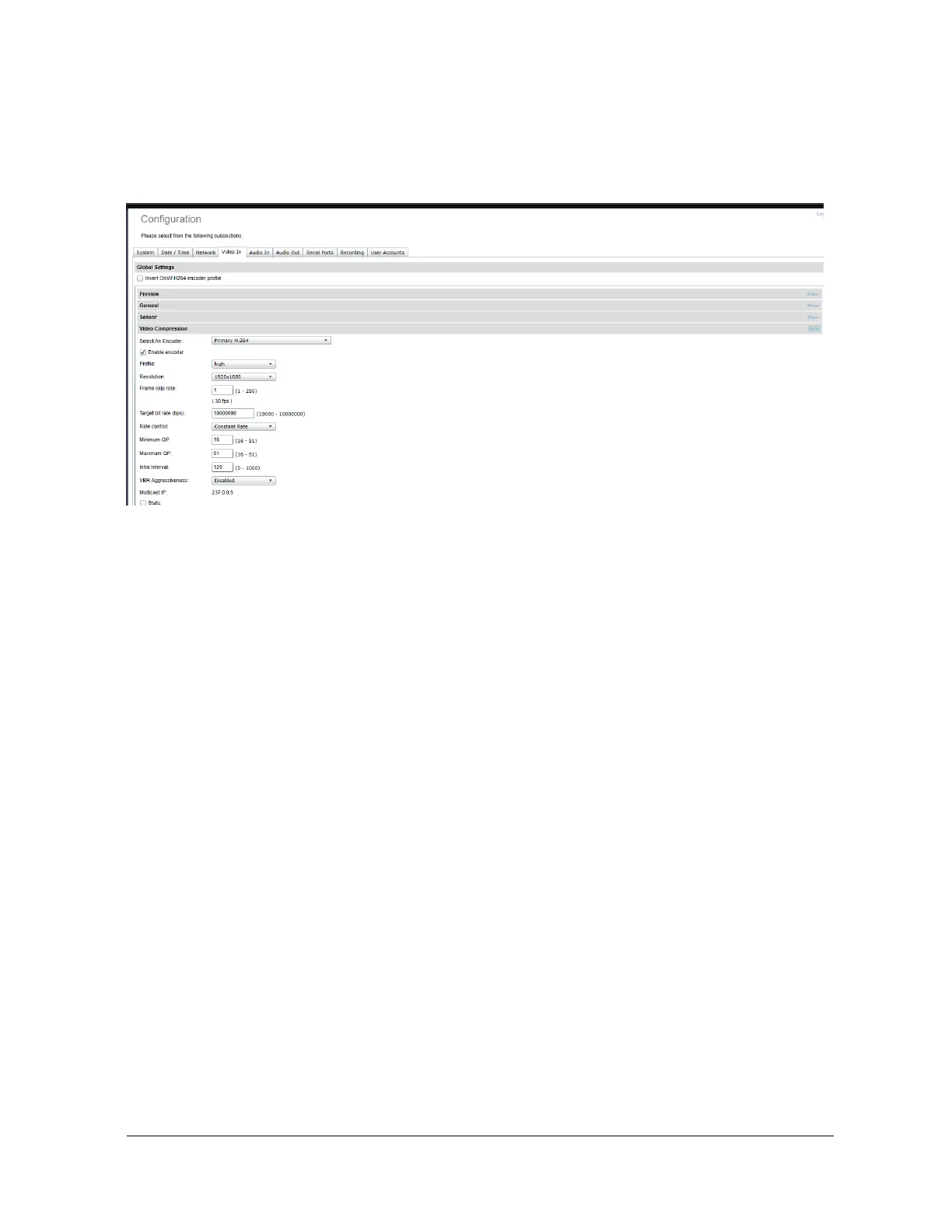
x Video Compression – This section allows you to configure video compression
parameters for any of the three available codec instances (Primary H.264, Secondary
H.264 and MJPEG).
o Enable Encoder – Allows you to enable the encoder to be utilized
o Profile – Select the h264 profile you wish to use
o Resolution – Select the video resolution to stream
o Frame skip rate – Select the number of video frames
o Target bit rate – Select the desired target bitrate
o Rate control – Select between Constant Rate or Variable Rate
o Minimum QP / Maximum QP – These parameters allow you to specify the
compression range that the codec will use to determine image quality during
compression. In order to force a specific quality setting, you can set the minimum
and maximum to the same value. The lower the value, the better the quality will
be. We do not recommend changing default values unless you have a good
understanding of the H.264 compression process.
o Intrat Interval – Defines the GOP size
o VBR aggressiveness is unique to IONODES encoders and proposes various
levels (disabled to aggressive) of motion triggered rate control. The more
aggressive the setting, the more variation motion will have on the rate control. It



 To Next Page