142 Chapter 10: PostView TempScan / MultiScan User's Manual
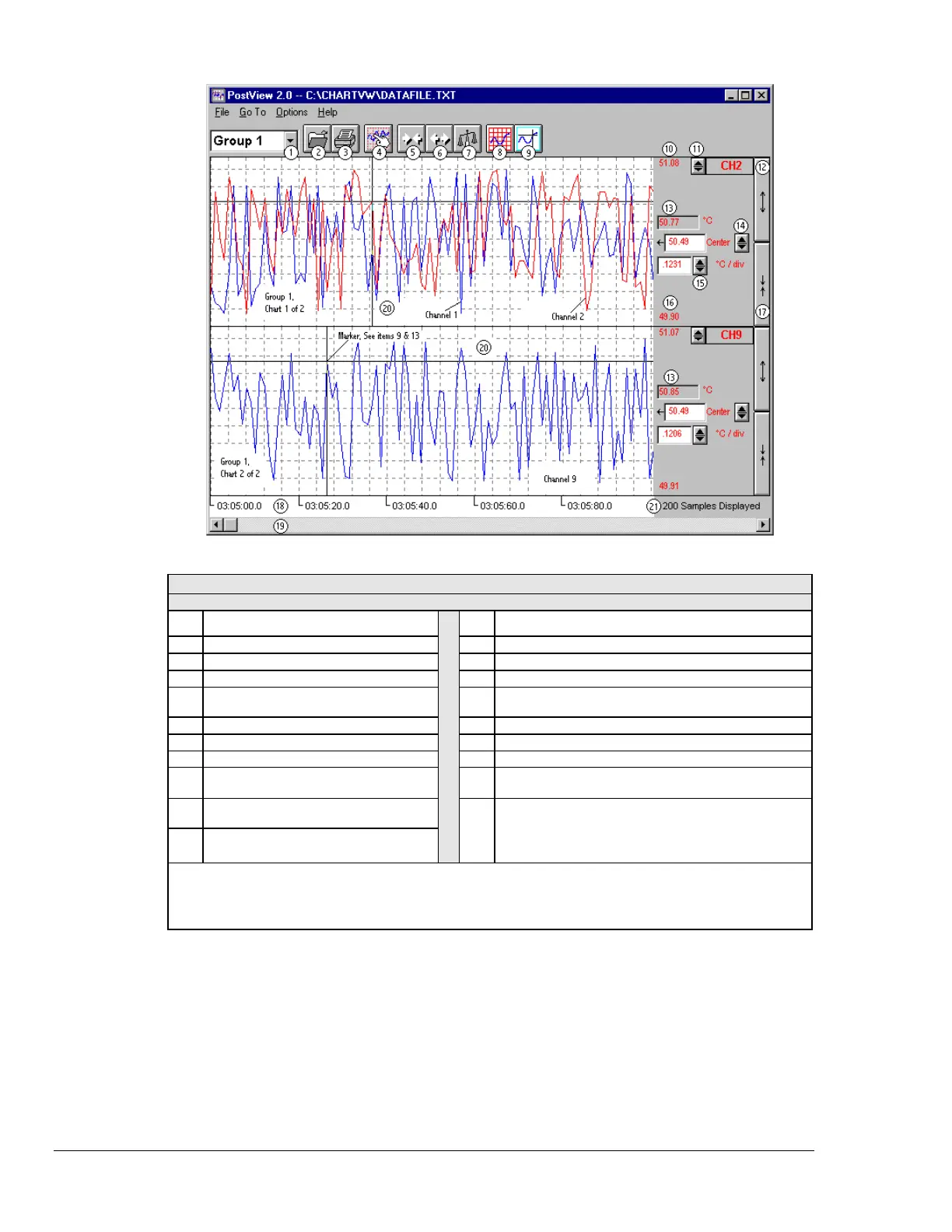
PostView Control Options
1
= Mouse,
Ú
= Arrow Keypads ,
= PageUp/PageDown Keypads
1 Group Select
, Ctrl+G, Ú
,
or
12 Multiply (x2)
2
, or
[
spacebar
]
2 Open
,
or Ctrl+O
13 Value at Marker
2
-------------
3Print
, or
Ctrl+P
14 Offset
2
, Ú, or
type-in
4 Setup
,
or
Ctrl+S
15 Units/Division
2
,
Ú
,
or
type-in
5 Zoom Out
16 Chart Min. Scale
Value
2
Setup Dialog Box
6 Zoom In
17
Divide (÷2)
2
,
or
[
spacebar
]
7Scale
18 Time Stamp
Hours: mins: seconds. Tenths
8 Show Grid
19 Scroll
9 Show Marker
20 Access Chart Setup
Right-click to edit setup
of selected chart.
10 Chart Max
Scale Value
2
Setup Dialog Box 21 Number of Samples
Displayed
Automatic indication of no.
of samples per chart
11 Channel
Selection
2
,
or
Ú
1
Note: For keypad options, first use the Tab key to “tab over” to the desired control item. For example, you can
use the tab key to highlight the Group Select (item 1), then use any of the following 3 methods to obtain
the desired group: Ctrl+G, keypad arrows, or PageUp/PageDown keys.
2
Note: Items 10 through 17 are discusses in the section Channel Information Region, page 145.



 To Next Page