TempScan / MultiScan User's Manual Chapter 7: Power & Assembly 53
Rack-Mount & Bench-Top Assembly
The TempScan/1100, MultiScan/1200, Exp/10A and Exp/11A package each includes accessories for
rack-mount or bench-top assembly.
Rack Mount
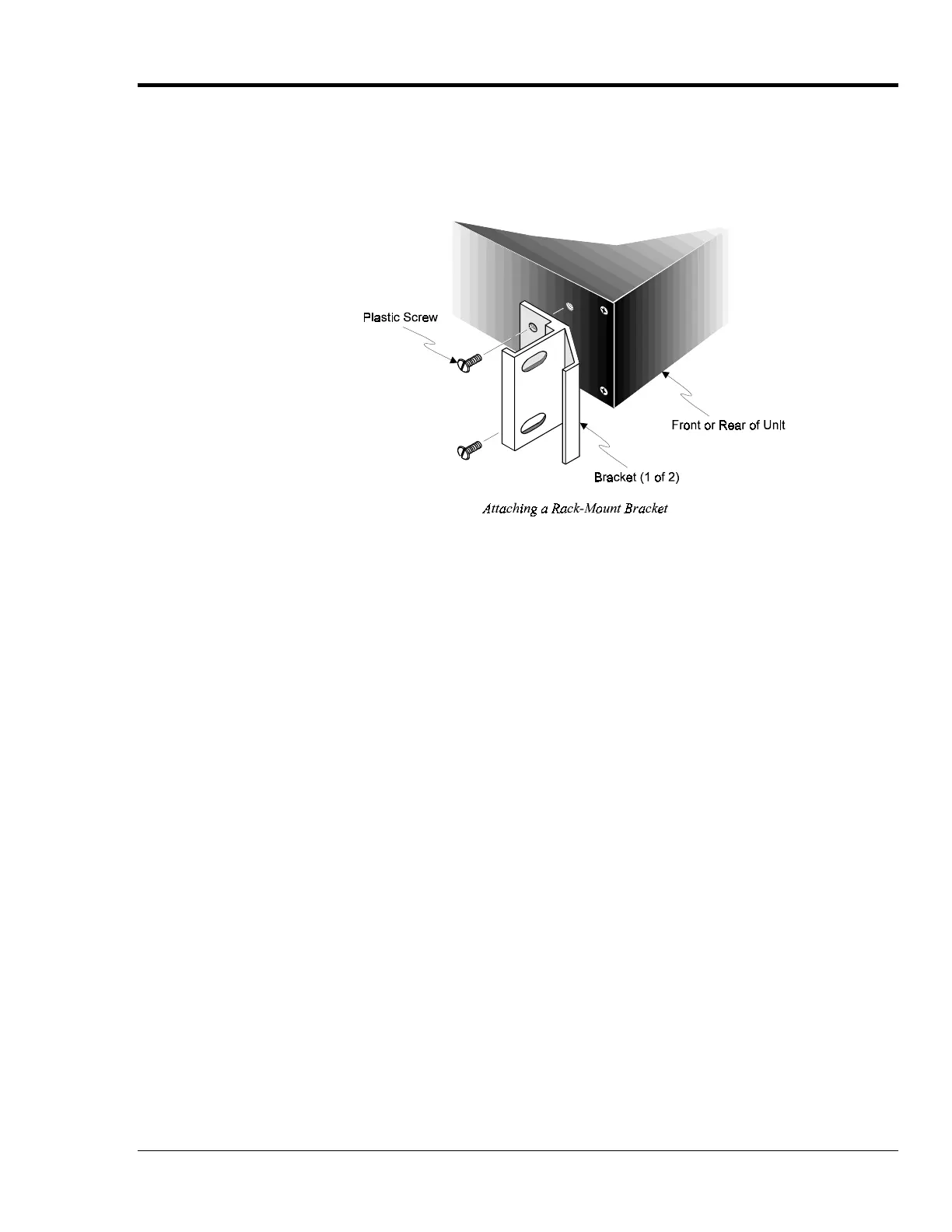
If rack-mount assembly is required, remove the two plastic screws from the pre-drilled holes on each
side of the unit. Since the unit can be mounted with the front or rear panel facing the front of the rack
fixture, remove only those screws from the set of holes that will be toward the front of the rack. Attach
the two rack ears using the enclosed screws.
Bench Top
If bench-top assembly is required, install the self-adhesive rubber feet on the bottom of the unit
approximately one inch from each corner.



 To Next Page