TempScan / MultiScan User's Manual Chapter 14: System Calibration 227
Calibration Password
Note:
Attempts to execute calibration commands without entry into Calibration Mode will result in
a calibration error, as follows: The Invalid Command Bit (Bit 0) in the Calibration Status
Register (
CSR) will be set, and in turn, any set Bits 0 to 5 in the CSR will be mapped into the
Calibration Error Bit (Bit 3) in the Error Source Register (
ESC).
To Change the Calibration Password
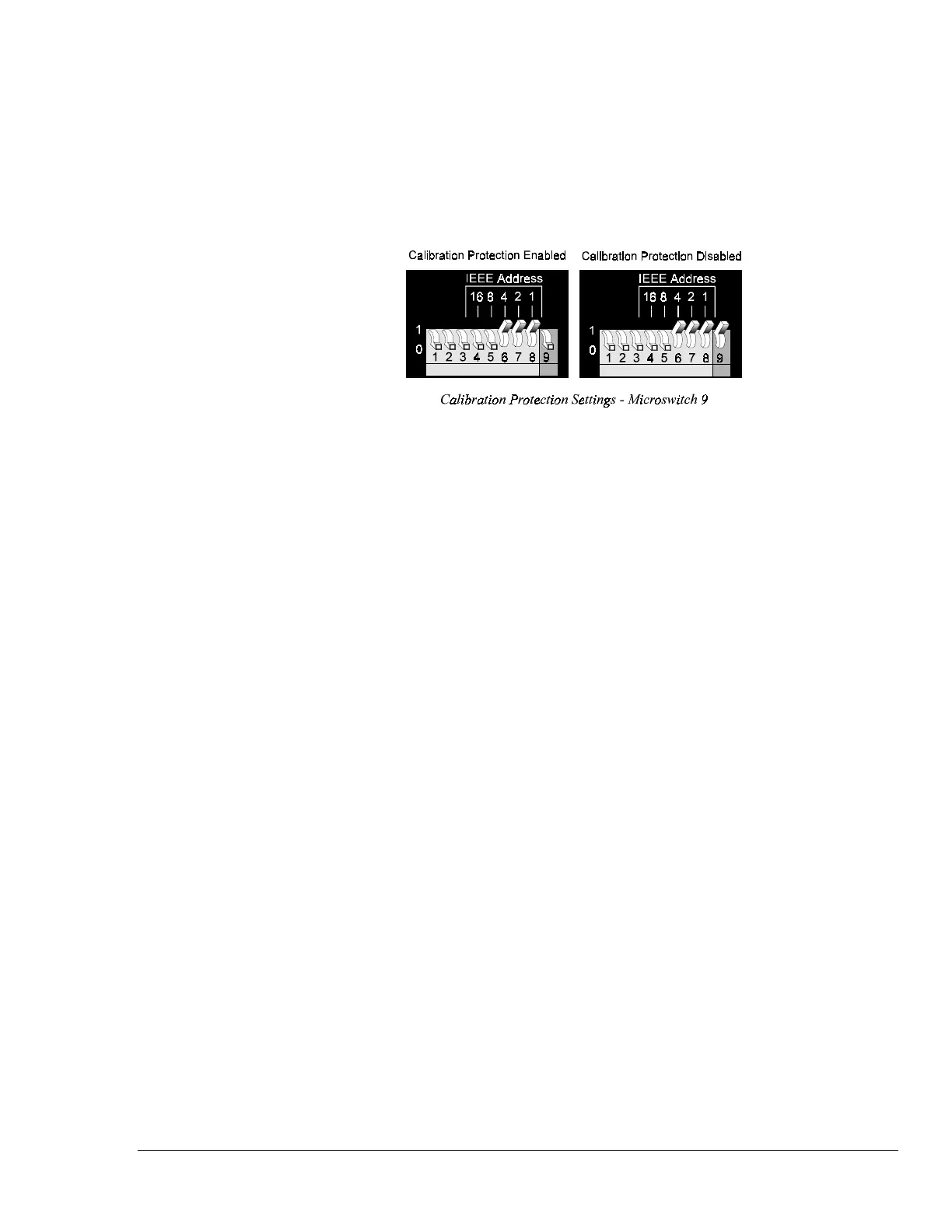
1. Disable calibration protection by setting the rear panel DIP microswitch 9 to the up (1) position.
Then enable Calibration Mode via the Enter Calibration Mode (
K) command with a valid
password. The
keyword is the five-digit keyword (or password) currently configured for the unit.
Your scanning unit is shipped with a default password of
12345. If the calibration password has
not been changed, enter
K12345
.
2. Once Calibration Mode has been entered, this password can be modified. Enter the Change
Calibration Keyword (
*K) command with a new five-digit password.
3. Wait for command to complete. The TRIGGER LED indicator will flash for a few seconds.
4. Monitor the Calibration Status Register (
CSR) via the User Status (U) command U2 to ensure that
the command completed without error.
5. Disable Calibration Mode with the End Calibration Mode (E) command. Re-enable calibration
protection by resetting DIP microswitch 9 to the down (0) position.
For details on any of the above commands, see chapter API Command Reference.



 To Next Page