If these services are not desired, they can be stopped too.
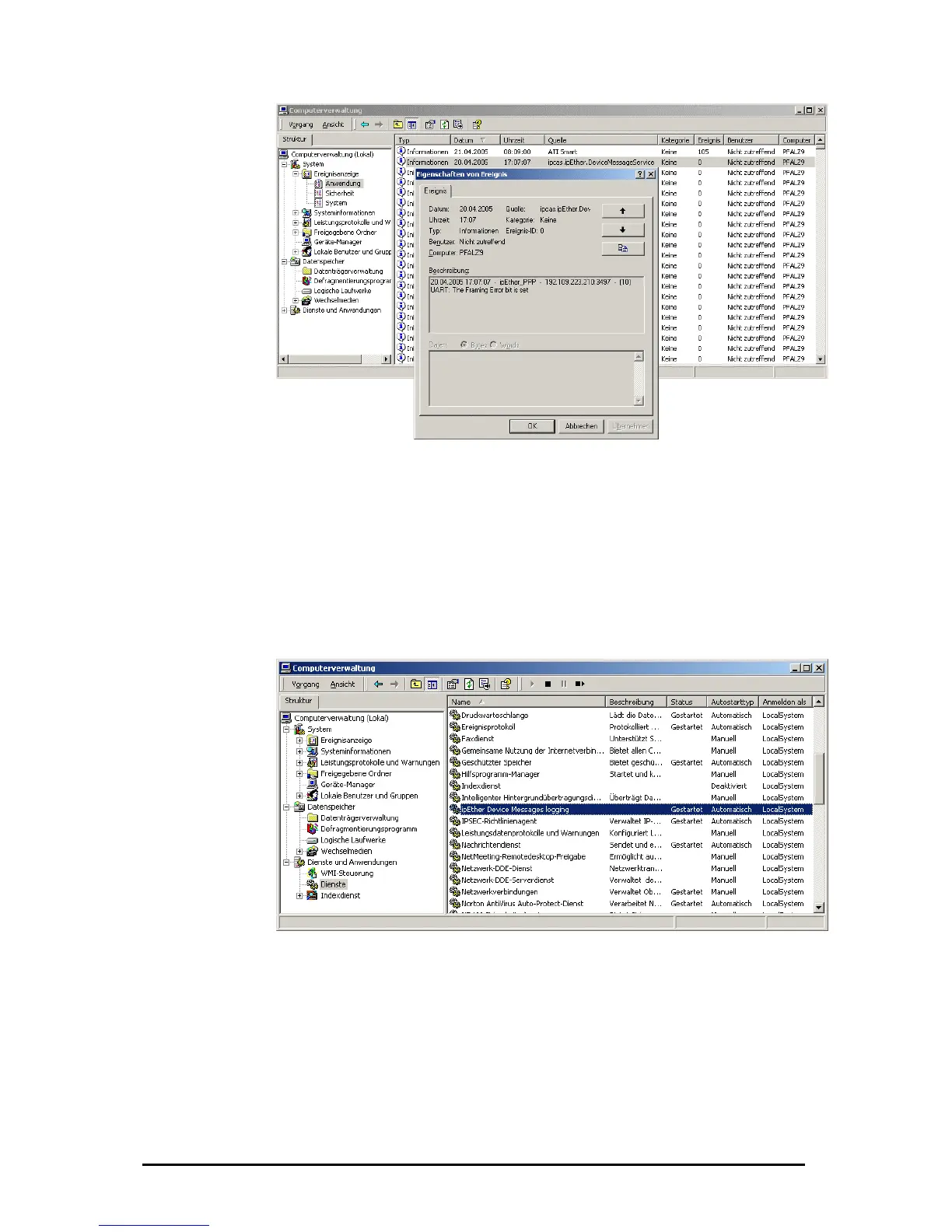
Start and stop of the service in the computer administration
he service "ipEther message devices logging" can be activated or deactivated
nder "Services and applications". A list of all services is announced after a right
r" -> administration -> services and applications
ht cl
"terminate" it.
T
u
click on "My Compute
-> services. With a rig ick on the service you get the options to "start" or
Start and stop of the service through the c
In the command shell the
started with the command
stopped with the comman
The driver-service for the
start ipether232” and stop 32”.
ommand shell
service „ipEther Device Messages logging“ can be
“net start ipcas.ipether.devicemessageservice“ and
d „net stop ipcas.ipether.devicemessageservice“.
virtual Com-Port can be started with the command “net
d “net stop ipether2ped with the comman
Änderungen vorbehalten Stand 09.09.05
ipcas GmbH ipEther232 V11.01 Seite 29 von 150



 To Next Page