Chapter 5: Co
n guration of
5.1 Configuration of ipEther232.Te
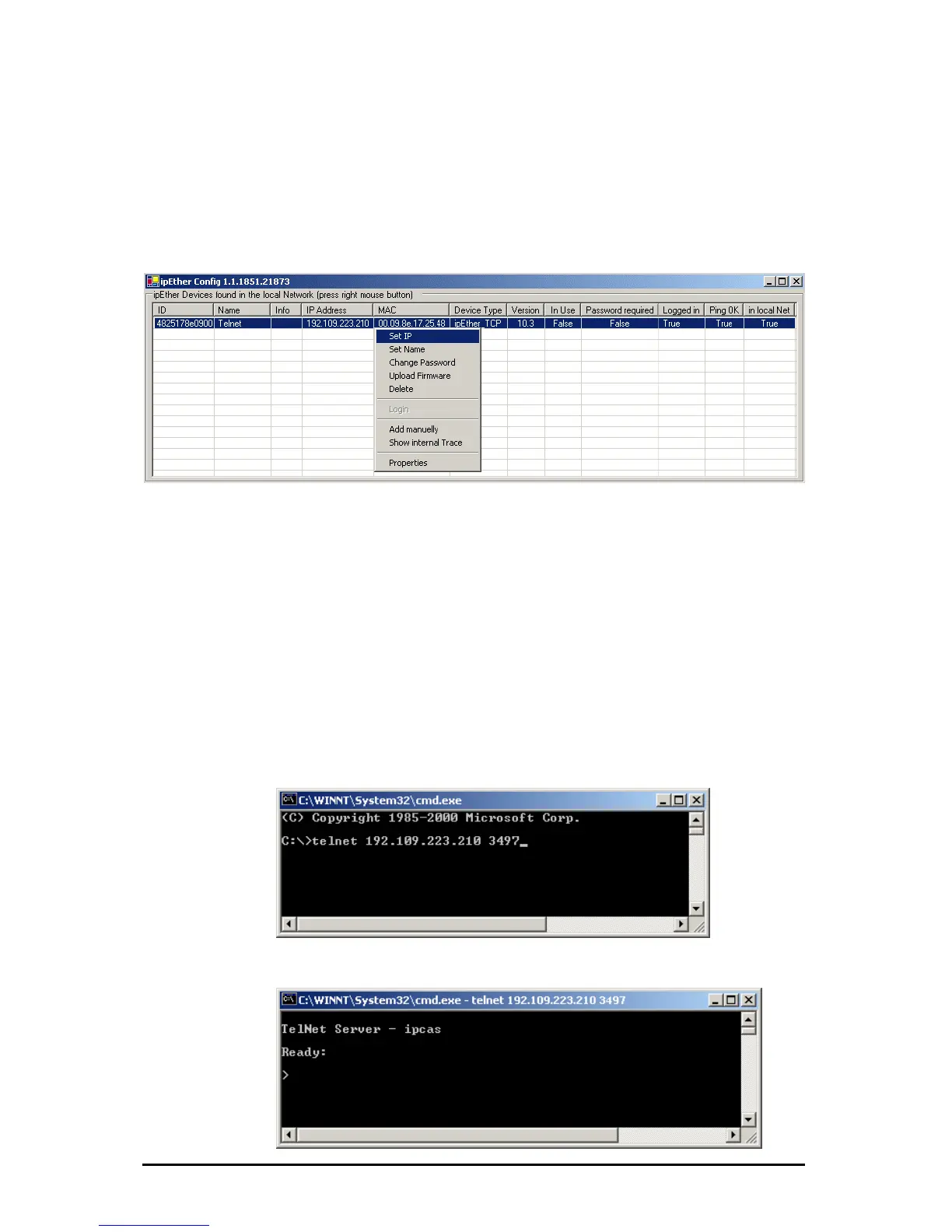
By a right click on device of entry under the option “Set ip” you can give your
fi ipEther232.Telnet
lnet
ipEther232.Telnet a legal ip adresse.
5.2 Connect
et you can make a ping on the device.
e command shell.
and line.
s you type„pi “ on the command line.
.3 The Commando-Port
In the command shell you type „telnet [IP-Adress from the device] [Port]“ to
ate a Telnet Connection. On the firmware the commandport is selected to
97. If you forget the commandport input telnet will connect to standard port 23
but this port is only for Data transmissions.
ion Test to ipEther232.Telnet
If you want test the ipEther232.Teln
For Windows systems you type „ping IP-Adress“ on th
e commFor Linux systems you type„ping –s IP-Adress” on th
For Solaris system ng –s IP-Adresse 32
5
cre
34
Änderungen vorbehalten Stand 09.09.05
ipcas GmbH ipEther232 V11.01 Seite 46 von 150



 To Next Page