6.2 Serial Configuration
Connect the mains power supply to the device. The "power" light and the flashing
"system“ LED indicate that ipEther232 is operational.
The ipEther232 is connected to the PC or a serial terminal via a serial 1:1 cable.
(Basic settings: baud rate=9600, databits=8, parity=none, stopbits=1)
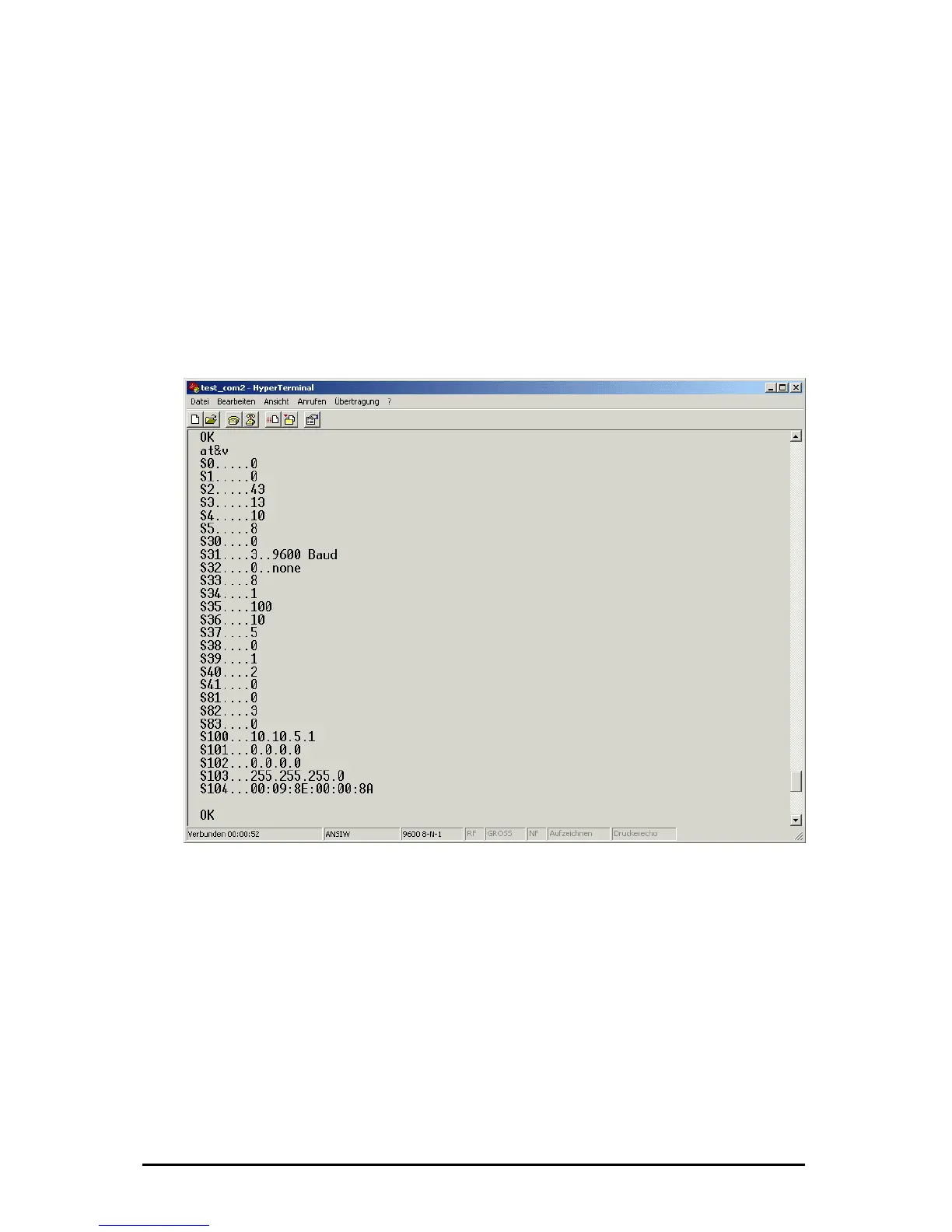
If the terminal tool, e.g. Hyperterm (in MS Windows to be found under Programs -
Accessories), is configured correctly for the connected Com port, the AT&V
command returns the current configuration of the Ethernet modem.
For more detailed explanations about the AT commands and the registers refer to
chapter AT commands.
Examples:
- Set the IP address: ATS100=192.109.223.242
- Set the baud rate to 38400: ATS31=5
- dial-up to the distant terminal: ATD 192.109.223.243
- hang up: +++ „2 sec. Pause“ ATH
- least line: ATS0=1, ATS102=192.109.223.243
(Configure distant terminal as well!!!)
.3 Configure Password Protection (Serial Devices only)
6
Änderungen vorbehalten Stand 09.09.05
ipcas GmbH ipEther232 V11.01 Seite 61 von 150



 To Next Page