Chapter 6: ration of ipEther232.Modem
6.1 Configuration of ipEther232.Modem
or more details see chapter 2.6 Serial Configuration and chapters 3 & 4).
e, the configuration program recognizes all devices in its own
.
an entry opens the details dialog which contains six parts.
Configu
You can also set up your ipEther232.Modem with a serial configuration using AT
commands.
(f
As mentioned abov
network segment
A double click on
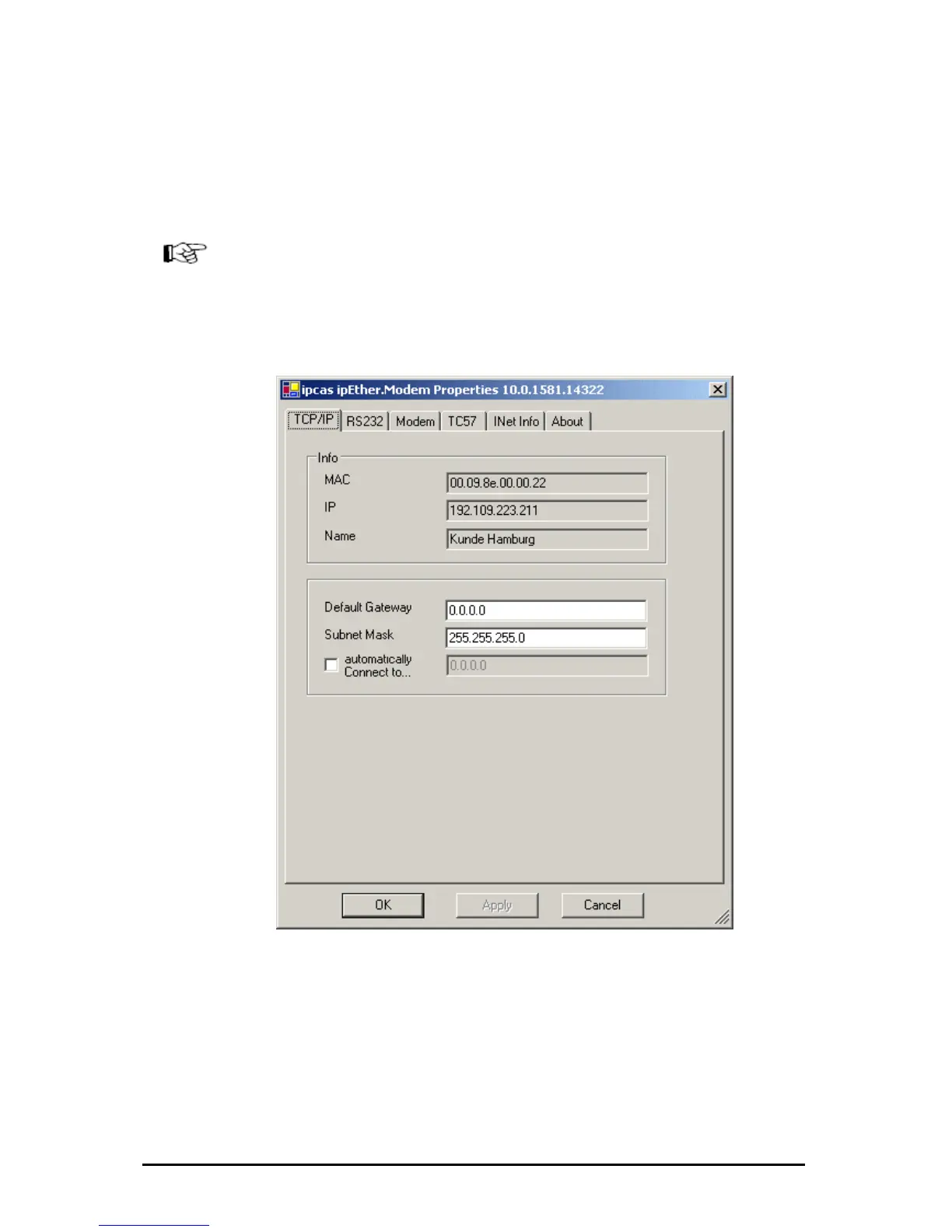
TCP/IP:
This is where you can find or set the device name (Set Name) and the MAC-
Address, IP-Address.
Here you can make further network configurations like Gateway, Subnet Mask
and automatically Connect to IP.
„automatically Connect to IP“: Enter the IP address of the "communication
partner" where a connection is to be set up automatically (Leased line). After a
connection break-off there is an automatic attempt at restoring the link.
Änderungen vorbehalten Stand 09.09.05
ipcas GmbH ipEther232 V11.01 Seite 55 von 150



 To Next Page