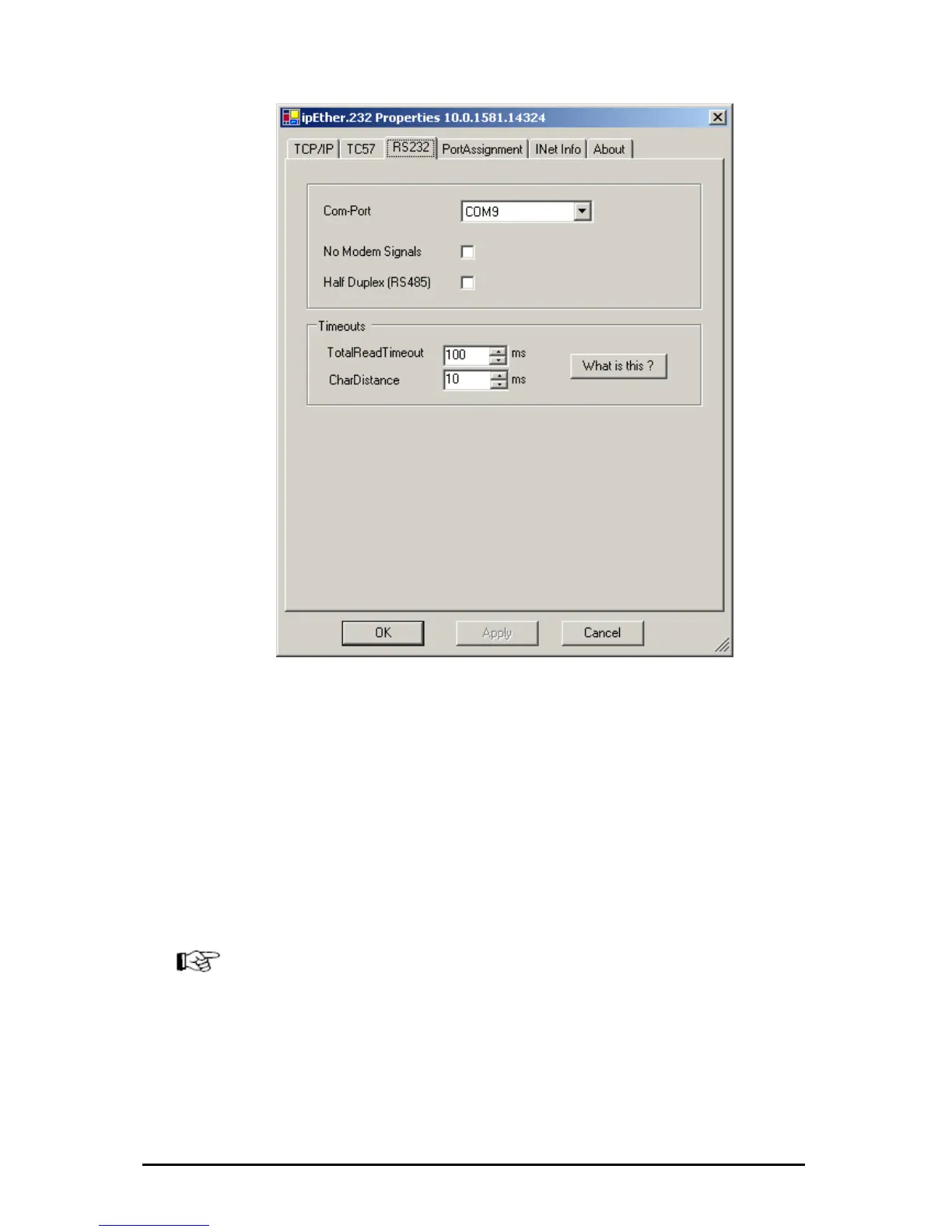
RS232:
„Com-Port“: set the COM-Interface which should be used (e.g.: COM9).
„Half duplex mode (RS485)“: During the sending process to the serial interface
the receiving device is switched off. All data received at this time is ignored
(RS485 as a 2 wire solution).
„NoModemSignals“: All controlling signals to the serial interface are ignored.
Timeouts:
„Total Read Timeout“: In most cases the default value of 100 ms can remain
unchanged.
„Character Distance“: Only in very few cases does the default value of 5 ms need
adjusting.
Please refer for further information about these two parameters: Technical Details
(Receiving).
The entered COM port will exist in your computer and can be used immediately
once the configuration program is closed.(see chapter:”4.2 Checking the
adjusted Com-Ports)
Änderungen vorbehalten Stand 09.09.05
ipcas GmbH ipEther232 V11.01 Seite 35 von 150



 To Next Page