Image Size
14
Changing Image Size
For documents, your video capture is a balance between capturing as much of the document as possible,
and making the text large enough on screen for your intended audience to read. Text size needs to be
particularly large when the image is projected onto a screen for a group.
There are a few ways to change the image size:
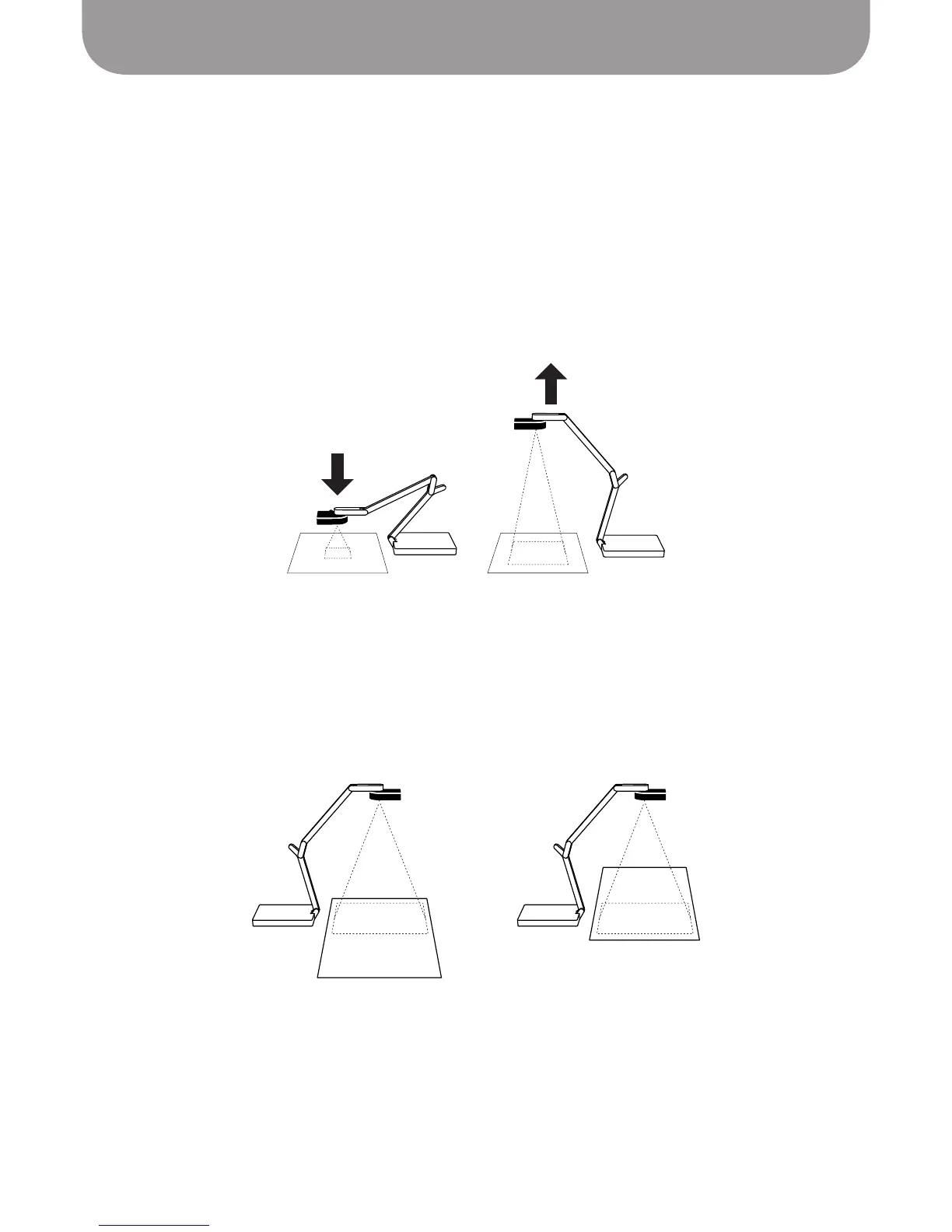
• Change the position of the camera – Ziggi-HD Plus's multi-jointed stand gives you a high degree of
flexibility in camera placement. Alter any or all of the stand's three points of articulation in order to
optimally position the camera.
• Change the position of the subject – When capturing a document, you will likely position it on the
tabletop, on the same plane as your Ziggi-HD Plus base. When capturing close-up details or text
passages from a document, you may find it handy to shift the document as you move from detail to
detail, essentially scrolling through the text as necessary.
Text document in one position under Ziggi-HD Plus with camera lens capturing
top half of document, then moved “up” so that the camera lens is capturing
the bottom half of document
The stand provides a large range of possible camera positions



 To Next Page