Getting to Know Ziggi-HD Plus(cont'd)
9
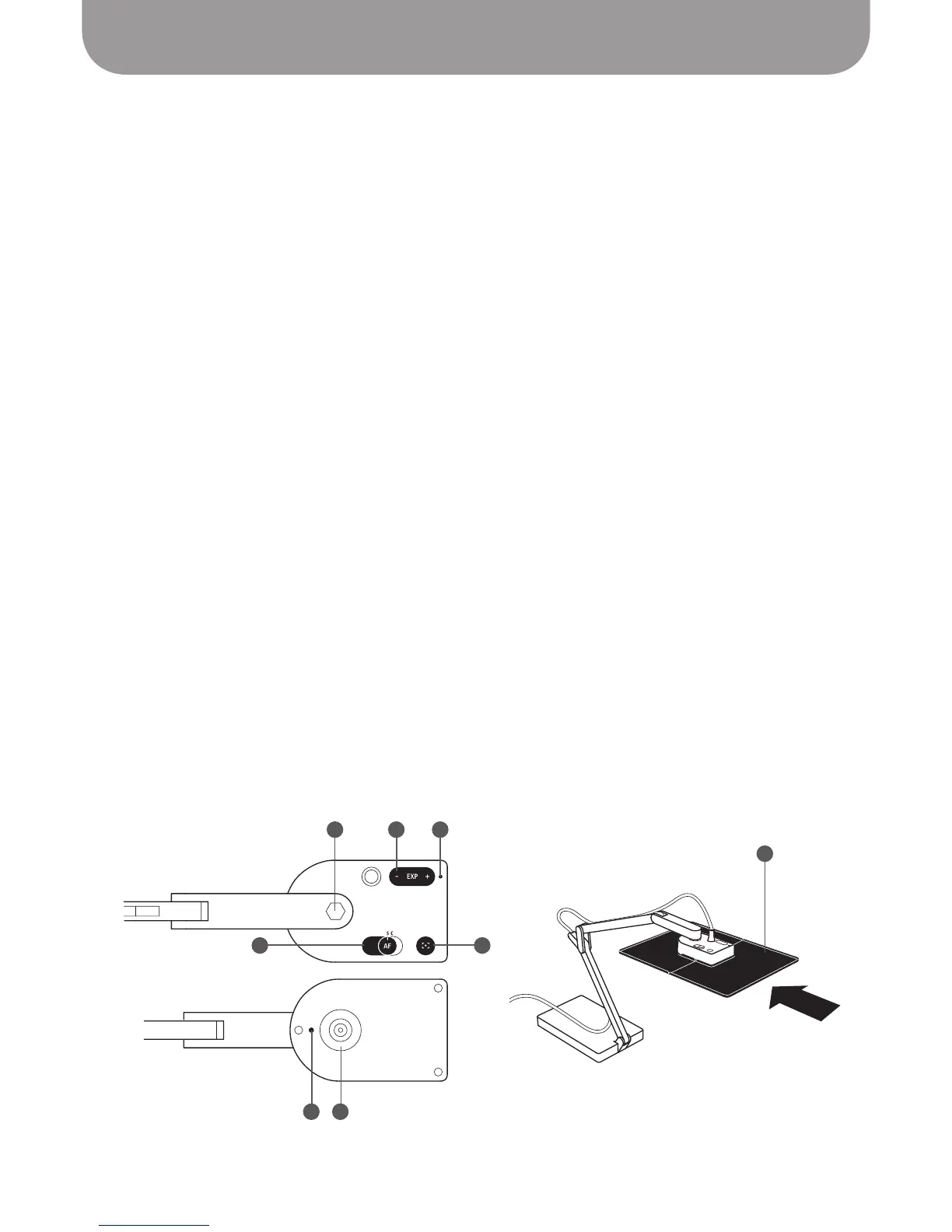
D – Camera lens
Ziggi-HD Plus features a 8.0 Megapixel lens for detailed and vibrant images, allowing for a
maximum resolution of 3264 x 2448. Ziggi-HD Plus has an automatic Macro mode for maintaining
sharp focus on objects as close as 3.94 inches (10 cm) away.
E – Swivel head
In addition to the joints of the stand, you can further customize your image by swiveling the camera.
270° of swivel is possible – 180° clockwise and 90° counterclockwise.
See Pages 16 through 18 for
more on orientation.
F – EXP +/- (Exposure Value)
This toggle allows you to increase or decrease artificial exposure of the image, making it brighter (+)
or darker (-).
See Page 19 for more on exposure.
G – Autofocus (AF) switch
Set your focus to one of two modes. Continuous (C) causes Ziggi-HD Plus to constantly determine the
best focus for your image. Single (S) causes Ziggi-HD Plus to stay at a single focus.
See Page 20 for
more on focus.
H – Focus button
In Single focus mode, press this button for sharp focus of your subject. It only takes a few seconds for
Ziggi-HD Plus to determine and set proper focus.
I – Camera indicator
The Camera indicator gives you an easy way to know whether Ziggi-HD Plus is operating: white for
operating, off for not. When you start the Presenter software, the Camera indicator will light up. The
Camera indicator has been positioned on the top of the camera so it will not reflect on any digital
screens you might be capturing.
J – Microphone
Ziggi-HD Plus features a built-in microphone which can be used to capture your voice for video
conferencing sessions and other applications. There is no on/off switch for the microphone — it is
simply active and on when your Ziggi-HD Plus is on.
K – Anti-Glare Shield
If you are experiencing glare in your video capture, consider mounting the Anti-Glare Shield onto the
camera.
See Page 37 for more on the Anti-Glare Shield.
IFE
G
J D
K
H



 To Next Page