Resolution
22
Resolution
Resolution describes the amount of detail (information) an image holds. High resolutions relay more
information (and therefore more detail), and also consume more computing power. Low resolutions
communicate less detail but are also less demanding of computer resources. Resolution is measured in
pixels, the smallest part of a picture element. Ziggi-HD Plus's 8 Megapixel camera is capable of several
high-definition resolutions.
Changing Resolution
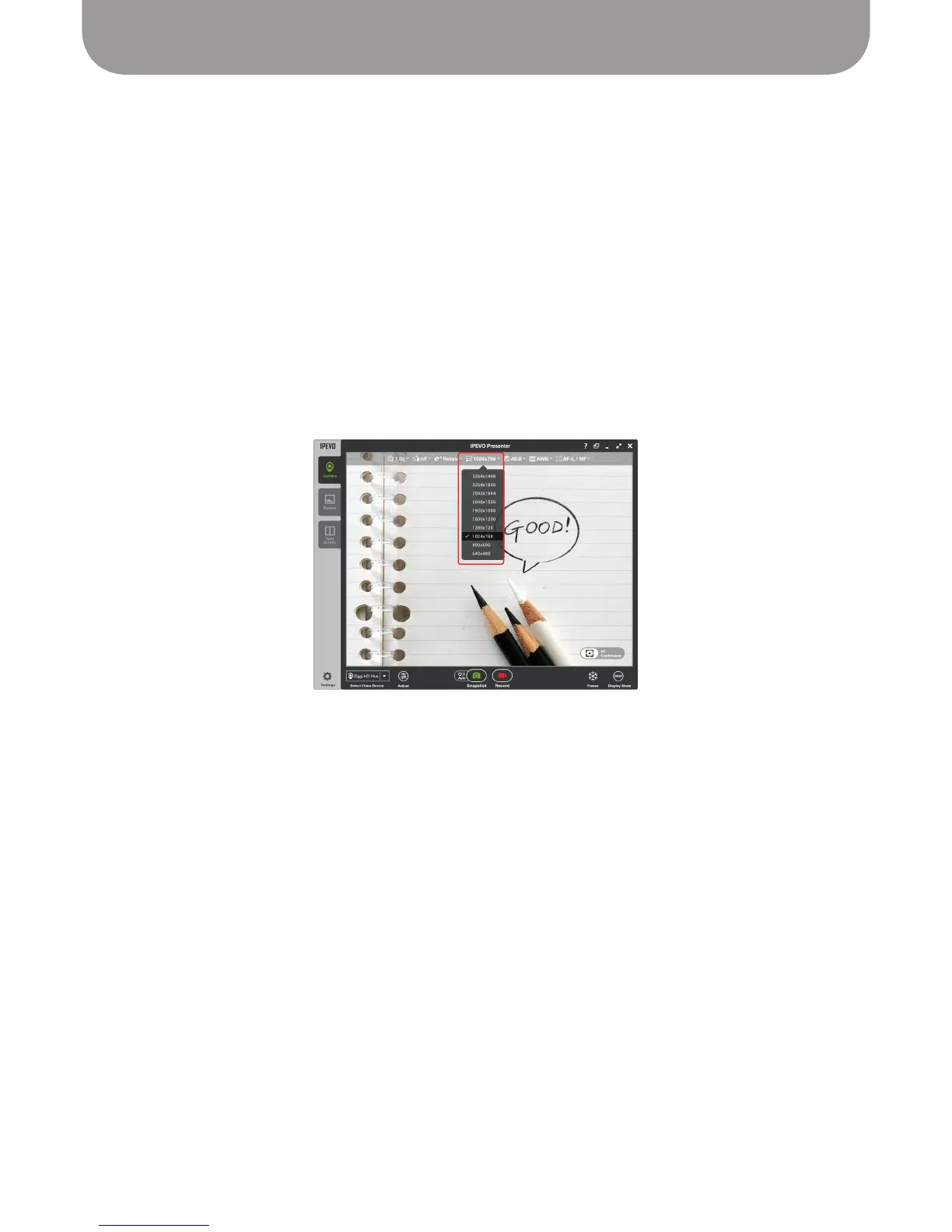
To change resolution, click on the Resolution tab in Camera mode. There are 10 different resolutions to
choose from, ranging from 3264 x 2448 pixels (the highest resolution) to 640 x 480 pixels (the lowest
resolution). As 1280 x 720 resolution (and above) is commonly accepted to be “high-definition” (HD), the
top seven resolutions are HD resolutions, while the three lower resolutions are standard-definition (SD)
resolutions.
Resolution and Frame Rate
Generally, as resolution increases, frame rate decreases. Frame rate is a measure of how many distinct
images are captured in a single second to make up the full-motion video perceived.
Because the top three resolutions contain an extraordinary amount of information, frame rate may drop
with these resolutions. You may experience a “stuttering,” “blurring,” or “strobing” of moving subjects,
such as with a hands-on demonstration. As such, the top three resolutions are best reserved for static
objects (such as a stationary piece of paper or LCD screen).
If you find the amount of strobing to be unacceptable on your current resolution, consider lowering the
resolution, which will increase frame rate and reduce or eliminate strobing.
Focus Note:
For the higher resolutions, Single Focus mode (rather than Continuous) is highly
recommended.
Note on Highest Resolution: See Page 7 for recommended system requirements for the highest resolution.
As discussed above, low-performance computers may have a lag problem when presenting video at the
highest resolution.



 To Next Page