Advanced Settings
30
There are a number of advanced settings available to you to further customize the Ziggi-HD Plus
experience.
Windows
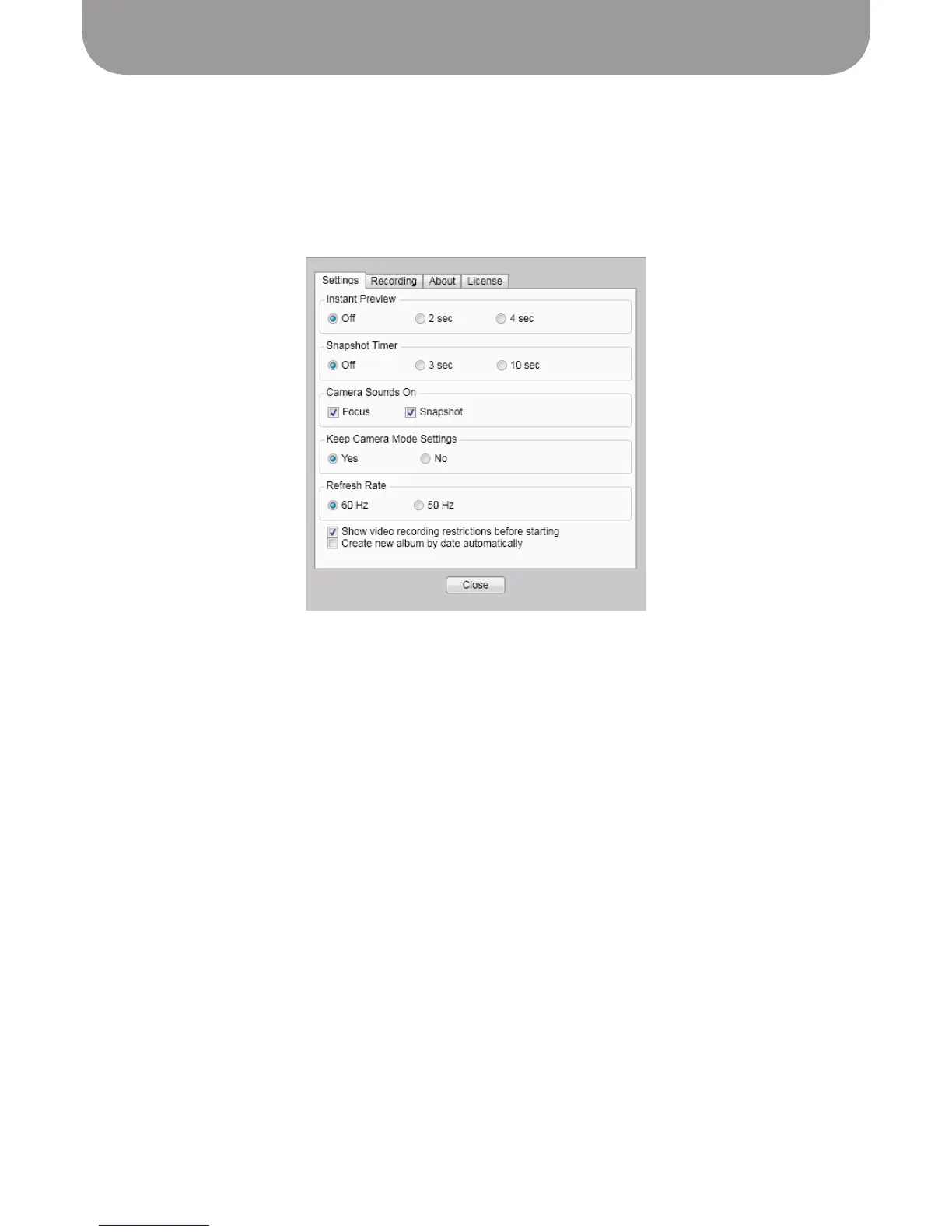
Click on the gear icon in the lower left-hand corner to enter Settings.
Settings Tab
• Instant Preview – Preview the snapshot you've just taken before returning to the live view. Default is
Off (no preview). Choose between a two-second preview and four-second preview.
• Snapshot Timer – Once you press the snapshot button, tell the camera to wait either 3 seconds or
10 seconds before taking the snapshot. Default is Off (no delay between button press and captured
snapshot).
• Sound Effect On – By default, there are brief sound effects when focusing and when taking a snapshot.
Uncheck these options to silence these effects.
• Keep Camera Mode Settings – By default, settings you change will stay that way when you launch
Presenter in the future. Select No to return to original settings each time you launch Presenter.
• Refresh rate - Choose between 60Hz and 50Hz depending on your computer monitor's refresh rate.
• Show video recording restrictions before recording – When checked, Presenter will pop up a window
when you start recording with the following text: "Please note that the highest resolution available in
recording mode is 1280 x 720. The Zoom, Mirror, and Rotate functions are not supported in recording
mode."
• Create new album by date automatically – When checked, any snapshots you take will automatically
be placed within an album according to the date when the snapshot was taken. Uncheck to prevent
the automatic creation of albums.



 To Next Page