Advanced Settings (cont'd)
31
Recording Tab
• Select Audio Device – Select your preferred audio device from the pulldown menu for use in
conjunction with your doc cam.
About Tab
This tab lists the version of Presenter you are using. Check support.ipevo.com to ensure you have the
latest version of Presenter.
Press Confirm to apply any changes to Settings you have made.
Mac
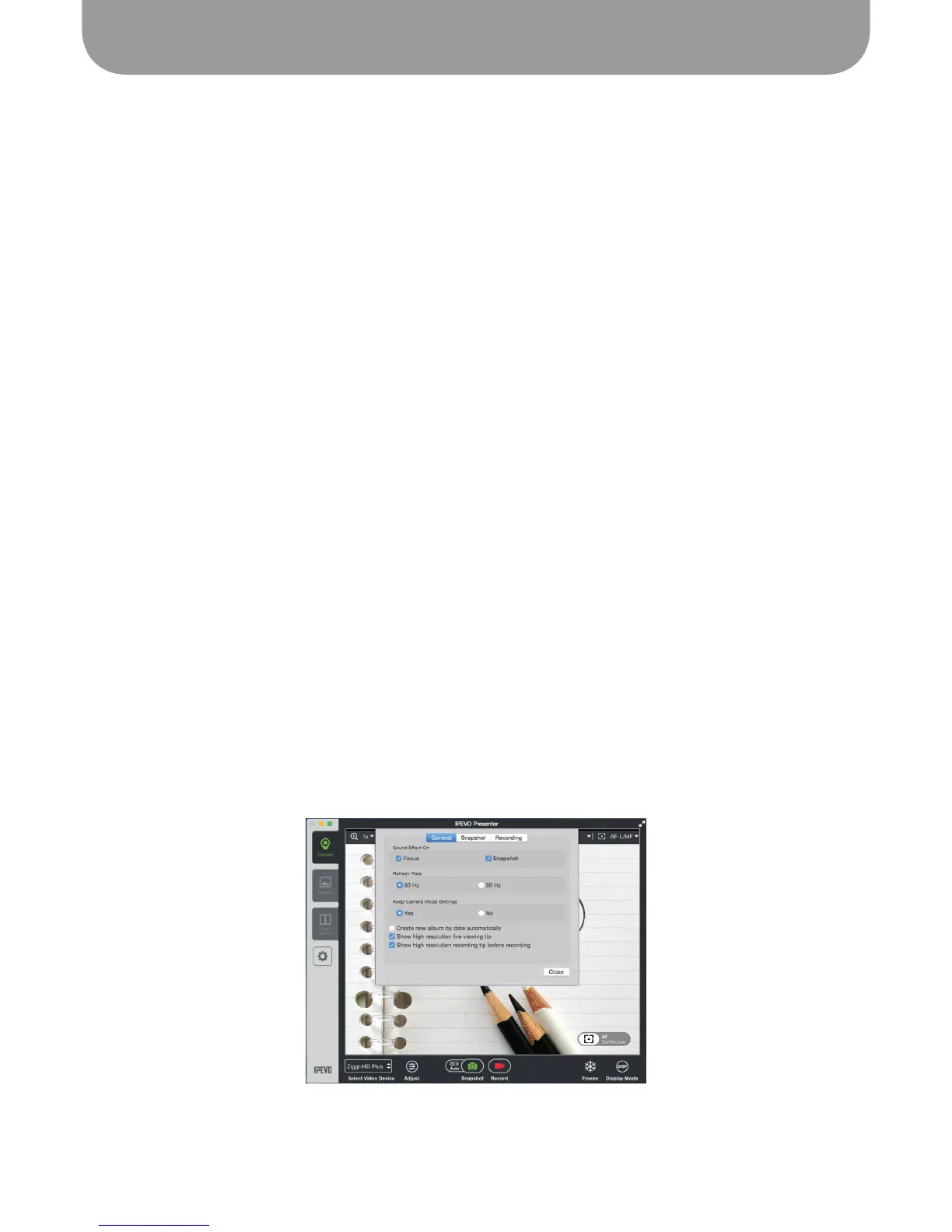
Click on the gear icon on the left-hand side (below the mode tabs) to enter Settings.
General Tab
• Sound Effect On – By default, there are brief sound effects when focusing and when taking a snapshot.
Uncheck these options to silence these effects.
• Refresh Rate – Choose between 60Hz and 50Hz depending on your computer monitor's refresh rate.
• Keep Camera Mode Settings – By default, settings you change will stay that way when you launch
Presenter in the future. Select No to return to original settings each time you launch Presenter.
• Create new album by date automatically – When checked, any snapshots you take will automatically
be placed within an album according to the date when the snapshot was taken. Uncheck to prevent
the automatic creation of albums.
• Show high resolution live viewing tip – When checked, Presenter will pop up a window when you
choose a higher resolution with the following text: "A higher resolution will increase demands on your
CPU. If you are experiencing laggy or frozen video streaming, please reduce the resolution."
• Show high resolution recording tip before recording – When checked, Presenter will pop up a window
when you start recording with the following text: "Using a higher resolution to record videos will
increase demands on your CPU. If you are experiencing laggy or frozen video streaming, or the audio
and video are out of sync, please reduce the resolution."



 To Next Page