Changing Exposure
AF
S C
19
Exposure refers to the amount of light allowed to hit the photographic medium—in this case, the
sensor of the camera lens. In most circumstances, you will require a medium exposure allowing for the
maximum amount of detail. By default, Ziggi-HD Plus will automatically determine, present and maintain
a medium, optimum exposure.
Consider the following methods to achieve optimum exposure for your image:
Changing the Exposure in Room
This could include using a desk lamp near the Ziggi-HD Plus to shine additional light on the subject,
turning on room lights, opening or closing curtains, etc.
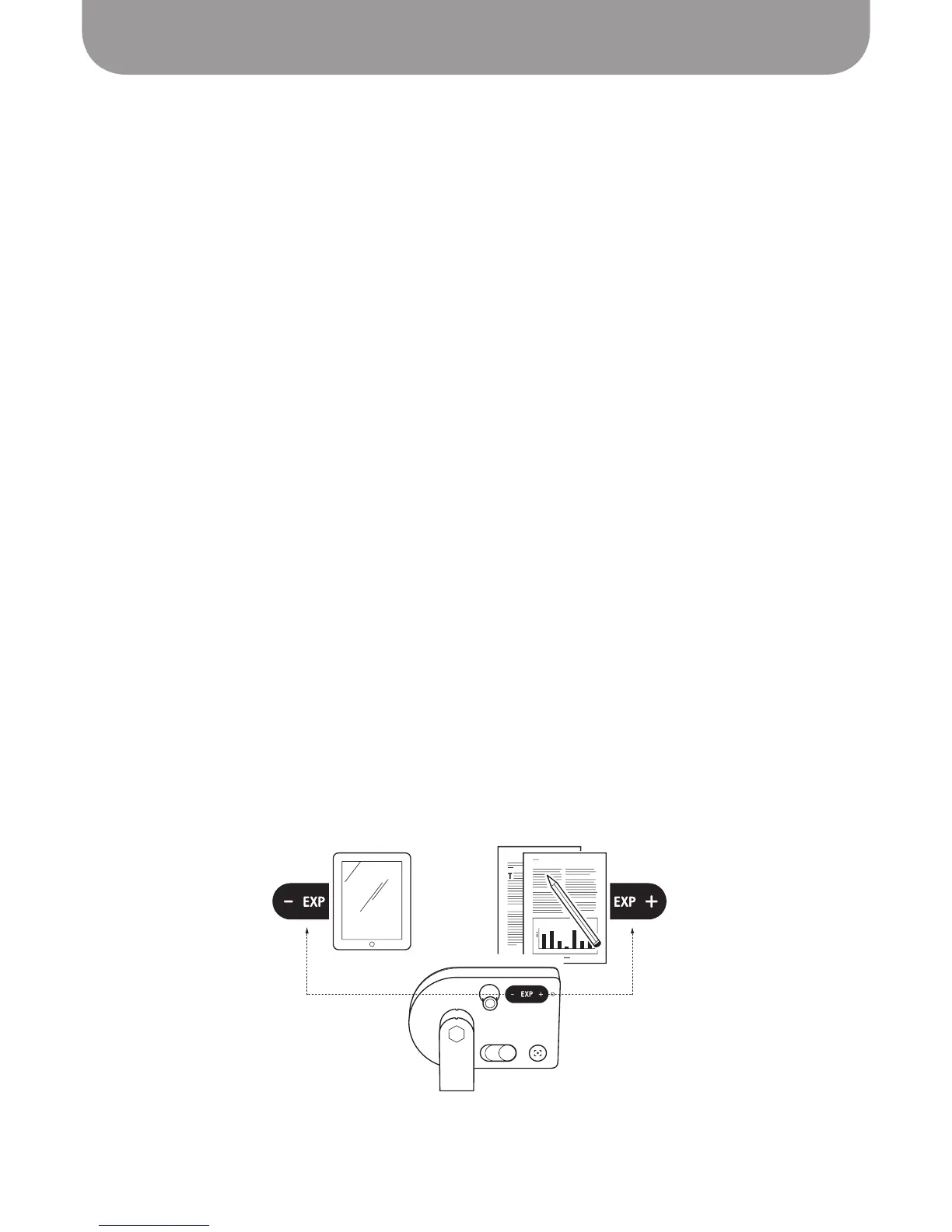
Changing the Exposure using Exp Toggle or Exp Tab
Ziggi-HD Plus is able to artificially alter exposure on a fifteen-point scale, with 1 being the lowest
(darkest) exposure value, and 15 being the highest (brightest) exposure value. If your image is too dark,
consider increasing the EXP. Or, if your image is too bright, decrease the EXP. The EXP may be changed on
either the camera body itself or via the software.
-
Camera body:
Use the EXP +/- toggle for on-the-fly exposure adjustments. The software will briefly
indicate the change with an EXP number at the bottom of the image capture window, and your
exposure will instantly change.
-
Software:
Click on the "AE" Exposure tab. You may either click on the Exposure Slider bar to change
EXP, or drag the pointer to a value. Hitting “Default” will bring the exposure back to the default value.
Exposure Lock (AE-Lock)
Check the AE - Lock button on the Exposure tab to lock the exposure. Ziggi-HD Plus will not attempt to
find optimal exposure but will instead stay at the current exposure level.
Note for stop-motion animation projects: For projects depending on uniform, consistent exposure over a
long period, lock the exposure with the AE - Lock button on the Exposure tab.
Darker
for Digital Devices
Brighter
for Printed Media



 To Next Page