Changing Orientation (cont'd)
18
Using the Mirroring Function
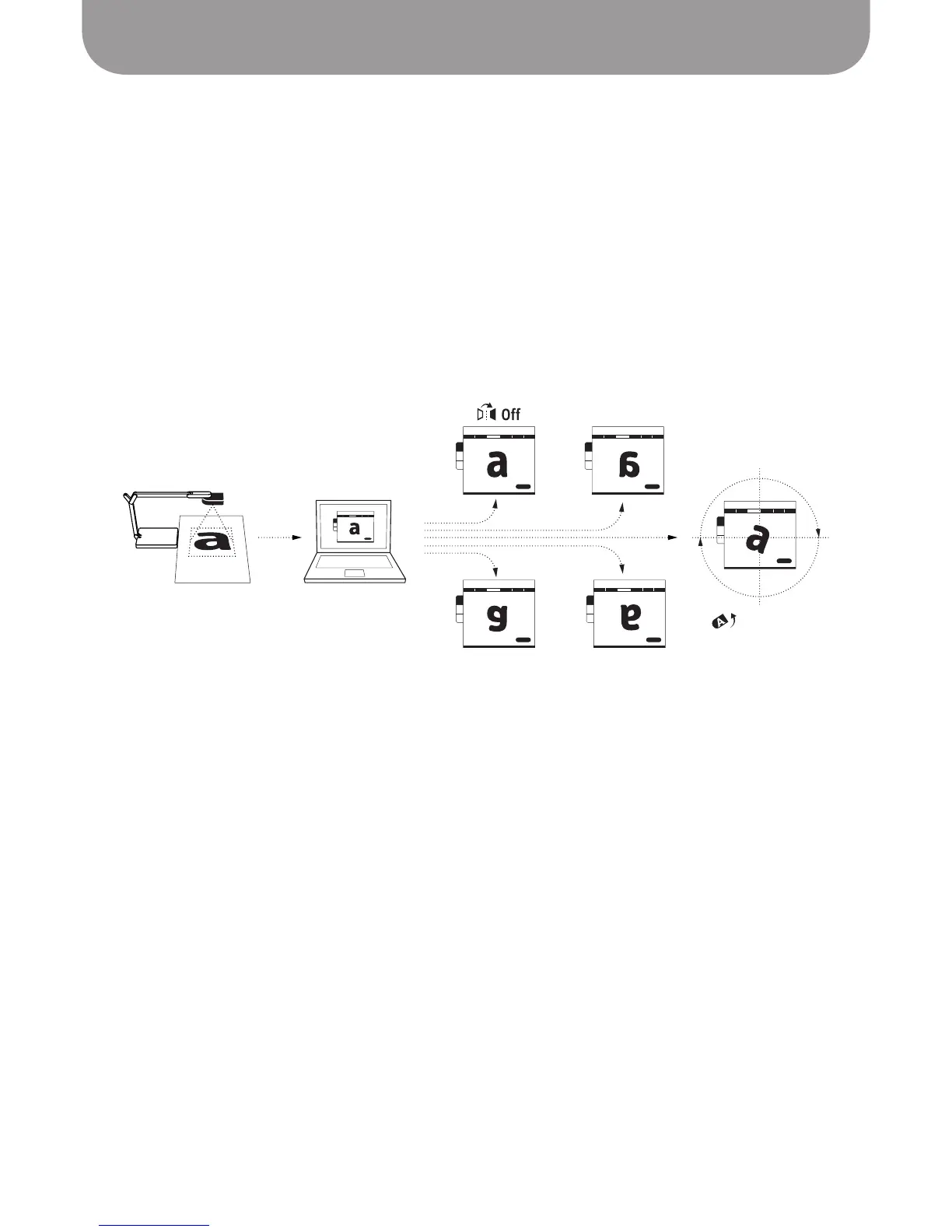
In Camera mode, the Mirror tab allows you to flip the image horizontally, vertically, or both. Mirroring
defaults to Off (no mirroring). “Horizontal” flips the image on a vertical axis going through the center of
the image, while “Vertical” flips the image on a horizontal axis going through the center of the image.
The tab will indicate H (Horizontal), V (Vertical), or H + V if both types of mirroring are being applied.
Using the Rotation Function
In Camera mode, the Rotate tab allows a greater degree of freedom than mirroring. Drag the arrow to
alter the orientation, or press the arrow keys for incremental rotations. You can also click the five pre-set
rotations. Press Reset to return to the original orientation.
Horizontal Mirror (H)
Horizontal + Vertical
(H+V)
Rotate(360)
Vertical Mirror (V)



 To Next Page