Image Orientation
16
Landscape Versus Portrait
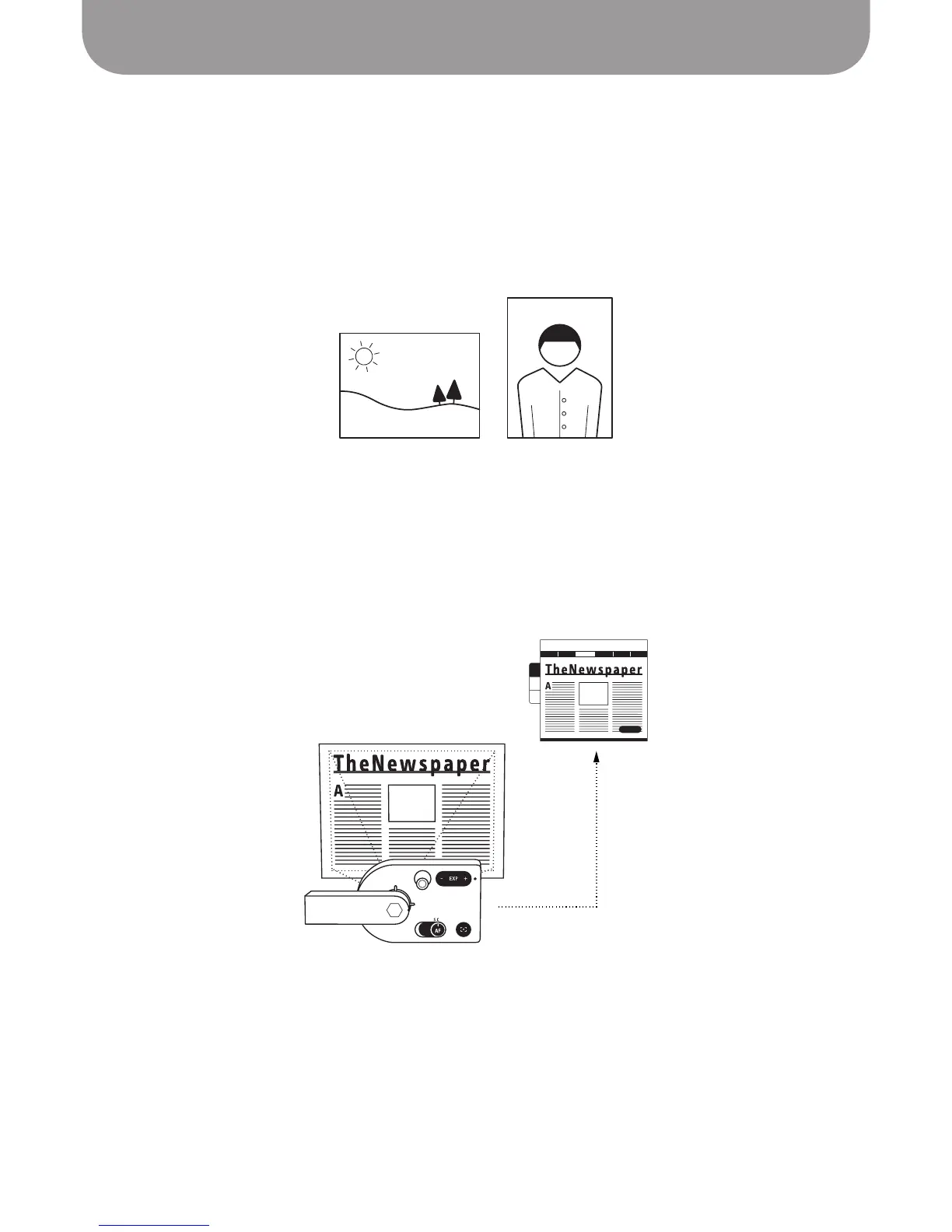
Two ways to describe page orientation come from the tradition of painting. Landscape refers to an
image oriented so that its width is greater than its height, such as a classic landscape painting. Portrait
orientation, on the other hand, features a height greater than its width, such as would be appropriate
for a portrait painting. When deciding upon orientation, keep in mind whether the document to be
captured is in landscape or portrait. You will need to control the orientation of your subject relative to the
computer screen so that the text is presented in a readable fashion.
Camera Lens Orientation
The top of the Ziggi-HD Plus camera lens is located 90° counterclockwise from the square top of the
camera body. With the camera head in its fully-extended position, documents will need to be placed
perpendicular to the camera stand (as opposed to parallel) for text to be rendered “right side up” and
readable on screen.
Landscape versus Portrait orientations
Place documents perpendicular to the camera head for correct orientation



 To Next Page