27
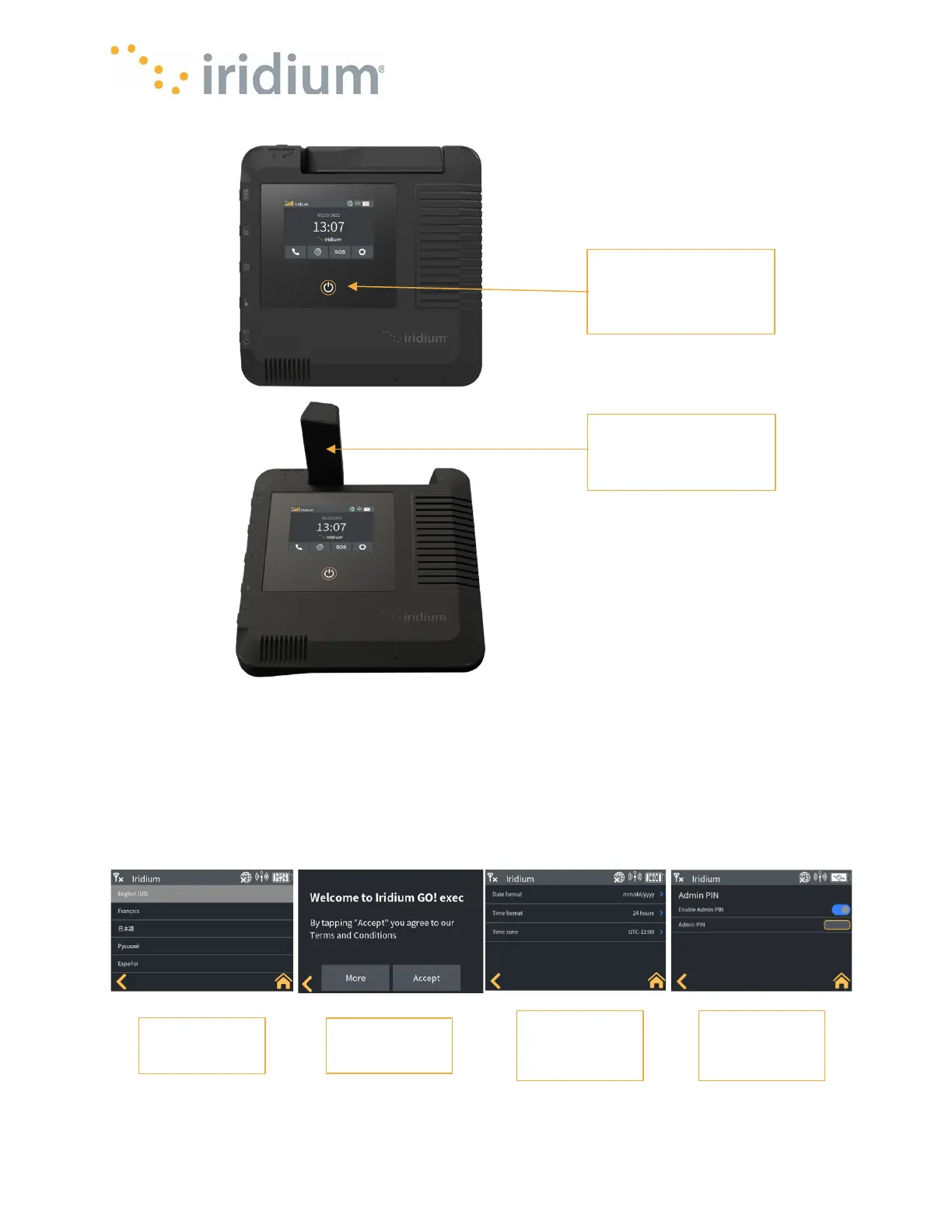
1. First time onboarding: When powering up the Iridium GO! exec for the first time out of the box,
the Iridium GO! exec will automatically guide the user through a set of onboarding screens.
The onboarding screens ensure the most important configuration items are brought to the
user’s attention before first use.
NOTE: The Iridium GO! exec will present the onboarding screens to the user on first power up
or after the Iridium GO! exec is factory reset
Long press
power button
Flip antenna
Select
Language
Accept T&C
Time Format,
Tine Zone
Enable
Admin Pin



 To Next Page