Isoprime User’s Guide
Version 1.02 IsoPrime100 User’s Guide Page 72 of 219
THE TUNE PAGE
The tune page is the application that provides control over the mass spectrometer.
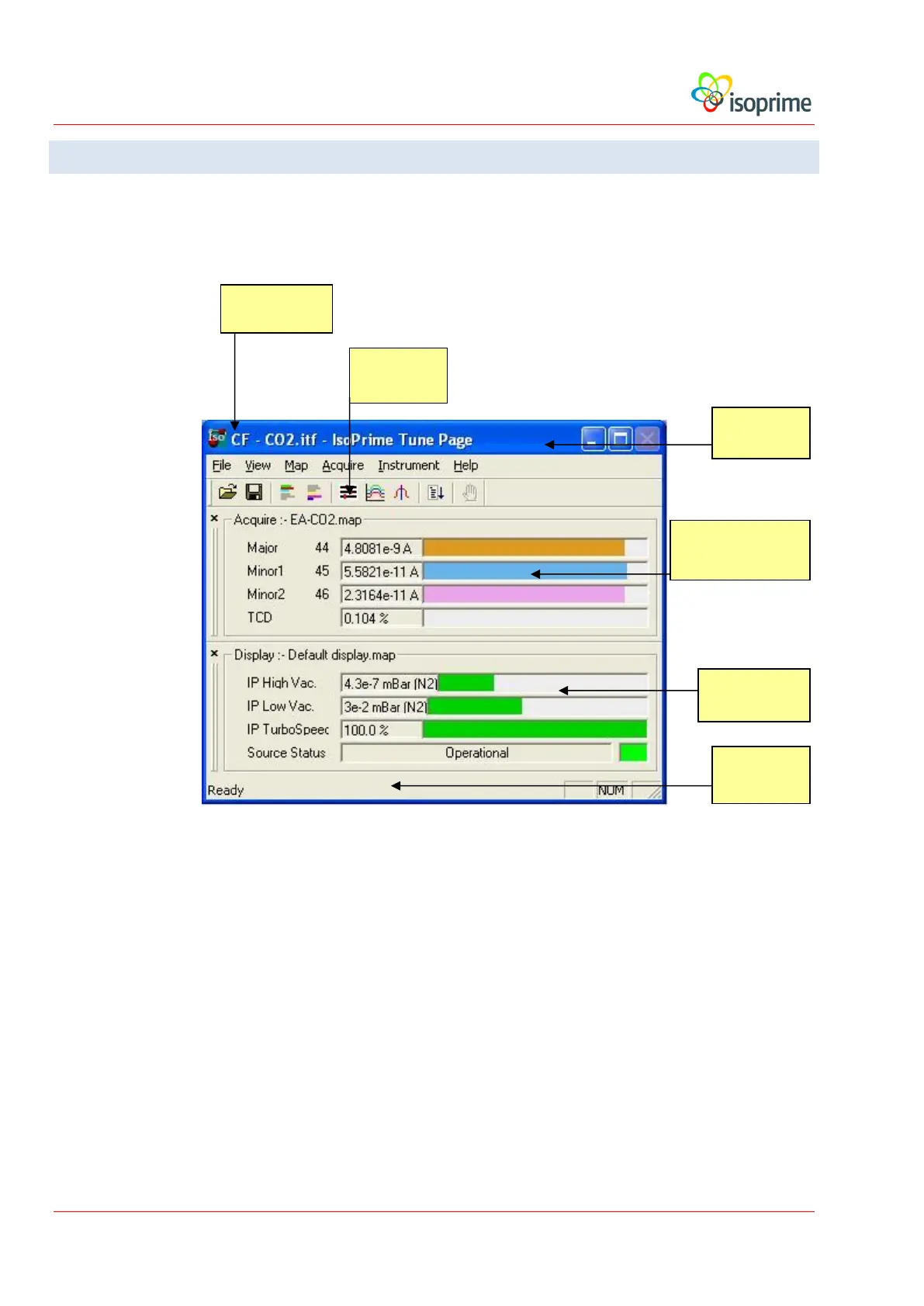
The main screen of the tune page is shown below:
The upper part of the tune page window displays ion beam parameters associated with the
acquisition, and the lower part of the window displays parameters associated with the status of
the instrument. The two halves of the window are labelled with the name of the currently
loaded acquisition map or display map.
The display of the tune page dialogs may be given priority over other dialogs by
choosing View, Stay On Top. If this parameter is set, the tune page dialogs will
always be visible, even if the user selects a different and overlapping window.
Tool Bar
Acquisition Map
Status Bar



 To Next Page