16
English/ Chapter 06
Step 1 Set the three-way switch on the case of ISY Wireless Range
Extender to the mode you want.
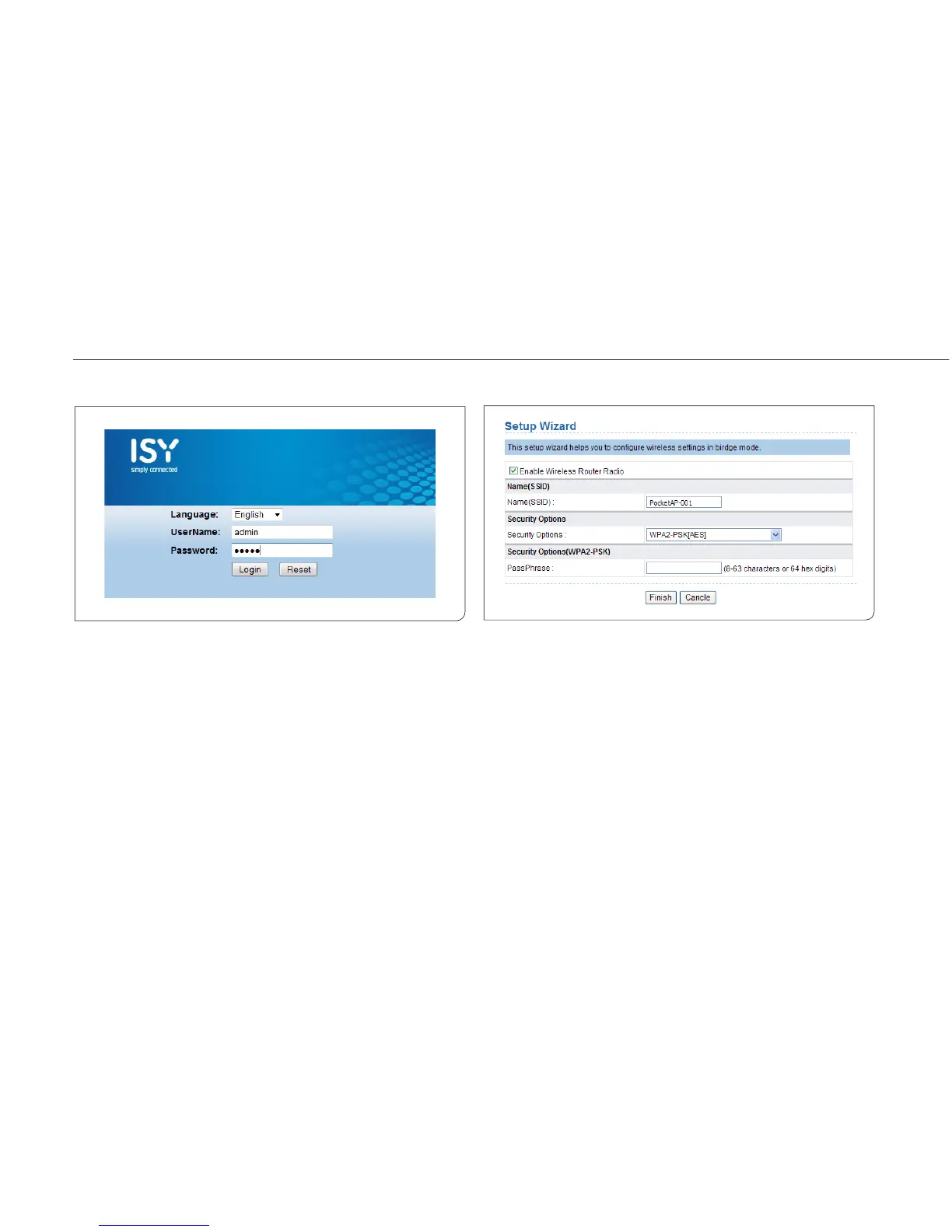
Step 2 Run the Internet Explorer (IE). Enter the management IP
address of 192.168.100.253 and press Enter. In the login
window that is displayed, enter the user name and password
(both admin), and click Login.
Step 3 Configure parameters for the mode you selected. Terminal
devices can access the network through ISY Wireless Range
Extender after you finish configuration by following proce-
dures in the sections below.
6.1 Bridge Mode Configuration
Step 1 Set the three-way switch on the side panel to AP after ISY
Wireless Range Extender is powered on. Log in to the
configuration page after the system is started.
Step 2 Click Setup Wizard in the navigation bar on the left pane of
the page. Set the SSID and encryption password and note
them down. Click Finish to complete the settings.



 To Next Page