9
English/ Chapter 04
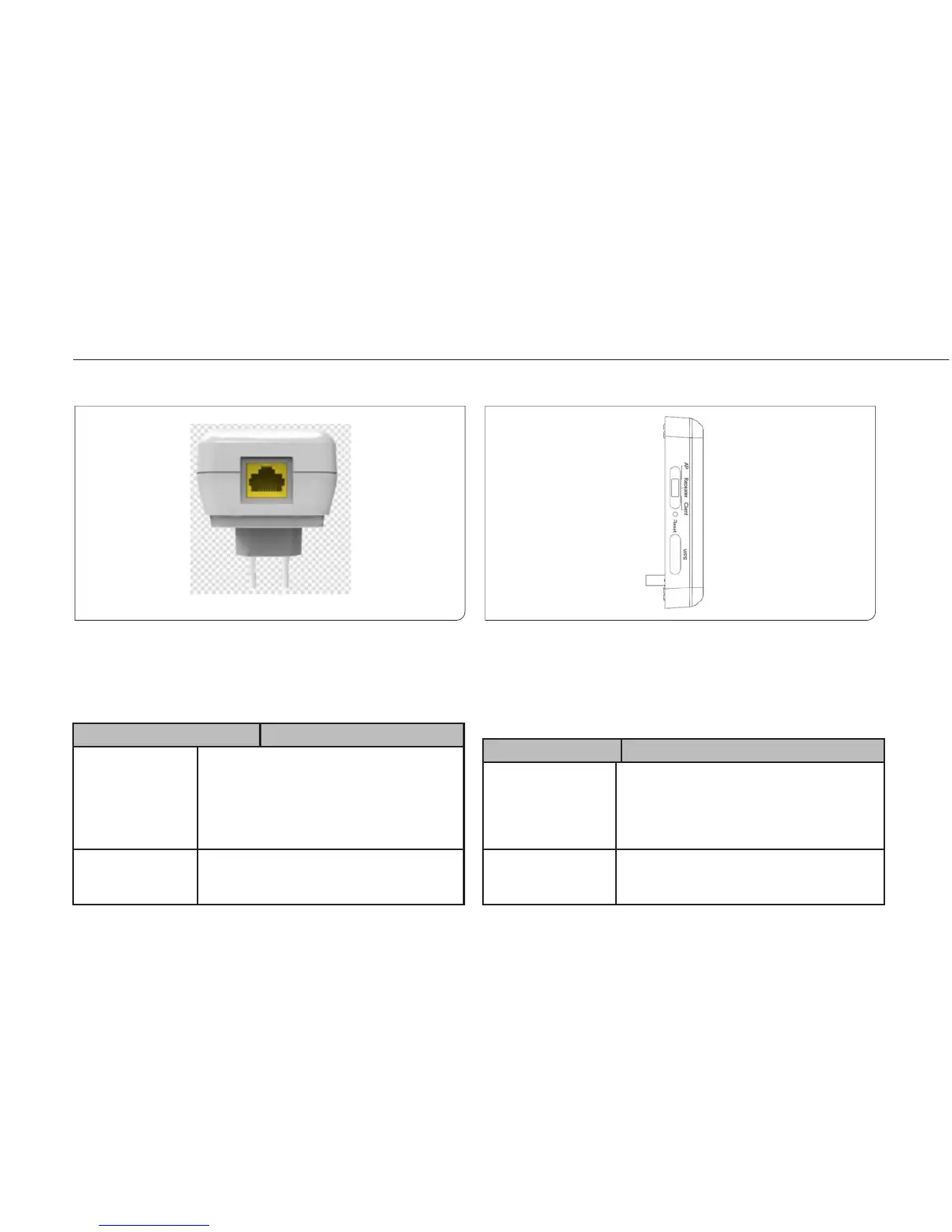
4.1.2 Rear/Side Panel and Interface Description
English
Rear Panel Side Panel
Interface /Bu tton deScrIpt Ion
wan/lan if isy wireless ranGe exTender is seT To The aP
mode, The inTerface is a wan inTerface which
connec Ts To wan or uPlink neTwork devices.
if isy wireless ranGe exTender is seT To The
rePeaTer/clienT mode, The inTerface is an lan
inTerface.
Reset Press the Reset button gently for 3-6 seconds
and then release it. The system restores to the
factory default settings.
Interface /Bu tton deScrIpt Ion
aP/rePeaTer/clienT iT is used for seTTinG isy wireless ranGe exTender
To The aP, rePeaTer, or clienT mode.aP mode —inclu-
dinG The BridGe and rouTer modes rePeaTer mode—To
exPand wireless neTwork coveraGe clienT mode —
equivalenT To a wireless neTwork adaPTer
WPS For enabling WPS PBC mode. For more informa-
tion, refer to WPS descriptions for each mode.



 To Next Page