30
English/ Chapter 07
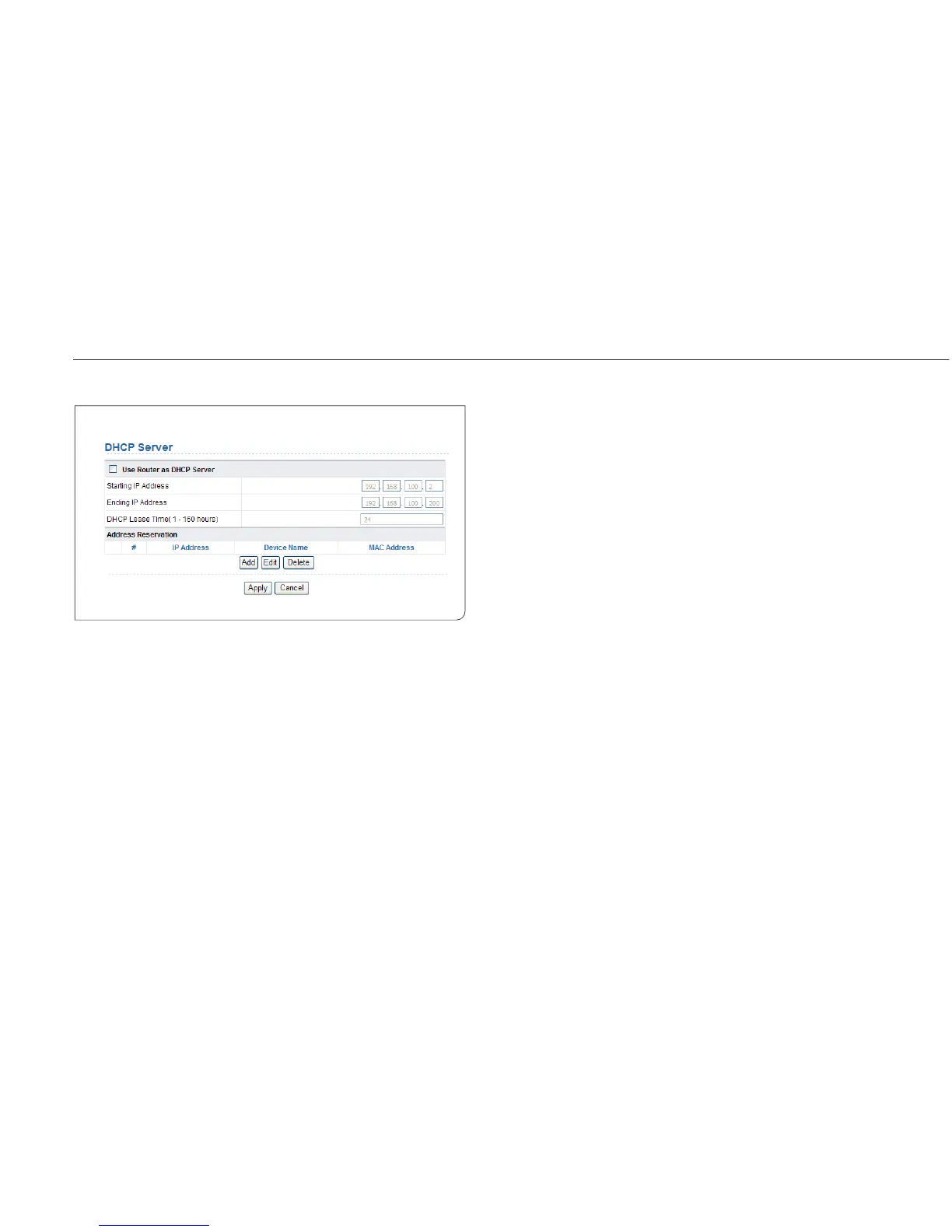
7.4.2 DHCP Server
Choose Network Settings > DHCP Server and the DHCP Server page is
displayed.
DHCP refers to Dynamic Host Configuration Protocol. If Use Device as
DHCP Service is selected, ISY Wireless Range Extender automatically
assigns IP addresses to comupters in the LAN. Users do not need to
configure TCP/IP protocol paramters such as the IP address, the subnet
mask, the gateway, and the DNS server information for computers
connected to the router’s LAN.
7.4.2.1 Using the Router as a DHCP Server
Use Router as DHCP Server: If you select the Use Router as DHCP
Server check box, ISY Wireless Range Extender serves as a DHCP server
to automatically assign IP addresses to computers connected to it.
Starting IP Address/Ending IP Address: Set the starting and ending
IP
addresses to specify a pool of IP addresses to be assigned by the DHCP
server. After you set Starting IP Address/Ending IP Address, hosts in the
LAN obtain IP addresses that are in the range of the starting and ending
IP addresses.
DHCP Lease Time: The valid time for an IP address that is automatically
assigned by the DHCP server to a host. The DHCP server does not assign
the IP address to other hosts within the specified time.



 To Next Page