37
English/ Chapter 07
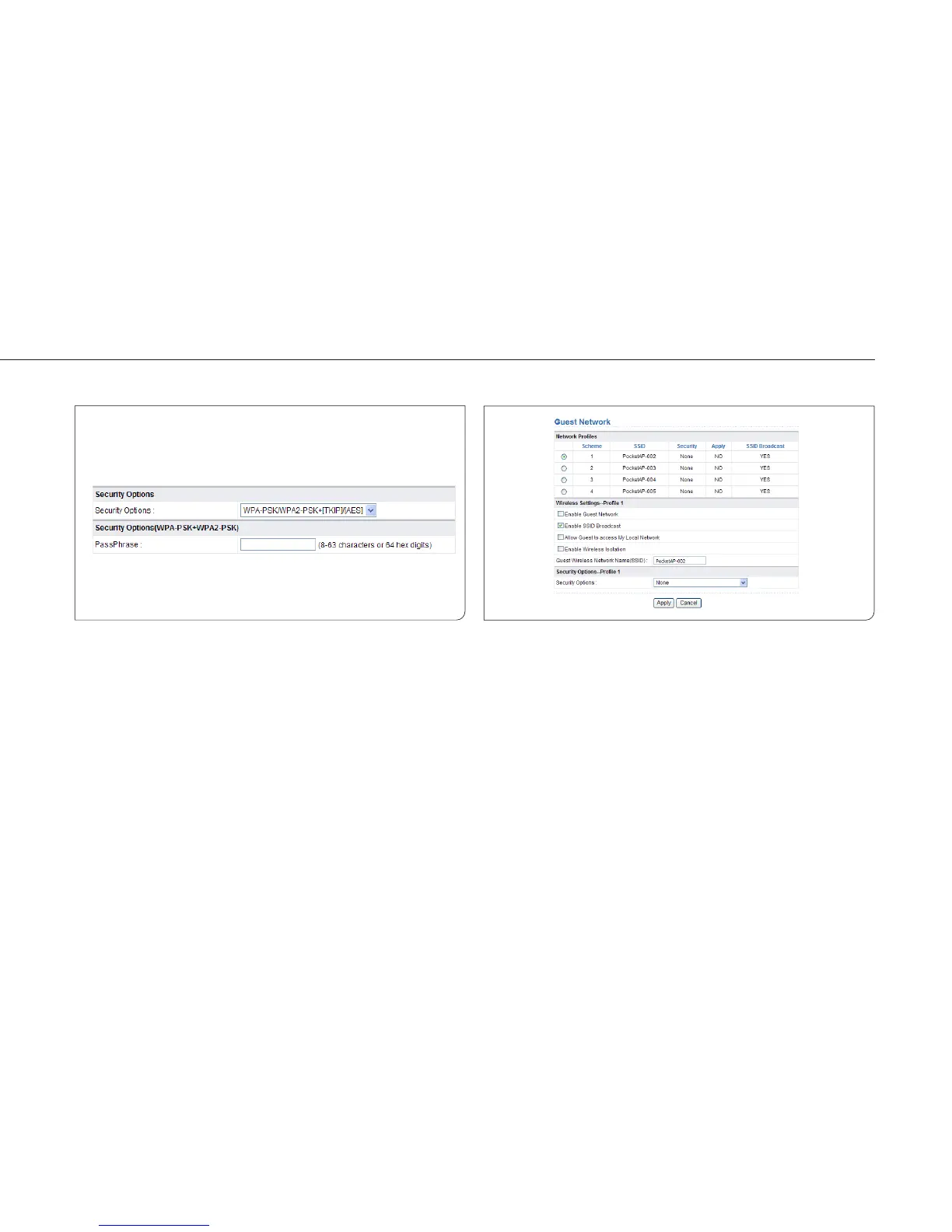
WPA-PSK/WPA2-PSK+[TKIP]/[AES]
It allows the client to use either WPA-PSK[TKIP]/[AES] or WPA2-
PSK[TKIP]/[AES].
PassPhrase: Enter 8-63 ASCII characters or 64 hexadecimal digits.
Note: After you complete configuring wireless settings for ISY Wireless
Range Extender, onlyhosts that have the same wireless settings (for
example, the SSID) as ISY Wireless Range Extender can connect to it. If
you configure security settings for ISY Wireless Range Extender, hosts
must have the same security settings (for example, the password) as ISY
Wireless Range Extender in order to connect to ISY Wireless Range
Extender.
7.5.2 Guest Network
If you do not want visitors to know your wireless security key, you can
use the guest network to allow them to use your Internet without
knowing your wireless connection password.
Choose Wireless Settings > Guest Network and the Guest Network page
is displayed.



 To Next Page