60
English/ Chapter 09
9.4.2 Port Triggering
Certain applications, such as WAN network games, video conferences,
and network calls, require multiple connections. Because of the firewall
setting, these applications cannot work on a simple NAT router. Howe-
ver, certain special applications enable the applications to work on an
NAT router. When an application sends a connection request to a trigger
port, the corresponding ports are open for later connection and service
provision.
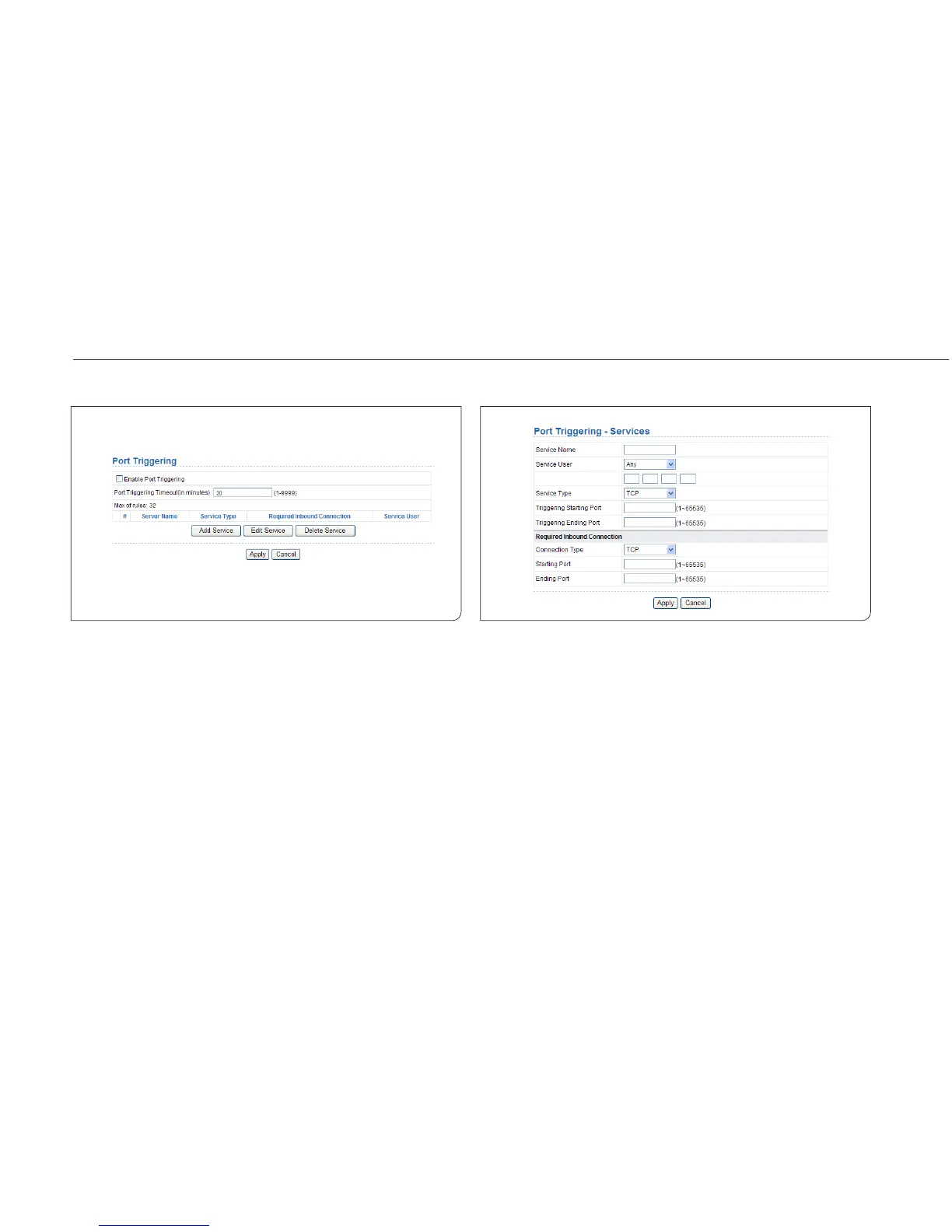
Choose Network Application > Port Triggering and the Port Triggering
page is displayed.
Enable Port Triggering: If Enable Port Triggering box is not checked, all
port triggering function will be disabled.
Port Triggering Timeout: The timeout value controls the inactive timer
at the specified ingress port. Upon timeout of the inactive timer, the
ingress port is disabled.
Click the Add Service button and the Port Triggering – Services page is
displayed:



 To Next Page