82
English/ Chapter 10
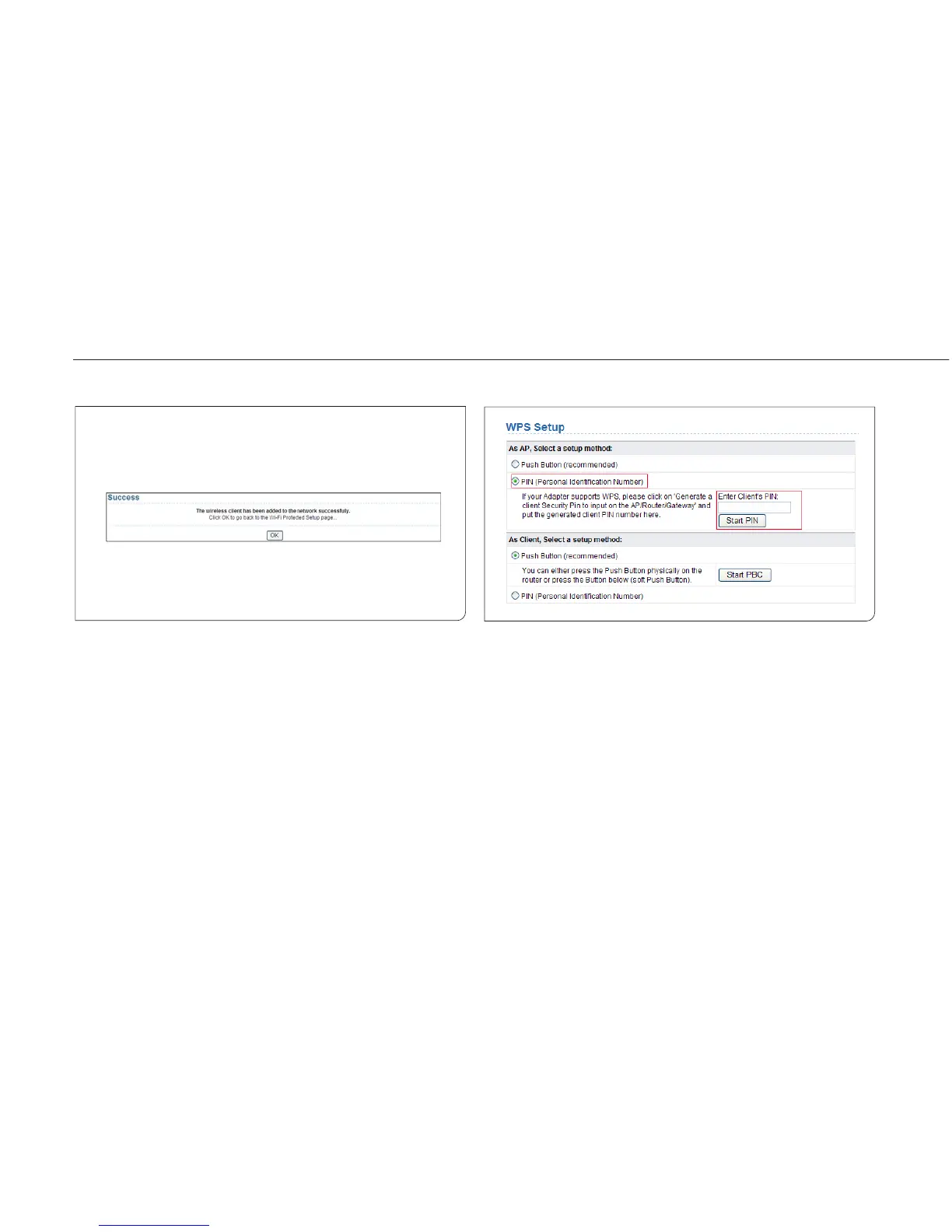
Step 2 Press the WPS button on the network adapter or click the
PBC button in the network adapter configuration tool within
2 minutes to start WPS connection. After WPS connection is
established, the following page is displayed, indicating that
the WPS connection is completed.
PIN mode
Step 1 Select PIN, enter the PIN code of the network adapter (refer
to the client of the network adapter), and click Start PIN to
start WPS connection.



 To Next Page