星火全自动缝纫控制系统使用说明书
Operation Instruction for Xing Huo Automatic Sewing Control System
This operation may be done at any time before the graphics generation.
4.8 Curve Collection
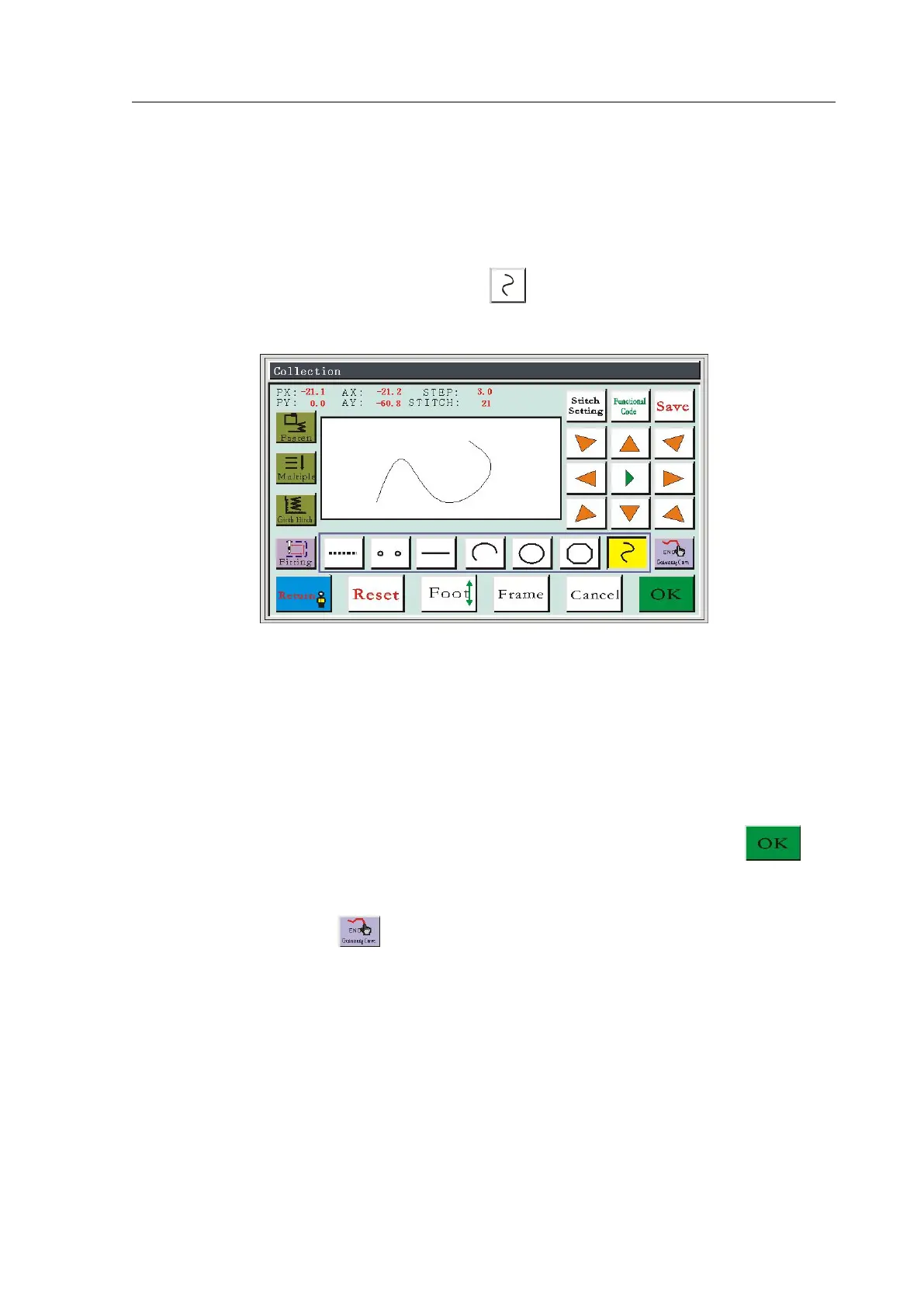
In file collection main interface, press the key, the key background becomes
yellow, shows that the current section of collection is curve mode, as shown in figure:
In curve collection, it can collect 127 points continuously at most, to generate a curve by
the radian way of adjacent 4 points. The curve effect can be better if the collection points are
intensive as far as possible on corners. Less than three points of collection can't generate a
curve.
Absolute origin or the end point of previous collection section is the first point of curve
collection. Press keys to move the black cursor to the needed position, press the key
to determine the collection point; move for many times and determine the collection point;
after completing, press the key to generate a curve.
If it needs to adjust the stitch, speed, fastening, complementary sewing, zig-zag sewing
and insert functional code at the end of this section, please refer to relevant setting operations.
This operation may be done at any time before the graphics generation.



 To Next Page