星火全自动缝纫控制系统使用说明书
Operation Instruction for Xing Huo Automatic Sewing Control System
7.2 Combine File
In file processing, if you need to combine few graphics into one graphics for processing,
you can do it through the following operations. Combination can be undertaken to up to eight
selected files.
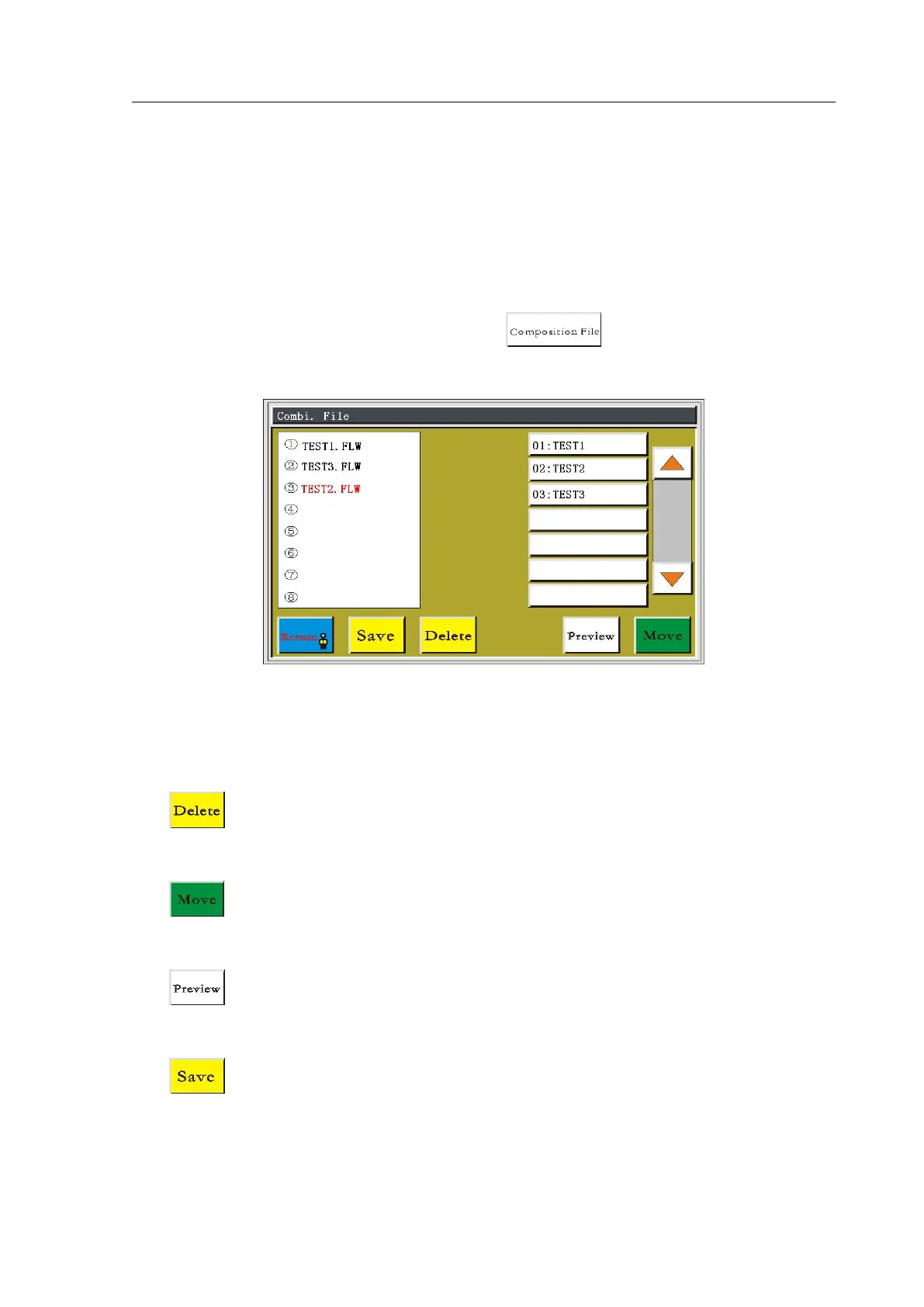
In auxiliary operation interface, press the button to enter combine file
interface, as shown in figure:
Select the files needed to combine on the right, after clicking to select, the selected files
will be added to the left, and the same file can be selected for many times to combine. Related
functional specifications are as follows:
: click the file name on the left side, the text will be red, click on this icon will
delete the selected file.
: choose the file name on the left side, click this icon to enter "Offset Setting"
interface, the selected file can be combined after overall offset.
: click this icon to enter the "Edit Menu" interface, the composition file on the left
side can be processing previewed.
: click this icon, it will prompt to set file name to save composition file on the left
side.



 To Next Page