17
16
QUICK REFERENCES - CONT'D
QUICK REFERENCES
GETTING STARTED
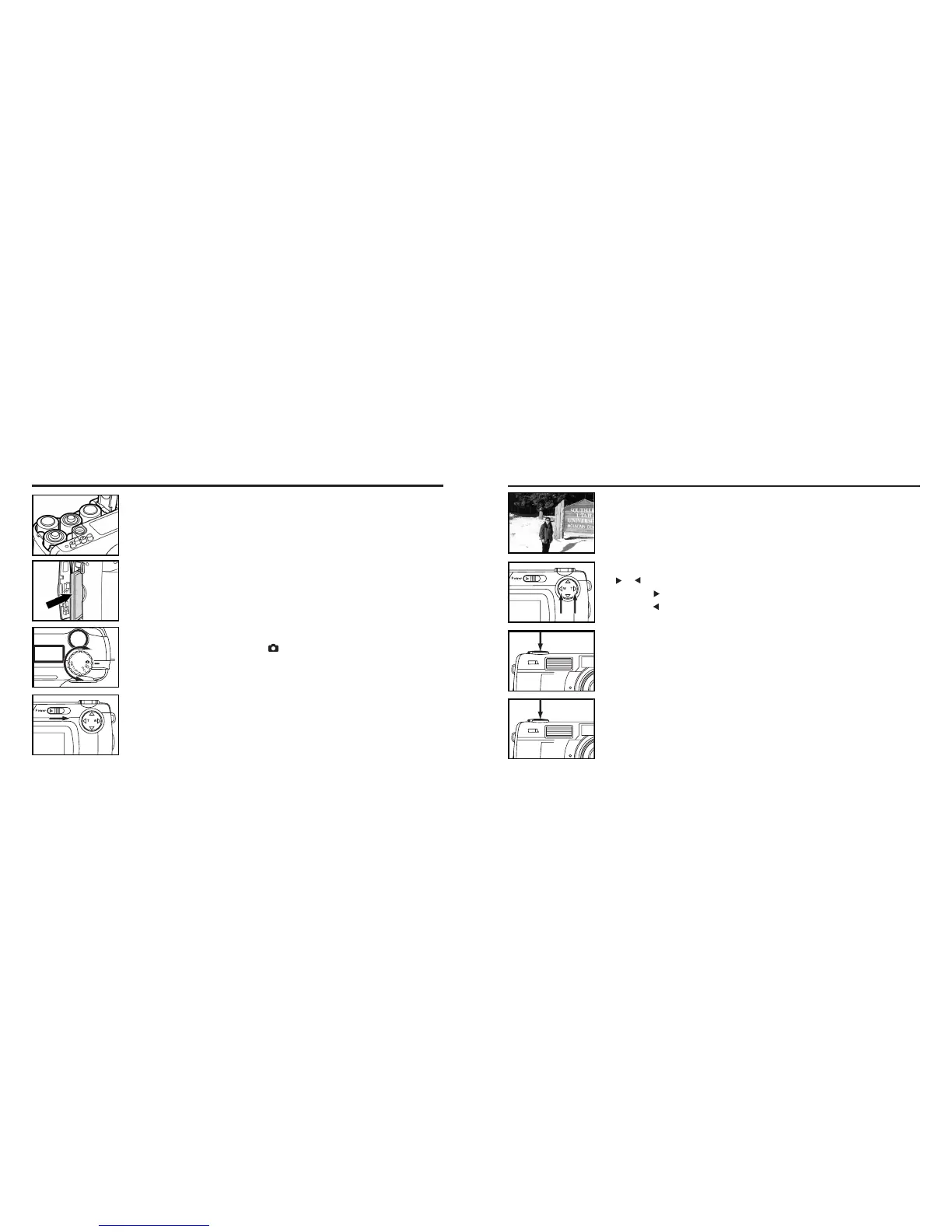
TAKING PICTURES – See page 31 for details.
11
Insert the batteries (see page 23).
22
Insert the CF card (see page 27).
11
Rotate the function dial to .
22
Slide the power switch to turn on the camera.
33
Determine the image composition while looking into LCD
monitor or viewfinder.
55
Press the shutter-release button part-way down.
• When the image is focused, the focus lamp (green) lights up.
44
Adjust the image range and size with the four-way keys
( / ).
• When the key is pressed, the image size becomes large.
• When the key is pressed, the image range becomes wide.
66
Press the shutter-release button all-the-way down to take
the picture.
• The captured image is displayed on the LCD monitor.
• While the captured image is recorded in the CF card, the focus lamp (green)
blinks slowly (about 2 times in a second).



 To Next Page