121
120
55
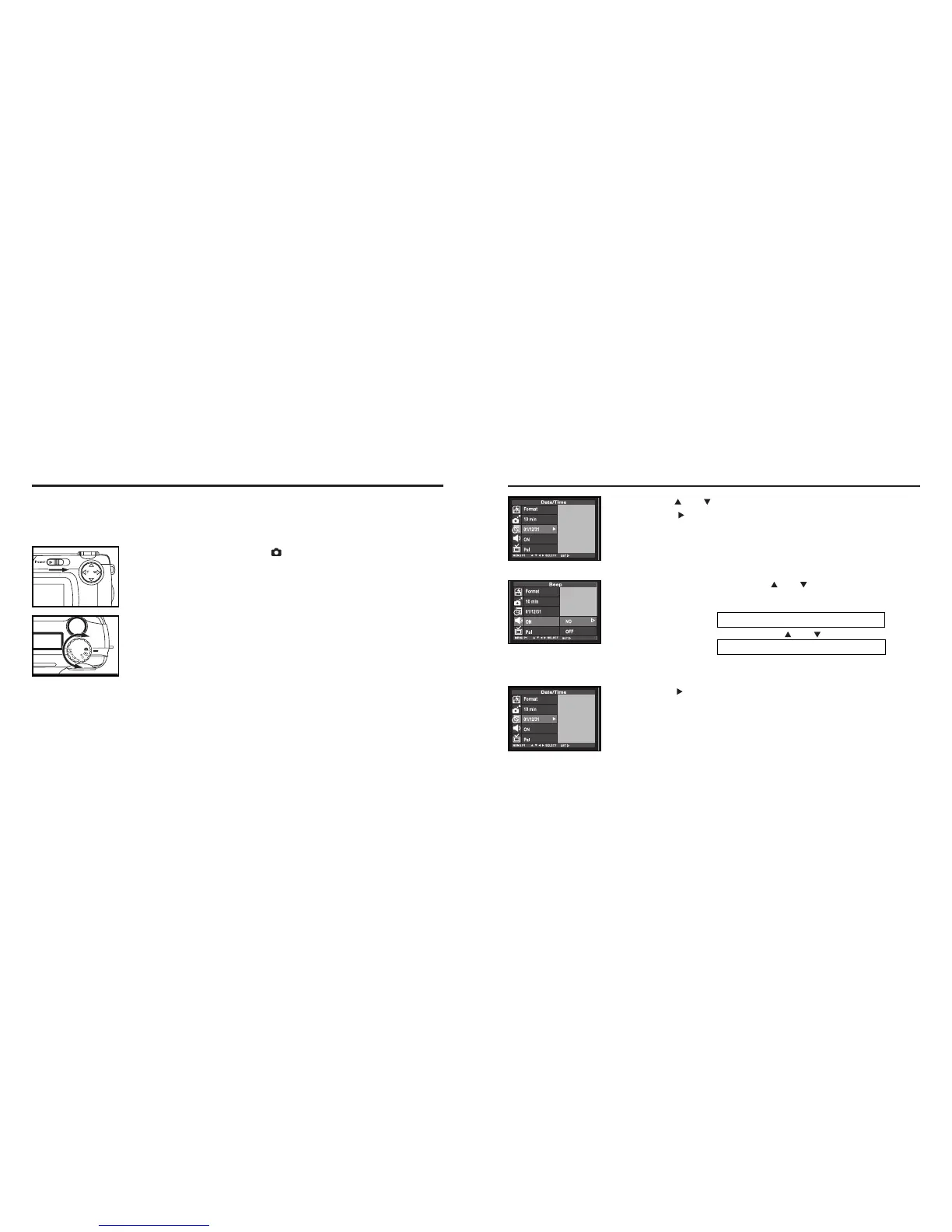
Press the key to finish the setting .
• When [OFF] is selected on step
44
, the beep does not sound even when
you operate with the buttons or the function dial.
• The volume of the beep cannot be changed.
SETTING THE BEEP SOUND- CONT'D
33
Press the or key so that [BEEP] is highlighted and
press the key.
44
Select [ON] or [OFF] with the or key.
• The setting of the beep changes in the following order.
ON (The beep sounds.)
OFF (The beep does not sound.)
SETTING THE BEEP SOUND
The beep sounds each time you operate this camera with the buttons or function dial and you can
turn off or on the beep. The beep is turned on unless you change the setting after you purchase this
camera.
When you use this camera in the situation you cannot make noise such as a wedding ceremony, etc.,
you can turn off the beep.
11
Rotate the function dial to and slide the power switch to
turn on the camera.
• The power switch returns to the initial position.
22
Rotate the function dial to "SETUP".
• The setup mode menu is displayed on the LCD monitor as shown in the fig-
ure.



 To Next Page