74 www.jouleuk.co.uk | www.joule.ie
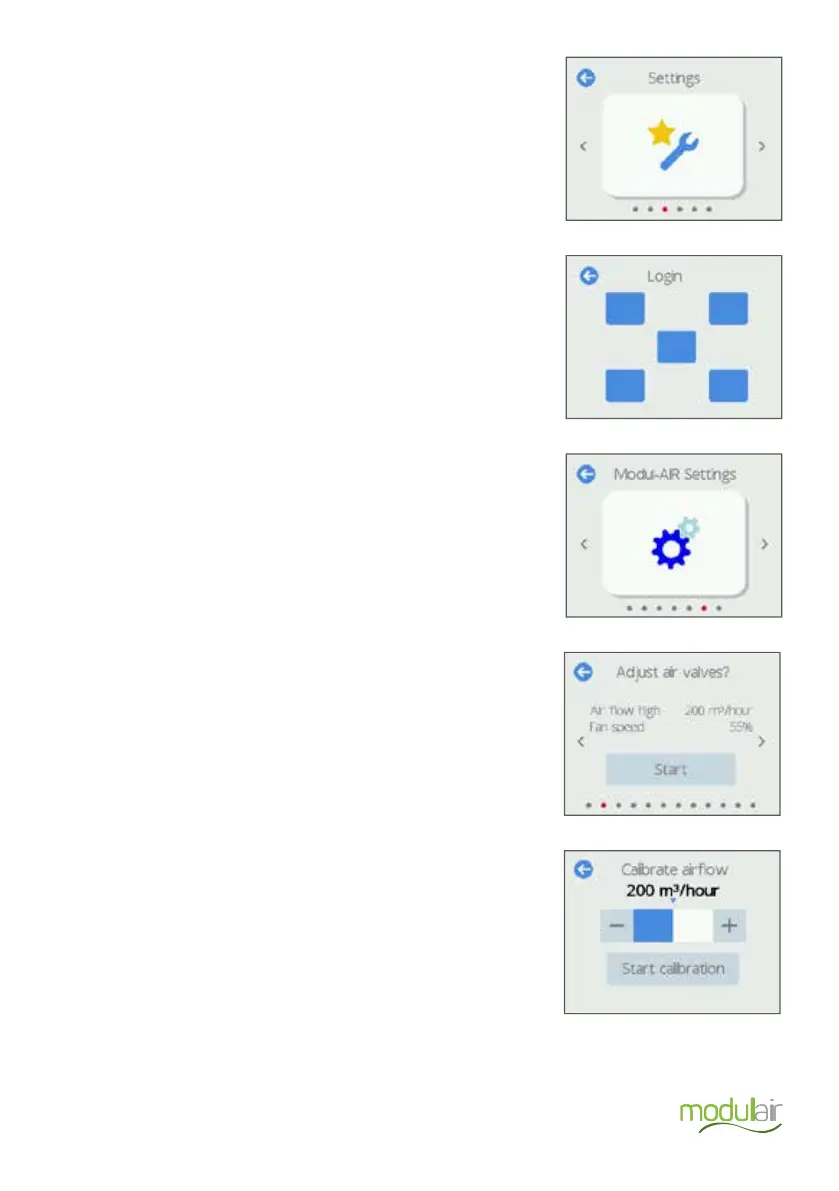
Next, scroll to the right to the Settings tile and press the icon
Navigate to the Modul-AIR settings menu and press the icon.
Navigate to the Adjust air valves screen and press start.
On the Calibrate airflow screen the total airflow can be
adjusted. In this mode, the fan will increase and/or decrease
its speed to keep the airflow constant.
The ceiling valves can now be adjusted.
Enter the login code to access the installer functions. The
installer code is issued during the Modul-AIR Joule installer
training program.


 To Next Page