90 www.jouleuk.co.uk | www.joule.ie
Checking the Modul-AIR Status
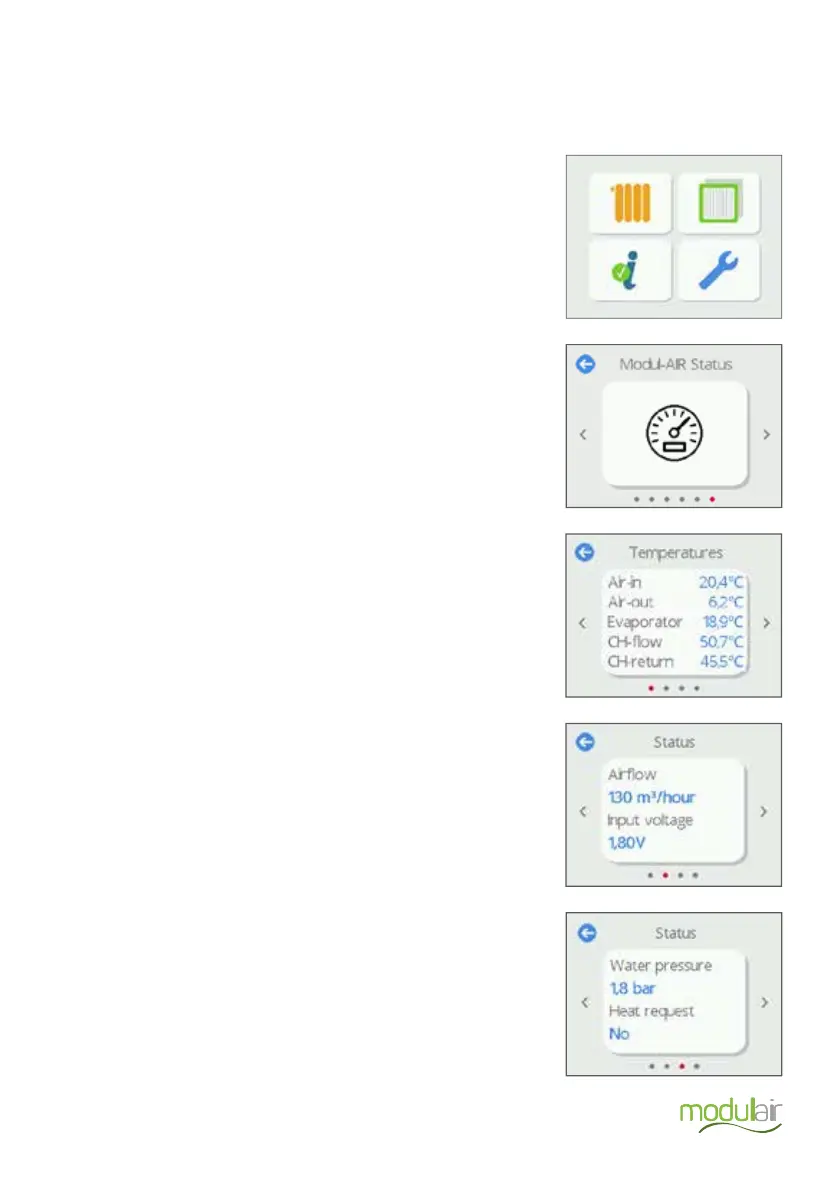
Information about the status of the Modul-AIR can be found in the installer menu under the Modul-AIR Status tab;
Tap the Settings icon in the main menu
Navigate to Modul-AIR Status and press the icon.
The temperatures sensor values are displayed here.
On the next page, the unit’s airflow rate and the voltage input
from the optional RF ventilation accessory are displayed here.
On the next page, the Water pressure and Heat request are
displayed here.


 To Next Page