80 www.jouleuk.co.uk | www.joule.ie
Date and Time Setting
Several functions of the Modul-AIR are affected by the date and time. It is required for proper operation of
the Modul-AIR unit that date and time are set correctly.
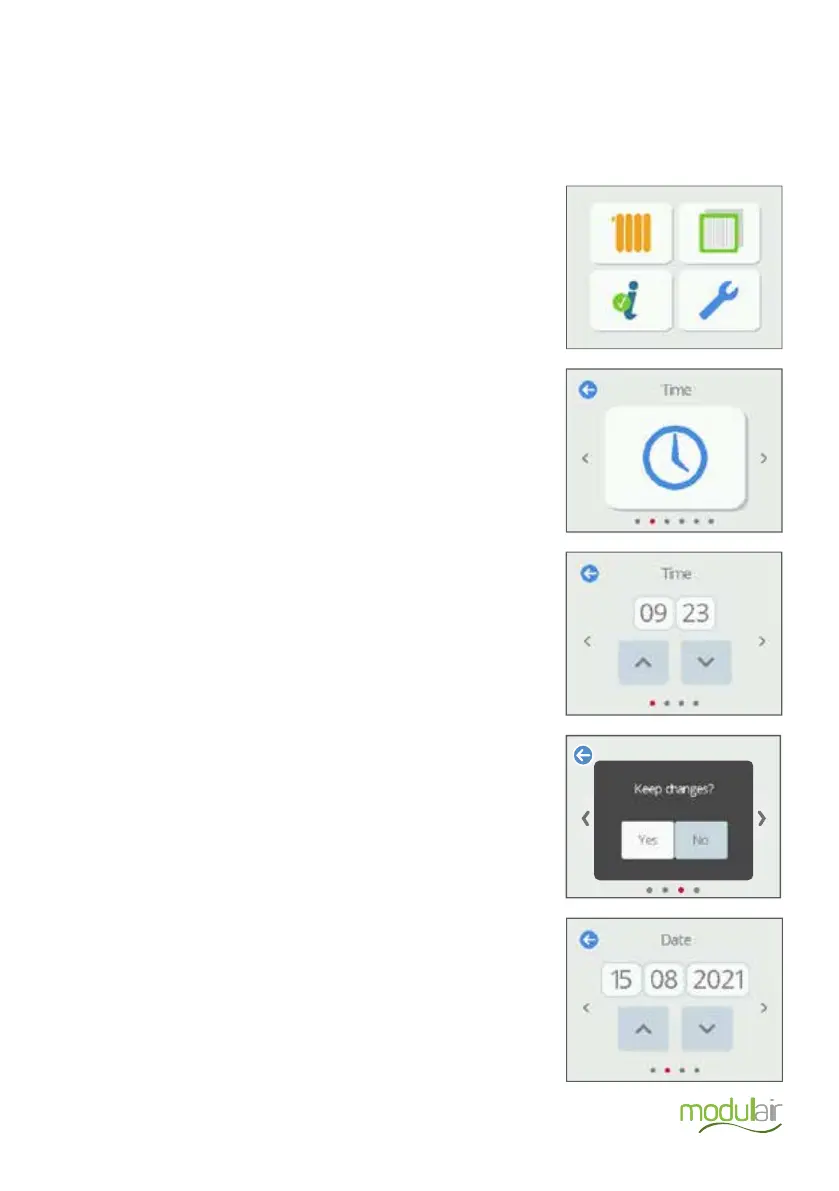
The procedure to input the time and date is as follows:
Navigate to the Modul-AIR settings menu and press the icon.
Navigate to Time and press the icon.
Press Yes to save the setting.
Set the hours and minutes on the first screen. Use the up and
down arrows to do this.
Press the arrow right. The confirmation screen appears.
Set the date on the second screen. Press the arrow right. The
confirmation screen appears.
Press Yes to save the setting


 To Next Page