– 6 –
❶
1ø 220V-240V
❷
❸
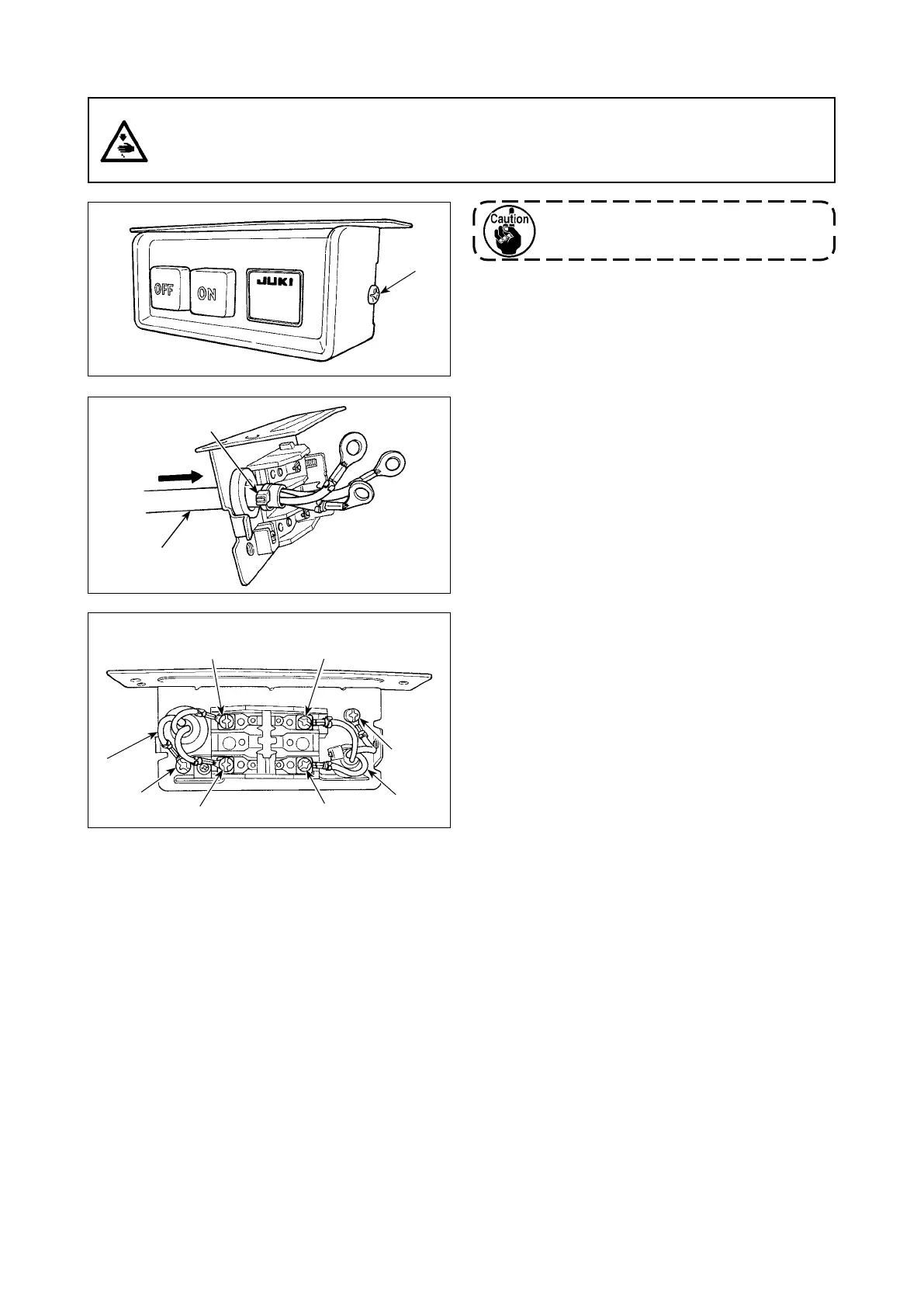
2-6. Installing the power switch (for CE)
Do not insert the power plug into the
plug receptacle.
1) Remove screw
❶
on the side face of the power
switch cover to open the power switch cover.
Blue Blue
Brown Brown
Green/
Yellow
Green/
Yellow
2) Pass AC input cord
❷
,
❸
through the rear face of
the power switch. Bundle the cord with cable clip
band
❹
to secure it.
3) Securely x the terminals of the AC input cord
❷
,
❸
by tightening the screws at the specied loca-
tions.
4) Close the power switch cover. Tighten screw
❶
on the side face of the power switch cover.
❷
❹
WARNING :
1. Be sure to attach the ground wire (green/yellow) to the specied location (on the ground side).
2. Take care not to allow terminals to come in contact with each other.
3. When closing the power switch cover, take care not to allow the cord to be caught under it.



 To Next Page
 Loading...