Getting Started
EN I
15
How to Use this Manual
About this Manual
The text in this manual mainly describes operations
that use the remote control.
0 Remote control buttons are expressed as button
names.
0 Options on the menu screen are enclosed in double
inverted commas as in AoptionB.
Supplementary descriptions in this manual.
0 NOTE: Describes relevant information.
0 IMPORTANT: Describes limitations on functions or
operation.
0 CAUTION: Indicates a cause of malfunction or the
possibility of recordings being erased.
0 : Denotes the relevant page.
0 A - m : Numbers attached to items in the setup
menu.
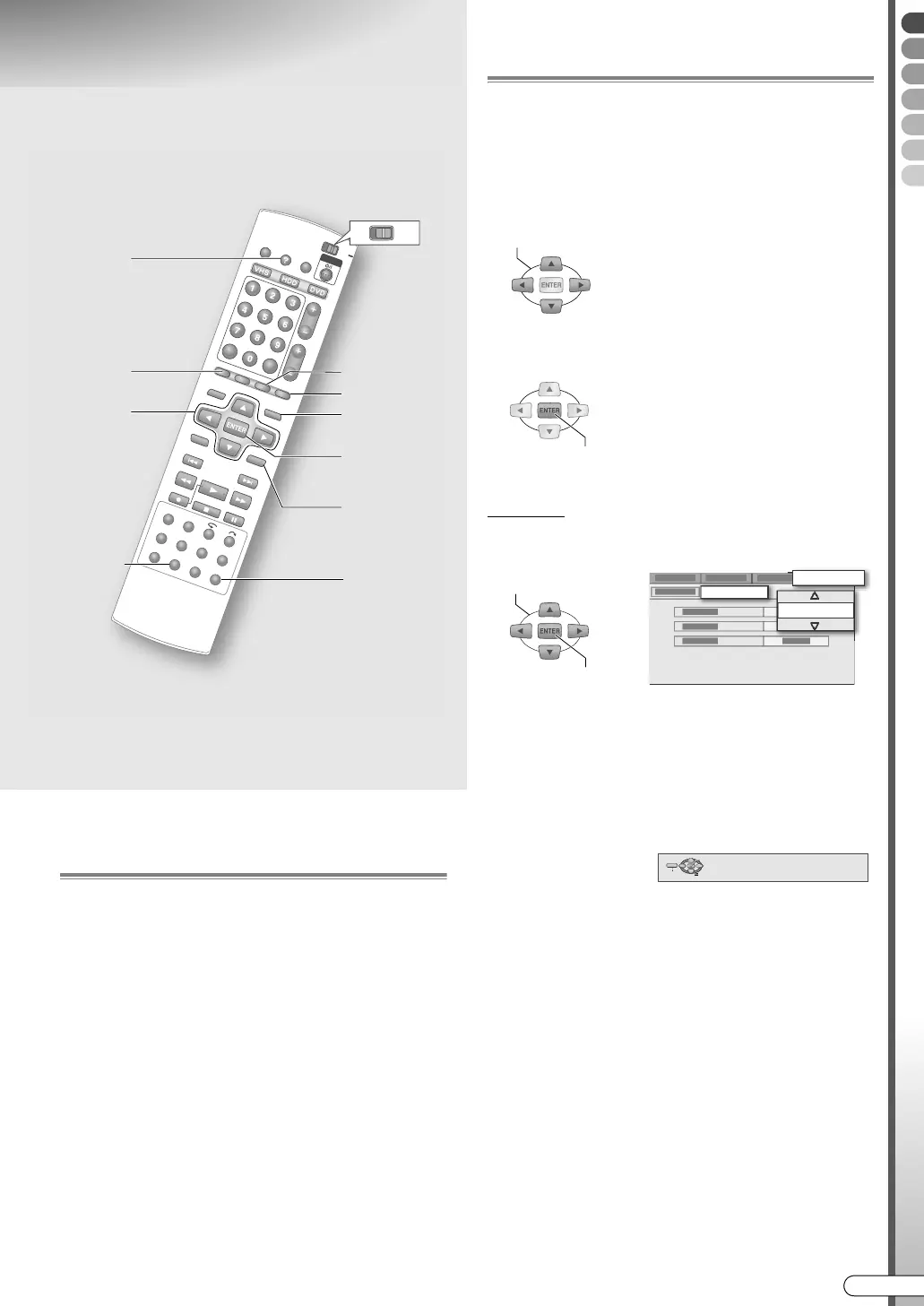
Operation of the Menu Screen
0 The menu screen will be displayed when any of the
following buttons is pressed.
SET UP, GUIDE, NAVIGATION, EDIT, PROG,
DUBBING, HELP
0 Select options using the Selection Keys (FGDE) on
the remote control.
0 Confirm using ENTER.
Example
A Select an item.
0 Options are prominently shown as pop-ups in the
screen illustration on this manual.
0 Press RETURN to return to the previous menu screen
or the broadcast screen.
0 Simple operations are displayed on the left or bottom
in most menu screens.
0 Verify the settings, then press the initial button again
to exit the menu screen and return to the broadcast
screen.
ABCDEFGHILM
0 Applicable media are highlighted on the above icons.
0 Buttons to use in each step are denoted by step
numbers.
0 Other buttons to use are denoted by button names.
TV
DVD
DUBBING
HELP
GUIDE
PROG
EDIT
NAVIGATION
RETURN
SET UP
Selection
Keys
(FGDE)
A
SELECT
0 Option
A light green item with a small
arrow, on the menu screen.
However, it is not light green in
colour in the GUIDE Plus+
system.
CONFIRM
SELECT
CONFIRM
CLOCK SET
2005
INITIAL SET UP
SELECT WITH @
THEN PRESS [ENTER]
PRESS [SETUP] TO EXIT
EXIT SELECT
ENTER
SET UP
(Bottom screen display)
DR-MX10SE.book Page 15 Wednesday, December 14, 2005 3:37 PM



 To Next Page
 Loading...








