Editing
EN I
89
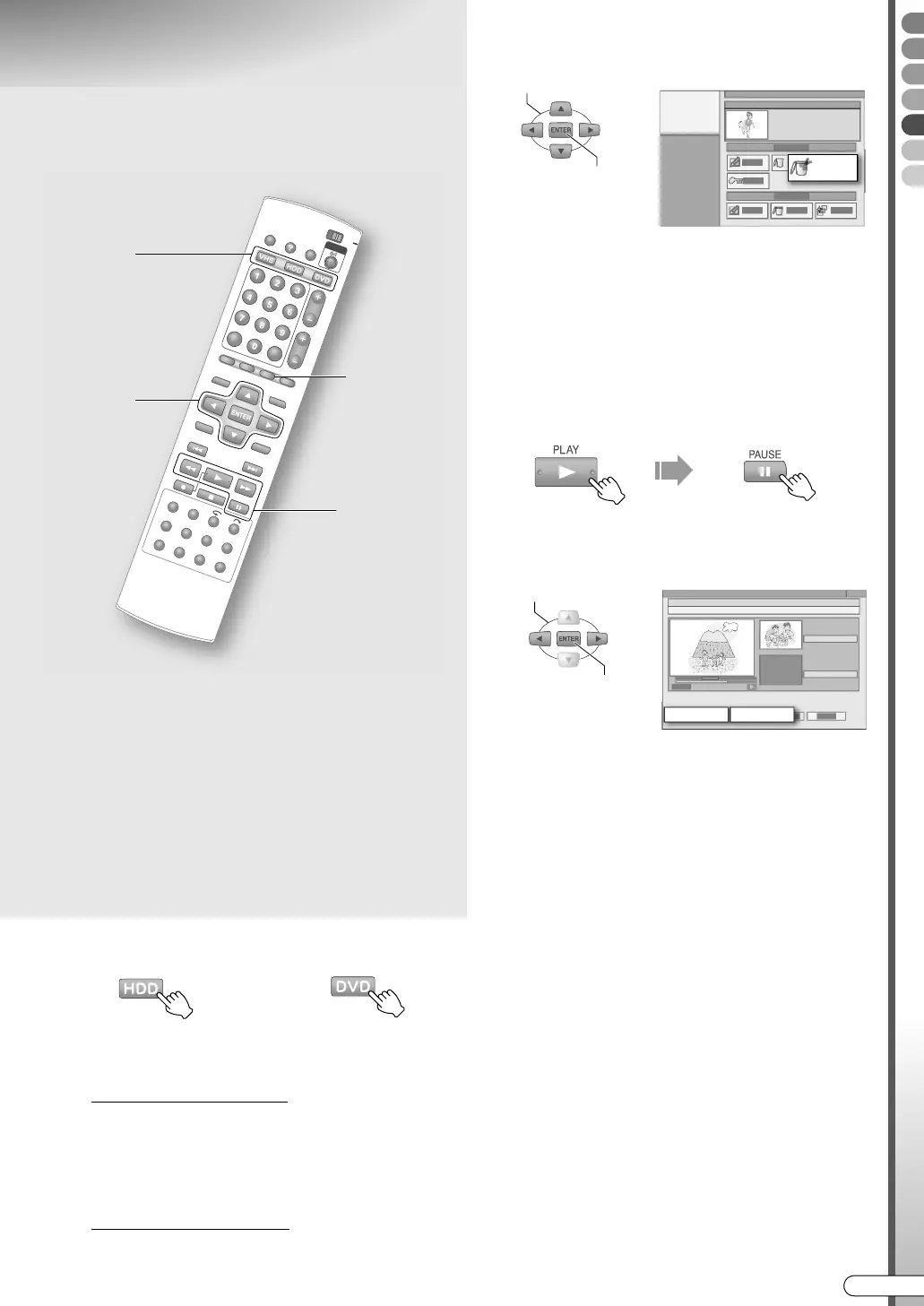
Deleting Scenes
A Select disc.
B Display the Editing screen.
When DVD is selected
A Load a disc.
B Press EDIT to display the Editing screen.
C Select AMODIFYB.
When HDD is selected
A Press EDIT to display the Editing screen.
C Select “DEL SCEN”.
D Select and confirm on a programme
whose unwanted scenes you want to
delete.
E Decide on the unwanted scene to be
deleted.
A Start playback, then pause at the scene
where you want the deletion to begin.
0 You can also use SLOWF/SLOWG.
B Select AINB.
C Start playback, then pause at the scene
where you want the deletion to end.
D Select and confirm on AOUTB.
E Select and confirm on AOKB.
0 Select APREVIEWB, a preview of the scene
approximately 5 seconds before and after the
deleted part is played back.
0 To redo, select ARETRYB.
F Select and confirm on “DELETE”.
G Press EDIT to exit.
ABCDEFGHILM
9 You can delete commercial breaks from a
recorded programme.
........................................................
IMPORTANT:
0 Deleting scenes does not increase remaining capacity
for DVD-R (VR mode).
0 If the time duration to be deleted is below 2 seconds,
deleting may not be possible.
0 It may deviate a little from the desired position set.
0 Deleting scenes on the DVD will cause all related
play lists to be deleted.
0 Deleting scenes on the HDD is not possible if the
programme is used in the play list.
B, G
B - F
A
E -
A, C
OR
SELECT
CONFIRM
DEL SCEN
IN OUT
SELECT
CONFIRM
DR-MX10SE.book Page 89 Wednesday, December 14, 2005 3:37 PM



 To Next Page