Basic Operations
EN I
57
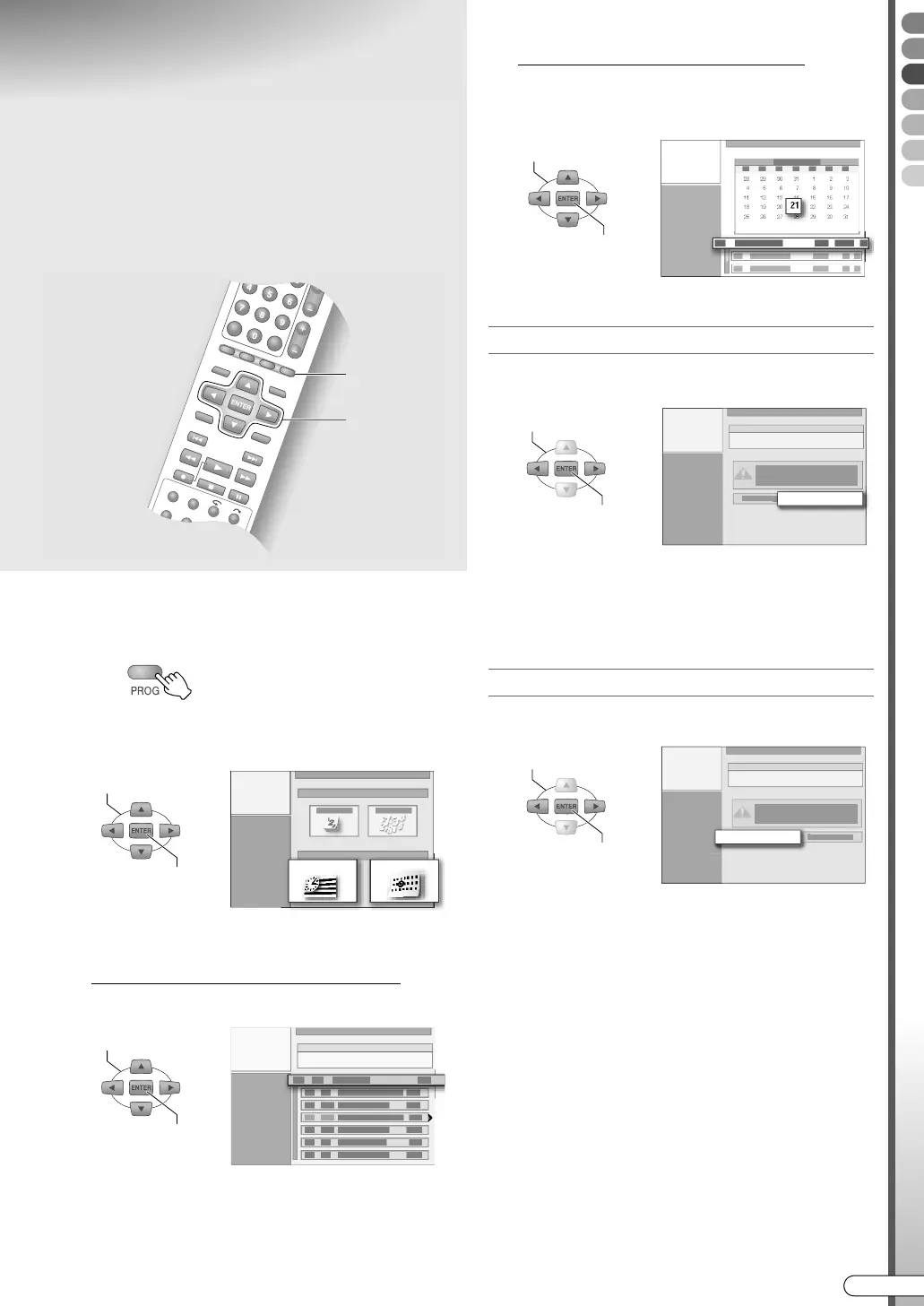
Checking, Changing or
Cancelling a Timer
Programme
A Display the programme navigation
screen.
B Select “PROGRAMME LIST” or
“CALENDAR LIST”.
C Select a timer programme.
If APROGRAMME LISTB is selected
A Select a programme.
0 Pressing the Selection Key (E) will display the
weekly/daily timer programme’s recordable
time limit. Timer programmes with (!) will
display the recordable time limit. Timer
programmes with (L) cannot be recorded.
If ACALENDAR LISTB is selected
A Select the programmed date.
B Select a programme.
When cancelling the timer programme
D Select “CANCEL”.
0 When a timer programme set using the
GUIDE Plus+ system is deleted, it will also be
from the AScheduleB list of the GUIDE Plus+
system.
When changing the timer programme
D Select “MODIFY”.
Proceed to change the programmed settings.
Perform ACalendar Timer ProgrammingB [ P54,
55], step D - G.
0 If the weekly/daily timer programme is carried
out at least once, the recording deck, channel,
weekly/daily setting, and the recording mode
cannot be changed.
ABCDEFGHILM
9 Timer programmes can be changed or
cancelled.
B - D
D
A
PROGRAMME LIST
CALENDAR LIST
SELECT
CONFIRM
SELECT
CONFIRM
SELECT
CONFIRM
CANCEL
SELECT
CONFIRM
MODIFY
SELECT
CONFIRM
DR-MX10SE.book Page 57 Wednesday, December 14, 2005 3:37 PM



 To Next Page
 Loading...








