Editing
EN I
87
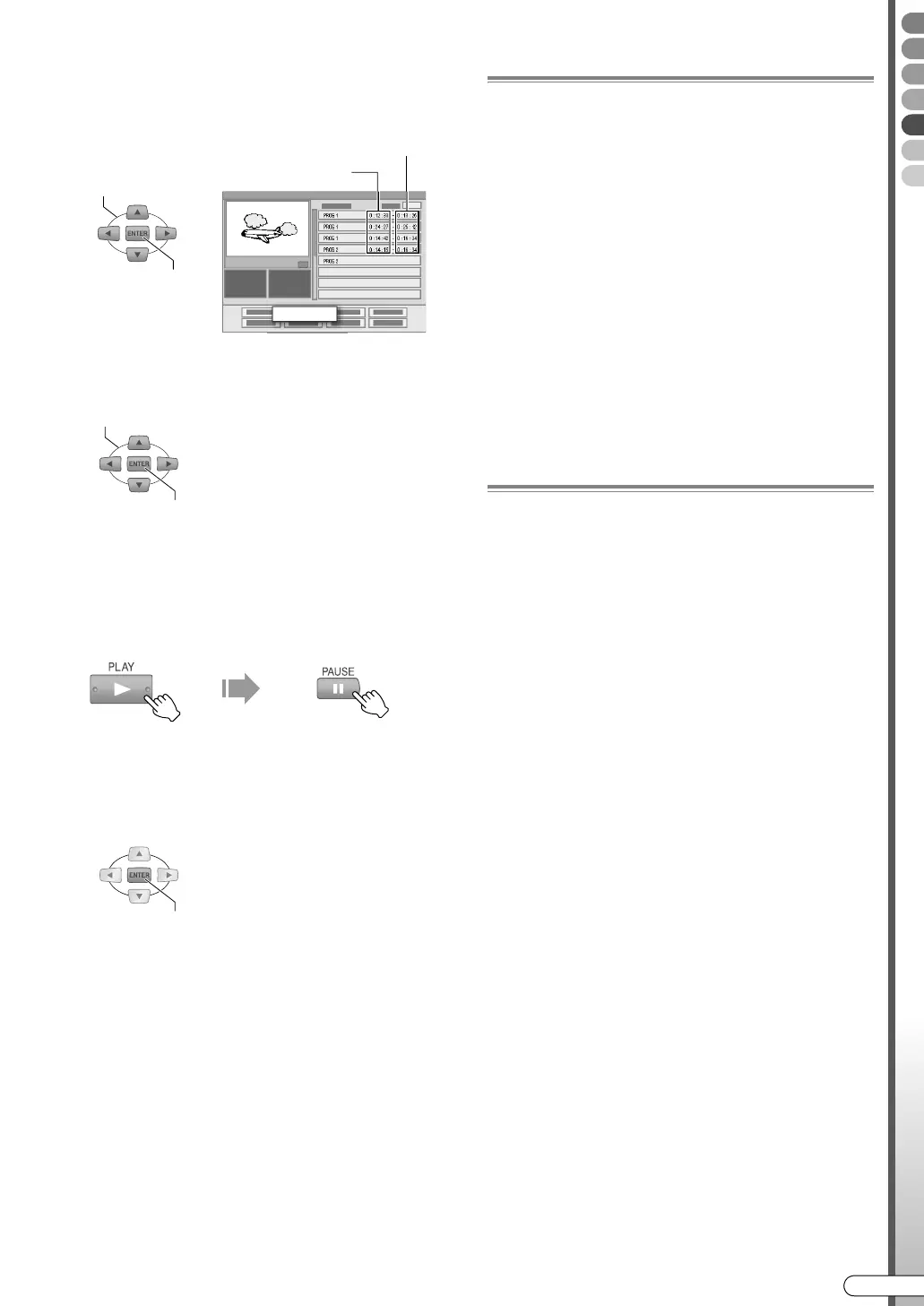
F Select the scene that you want to
modify.
A Select AMODIFYB.
B Select the playback start or end point of
a scene to modify.
0 To cancel modification, press RETURN or
EDIT.
G Create new scene.
A Start playback, then pause at the desired
scene.
0 You can also use SLOWF/SLOWG to search
for the scene.
B Confirm on the playback start or end
point.
0 To modify other scenes, repeat step F and G.
H Perform “Gathering Favourite
Scenes (Play List Creation)”, step
G - I [ P85].
Move Scenes
A Perform step A - E.
B Select and confirm on “MOVE” in
step F -
A.
C Select and confirm on the scene to
move at in step F -
B.
D Select and confirm another scene to
which the scene is to be moved.
0 To cancel the move, press RETURN or EDIT.
E Perform “Gathering Favourite
Scenes (Play List Creation)”, step
G - I [ P85].
Add Scenes
A Perform step A - E.
B Select and confirm on “SEL. TITLE”
in step F -
A.
C Perform “Gathering Favourite
Scenes (Play List Creation)”, step
D - I [ P84, 85].
SELECT
CONFIRM
PROG 1 0 : 12 : 33 - 0 : 13 : 25
PROG 1 0 : 24 : 27 - 0 : 25 : 12
PROG 1 0 : 14 : 42 - 0 : 16 : 34
PROG 2 0 : 14 : 15 - 0 : 16 : 34
PROG 2
MODIFY
Playback start point
Playback end point
SELECT
CONFIRM
CONFIRM
DR-MX10SE.book Page 87 Wednesday, December 14, 2005 3:37 PM



 To Next Page
 Loading...








