Editing
EN I
83
Creating/Deleting
Chapters (Marks)
Perform
A
Modifying Thumbnail/Category
B
, step
A
-
D
[
P80]
.
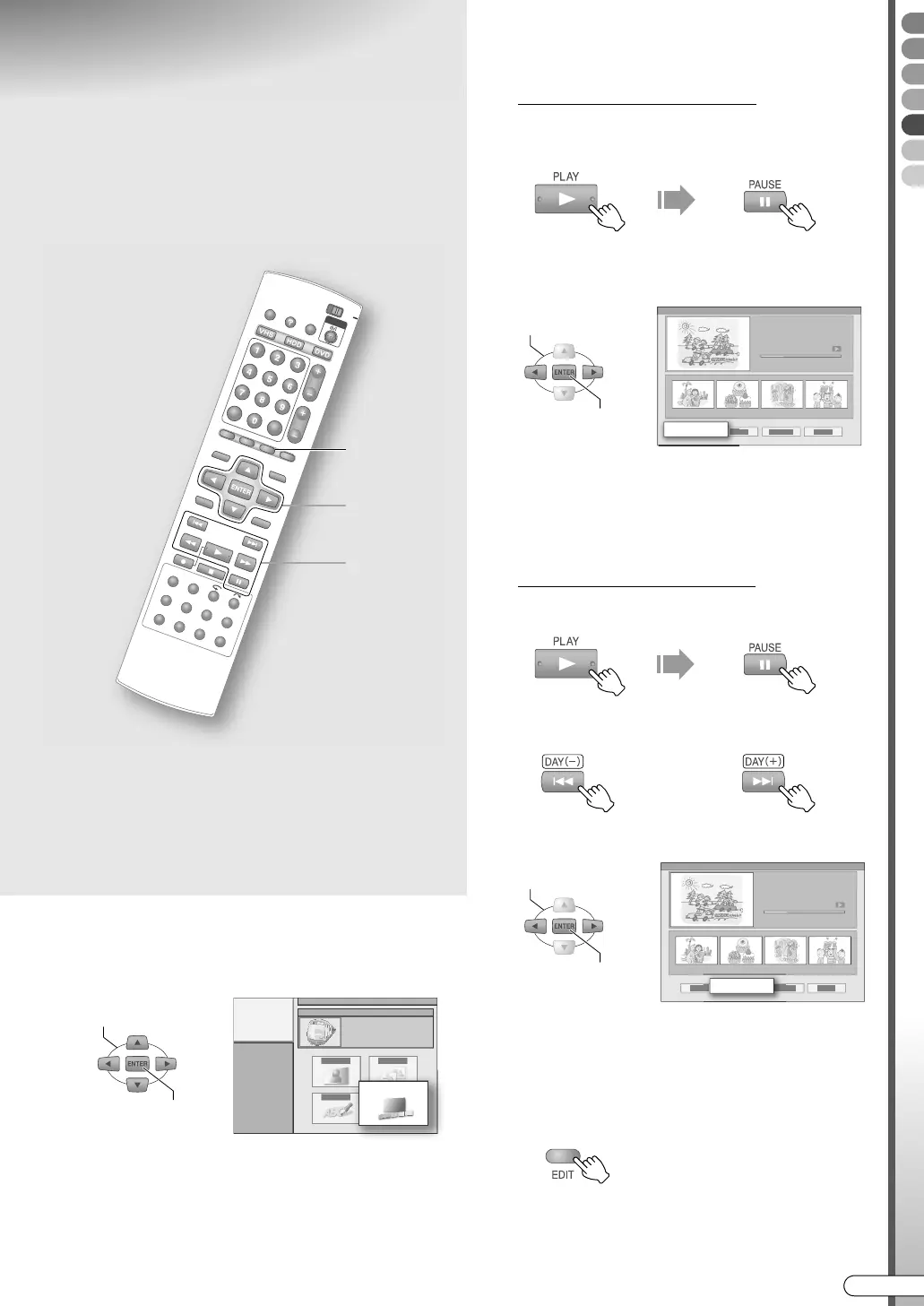
E Select “CHAPTER”.
F Create or erase the chapters (marks).
To create chapters (marks)
A Start playback, then pause at the scene
where you want to mark.
0 You can also use SLOWF/SLOWG.
B Select AMARKB.
0 If a chapter (mark) is created, a chapter image
will be added below the screen.
0 ARETRYB: Cancels AMARKB or AERASEB.
0 ARETURNB: Returns to the screen in step E.
To delete chapters (marks)
A Pause playback.
B Move to the mark to be deleted.
C Select AERASEB.
0 If a chapter (mark) is deleted, the chapter
image below the screen will be cleared.
G Exit chapter (mark) creation or
deletion.
ABCDEFGHILM
9 If chapters (marks) are created in the
recorded programme, a preferred scene in
the programme can be easily located.
........................................................
NOTE:
0 Modification on the DVD discs is not possible in the
following cases.
• Title-protected programmes. [ P88]
• Finalised discs. [ P67]
F
G
E, F
SELECT
CONFIRM
CHAPTER
SELECT
CONFIRM
MARK
OR
SELECT
CONFIRM
ERASE
DR-MX10SE.book Page 83 Wednesday, December 14, 2005 3:37 PM



 To Next Page