Basic Operations
EN I
67
Watching on Other DVD
Players (Finalising)
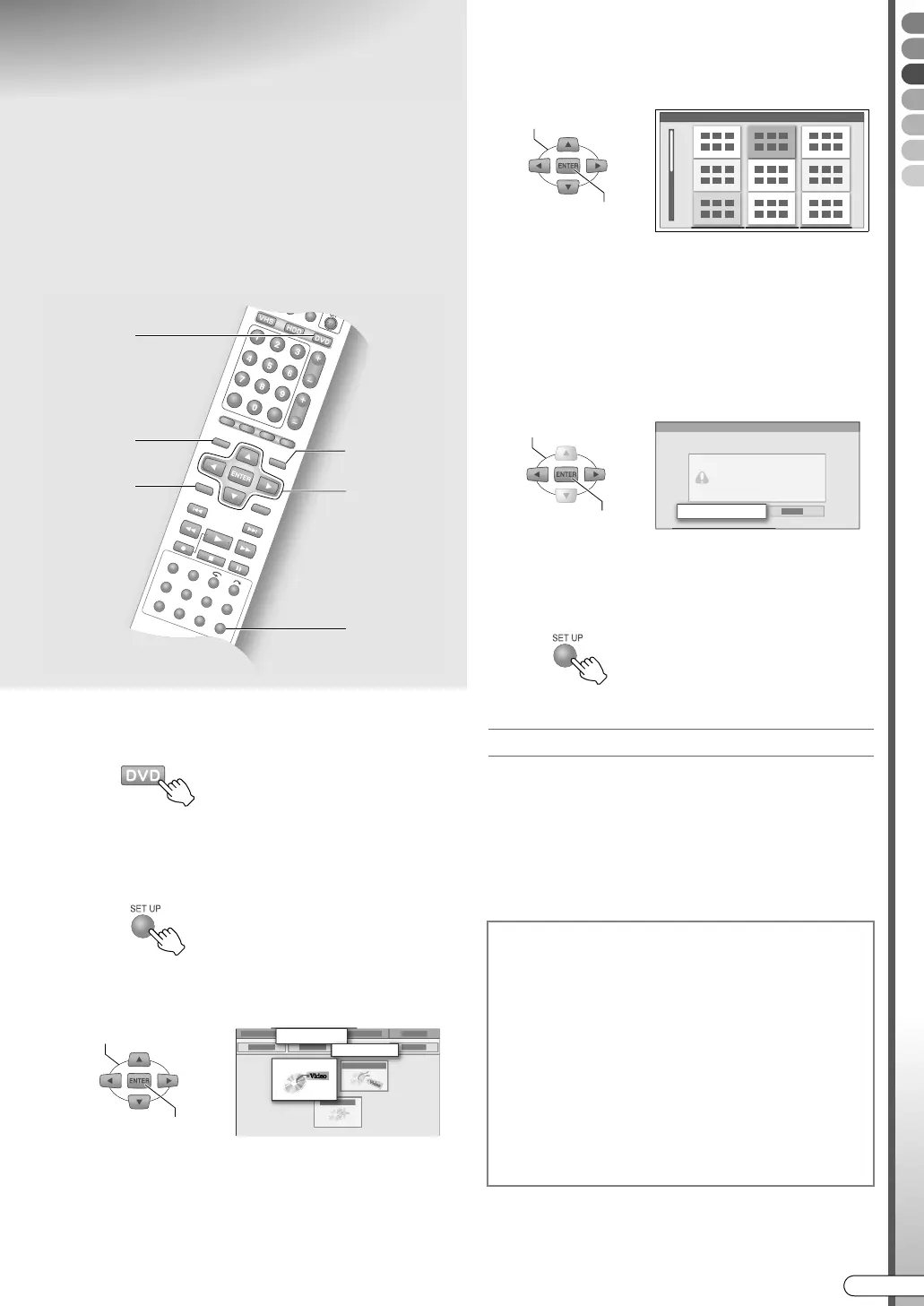
A Select DVD, and load a disc.
B Select “FINALISE”.
A Access the setup menu.
B Select AHDD/DVD SET UPB B ADISC SET
UPB B AFINALISEB.
C Choose a background image for the
menu. (Video mode only)
0 There are 18 types of background images.
0 This step does not apply to DVD-RW/-R (VR
mode) discs.
D Perform finalisation.
A Select AOKB.
B Select AOKB again.
If a ACOMPLETEDB message is displayed,
E Exit finalisation.
Playback after finalisation
0 Press TOP MENU or MENU to operate Video mode
discs, as with DVD Videos.
0 Press NAVIGATION to operate VR mode discs.
0 Finalised DVD-RW (VR mode) discs can be played
back on VR mode compatible devices.
0 Finalised DVD-R (VR mode) discs can be played back
on DVD-R (VR mode) compatible devices.
ABCDEFGHILM
9 To play back DVD-R and DVD-RW discs on
other DVD players, perform finalisation.
Finalising a Video mode disc results in a
DVD VIDEO disc with programme menu.
Recording and editing are not possible after
finalising.
TOP MENU
MENU
NAVIGATION
B - B
D
B -
A
E
A
SELECT
CONFIRM
HDD/DVD SET UP
DISC SET UP
FINALISE
To cancel finalisation
A
Load a finalised DVD-RW disc.
0 It is not possible to cancel the finalisation of a
DVD-R disc.
B Access the setup menu, select and confirm
on AHDD/DVD SET UPB B ADISC SET
UPB B ACANC. FINALIS.B.
C Select and confirm on AEXECUTEB on the
confirmation screen.
D Press SET UP to exit.
SELECT
CONFIRM
SELECT
CONFIRM
OK
DR-MX10SE.book Page 67 Wednesday, December 14, 2005 3:37 PM



 To Next Page
 Loading...








